How to Copy Roblox Game?
Roblox is a great platform to showcase your creativity and imagination. You can create immersive games that you have always wanted to play and share with the world. But it is always tough to start making games from scratch.
So, Roblox lets you copy games from other creators and use it in your own gameplay, world-building, and characters. Similarly, you can even copy your own creations from your other account. Let’s see. . .
Download Roblox Studios
- Open Roblox Studio
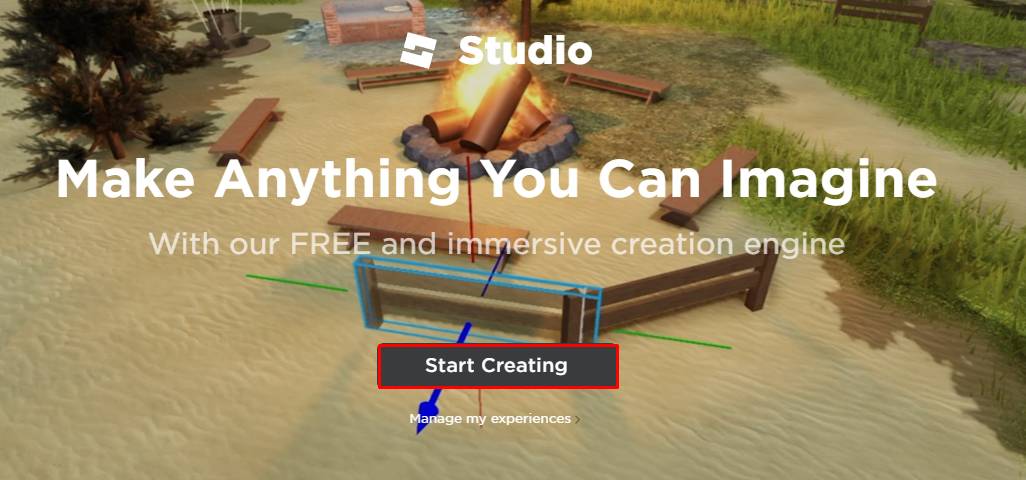
- Select Starting Creating. (A dialog box appears)
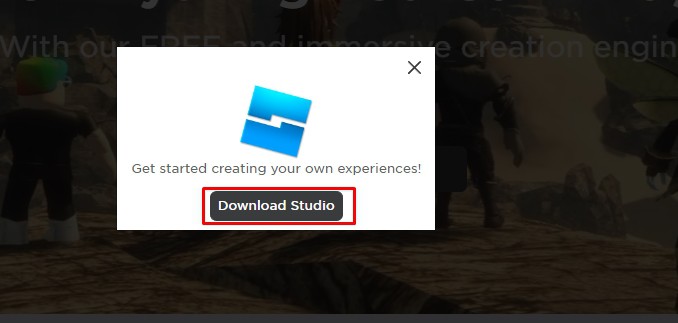
- Click Download Studio
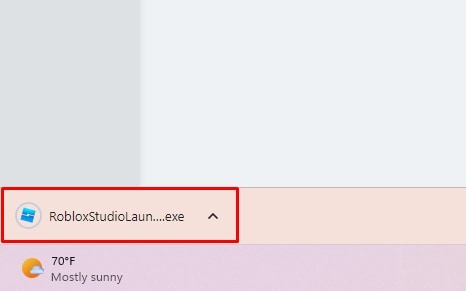
- Find the downloaded file RobloxStudio.exe on Windows or RobloxStudio.dmg on Mac
- Install it and click on Launch Studio
Copy Other’s Game
There are a lot of public games on Roblox. These public games can be copied easily and you can edit them as you wish. You can incorporate your own storytelling, gameplay, and characters. But remember you can only copy games that are copy-enabled. For that,
- Open Roblox Application.
- Choose the game that you want to copy (make sure the copy is transferable or not)
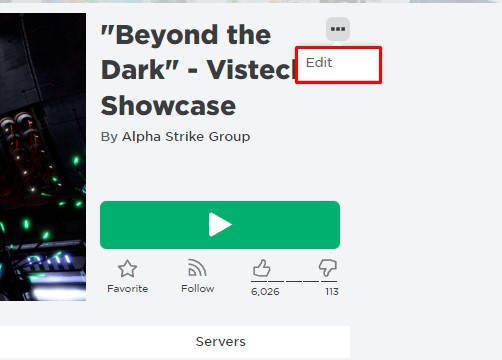
- Click on Three dot menu.
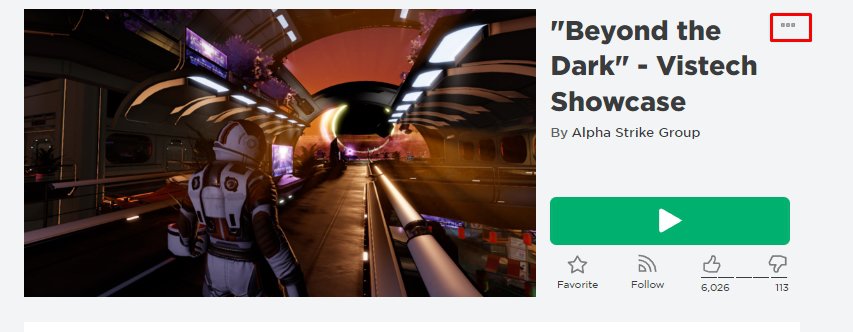
- Click on Edit. (Roblox Studious will open)
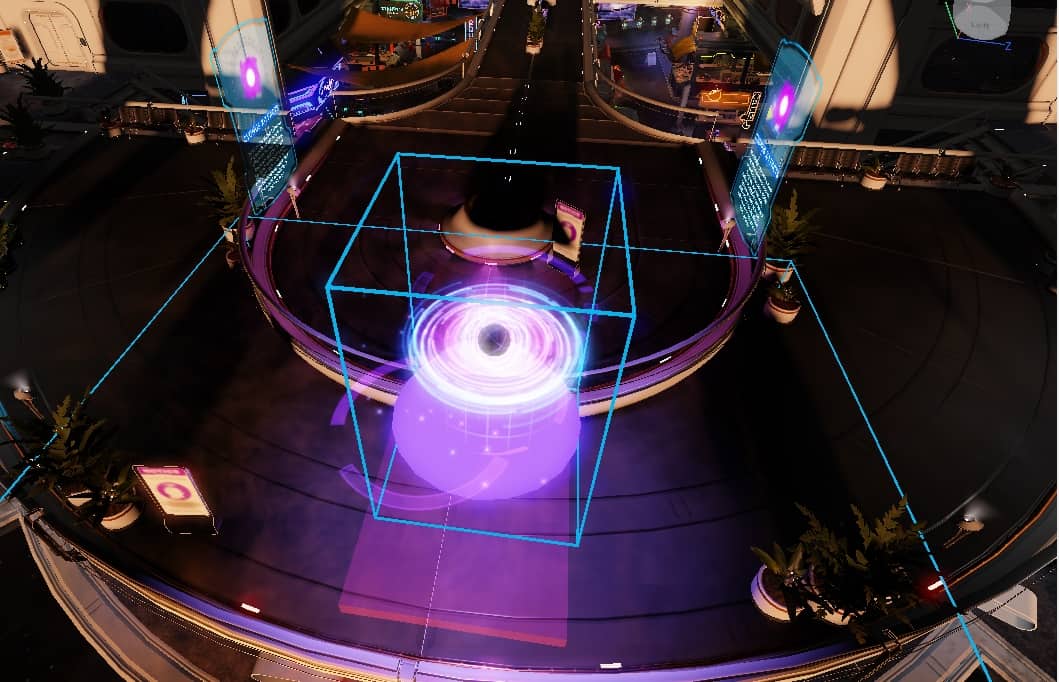
- Edit the game as you wish.
- Click on File on Roblox Studious
- Click on Save To File As.
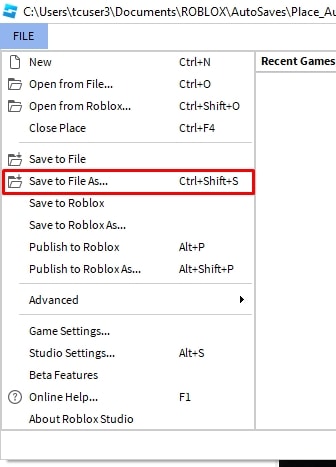
- Select the desired drive you want to save.
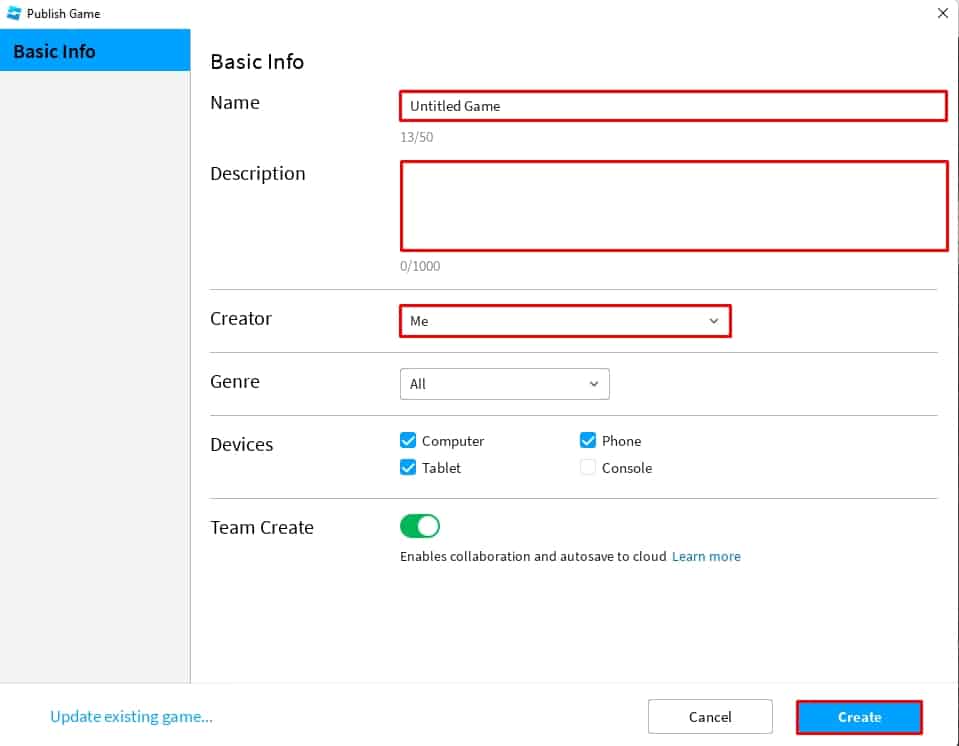
- Click on Publish to Roblox As.
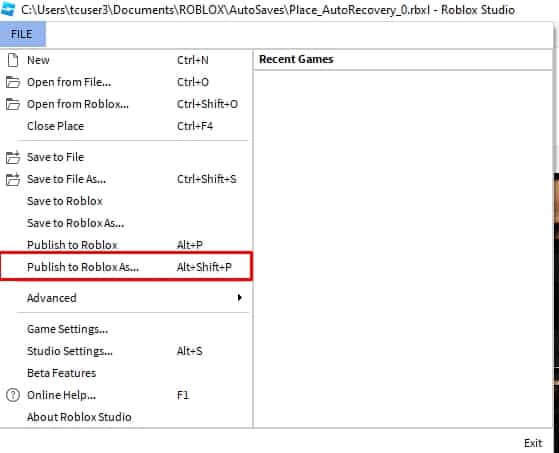
- Write Name, Description, specify the device,
- Click on Create.
Copy Your Own Game/Experience
You have created the Roblox experiences on your other account and now, want to rework the experience and make it public then you can easily do it. Make sure, your secondary account is active before you begin the process.
- Open Roblox Studious application
- Enter your credential and log in.
- Open your own experience.
- Click on File.
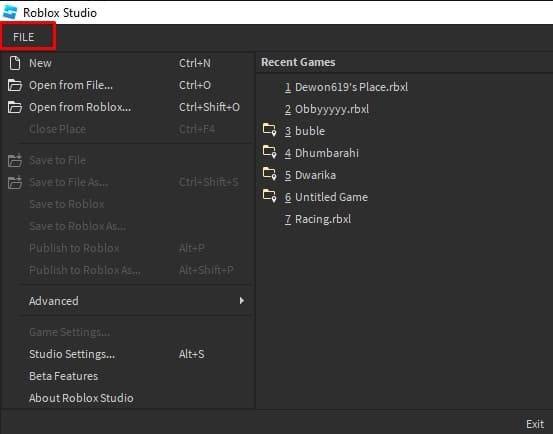
- You can click on a file to save the experience on your device.
- Or you can click on Publish to Roblox as and either overwrite or save it as create a new one.
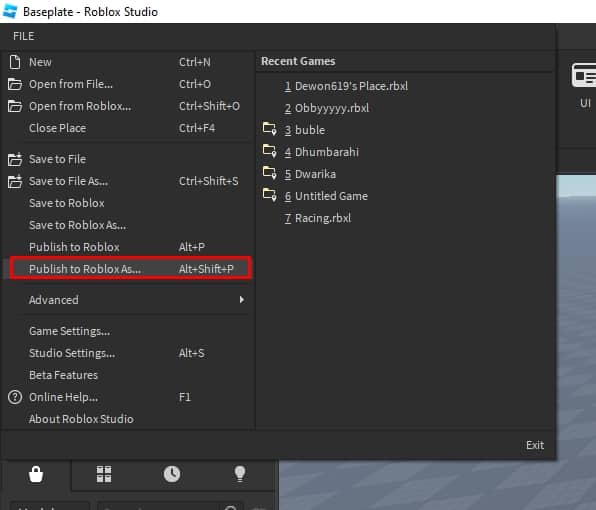
Here, there are two ways you can access the file you just saved. You can either copy the saved file to your current device or use the same saved file to create a new experience if you are on the same device.
Similarly, the published game can be edited. You can now edit the game as you wish and rework your project.
Nabeen is a gaming fanatic and an avid reader who loves to research the latest industry trends and write about them. His favorite pasttime is playing FIFA and Valorant with friends. In addition to his gaming pursuits, he takes pleasure in uncovering the hidden gems of the gaming industry and sharing them with fellow gamers.
Как сохранить карту, игру в роблокс студио

FAQ по Roblox Studio
Неплохо публиковать свою игру или карту в репозитории роблокса каждые десять минут во время работы или при внесении значительных изменений. После публикации вы сможете редактировать ее с любого компьютера. Пока что ваша игра будет приватной, но вы можете сделаете ее открытой для всех желающих.
Выберите Файл → Опубликовать в Roblox, чтобы открыть окно публикации.
 Меню пункт «Опубликовать в роблокс»
Введите название места и необязательное описание.

Напишите название игры и описание
Когда все будет готово, нажмите кнопку Создать…

Выберите платформу
how to copy games in roblox studio
local characterClone = character:Clone () print (character, characterClone) characterClone.Parent = playerIcon Trying to clone the players character to put into a ViewportFrame, however, it’s returning as nil. print (character, characterClone) returns NinjoOnline, nil Try printing the children of thecharacter right before cloning.
How do you clone yourself on Roblox Studio?
local val = 1 while wait () do local clonepart = game.Workspace.Part:Clone () if clonepart.Parent == nil then clonepart.Parent = game.Workspace end val = val + 1 if val == 15 then break end end To do this you have to add a val. I just added extra mesaures.
How do you clone bricks on Roblox Studio?
You can write your topic however you want, but you need to answer these questions:
- What do you want to achieve? Keep it simple and clear! .
- What is the issue? Include screenshots / videos if possible! I can’t find anything that will help me make one.
- What solutions have you tried so far? Did you look for solutions on the Developer Hub? I tried looking on youtube, but didn’t find anything on my problem. .
How do you copy stuff in Roblox?
How to copy and paste in Roblox chat [6 Easy Step]
- Open the chatBox in Roblox. .
- Highlighted the text you want to copy. .
- Press Ctrl+C. .
- Even if you’re using an Apple Ios Mac, press Ctrl instead of Cmd.
- Press Ctrl+V (Windows) ⌘ Cmd+V (Mac) to paste. .
- Roblox may filter strings of numbers, so if you’re having trouble pasting numbers in chat, try entering one at a time
See more

How do you duplicate a game on Roblox studio?
Once you are editing the experience you can copy two ways:If you would just like a backup saved to your computer, choose File > Save As.If you would like to upload a copy of the experience to Roblox, choose File > Publish to Roblox As, and upload over an existing experience or create a new one.
How do you copy a game?
Start the ripping process.Insert the disc, click the Create Image (or similar) button, and choose the correct drive from the image ripping software.Set a location for the image. . If you are using Alcohol 120%, select the copy protection method in the Datatype menu.Lower the read speed.
How do you copy on Roblox?
Press and hold down on the text you want to copy (or double tap fast on a word) and it should highlight one word. Simply drag the highlighted region on either end to extend the box. Then, tap copy once you’ve highlighted the text. To paste, simple press and hold down on your distracted location and press paste.
How do you export a Roblox game?
0:161:51How to Export Models in Roblox Studio — YouTubeYouTubeStart of suggested clipEnd of suggested clipThen make sure to highlight all of the relevant parts to export them. Together next right-click theMoreThen make sure to highlight all of the relevant parts to export them. Together next right-click the model and select export selection in your file explorer name the object. And select a save location.
Why do gamers say op?
When used in the context of online gaming, OP stands for «overpowered.» To say that a character, weapon, or skill is OP is to say that they’re so strong that it gives the player an unfair advantage over others. It’s overpowered because it’s better than anything else in the game.
How do you copy a 2021 game on Roblox?
How to copy any Roblox game with scriptsGo to the game page.Right-click anywhere and click on Inspect element. . Go to the Network tab.Press the ctrl and R buttons at the same time on your keyboard. . Search for the file that has the name of the game you want to copy. . Right-click on the file and click on Copy.More items.
Do you copy game?
Do You Copy is a popular freeware survival horror game that has been created by Space Octopus Studios. This game is available for download on Gamejolt which was initially made for the website’s Asylum Jam 2017.
Is Minecraft copying Roblox?
So if you’re a Roblox or Minecraft stan and you’re sitting there arguing with strangers on the internet as to which game copied who, seriously, just stop it. With that being said, it’s impossible for Roblox to have copied Minecraft due to one simple reason: Roblox debuted in 2006 whereas Minecraft came out in 2009.
What is a slender in Roblox?
Slenders are a type of Roblox avatar aesthetic. The style is focused on tall and thin bodies, which is partially where the name comes from. The fashion of Slender types is heavily inspired by punk and e-boy fashion, featuring dark colors, wild hair, and edgy accessories.
Who made copy and paste on Roblox?
Larry TeslerKnown forCopy and pasteSpouse(s)Unknown ( div. 1969) Colleen Barton ( m. 1970)Children1Scientific career9 more rows
Can u do Roblox Studio on mobile?
Mobile emulation in Studio ROBLOX Studio now has a feature within the Test panel that lets you emulate the screen and touch interface (not hardware) of mobile devices. Navigate to the Test panel and you’ll notice a new Emulation section with a dropdown list labeled Choose Device.
How can I get free Robux?
Ways to Get RobuxYou can purchase Robux in our mobile, browser, and Xbox One apps.Accounts with a membership receive a Robux stipend.Accounts with a membership can sell shirts and pants and get a percentage of the profit.Any user can build an experience and earn Robux in a variety of ways.
How to Copy an Experience
Sometimes you may find that you want to start a new experience but would like to edit a previously existing experience to save yourself some time. You may also just wish to copy one of your experiences to another account. The following steps will help you do these things.
How to Use Someone Else’s Copying Allowed Experience as a Template
You may see an experience that you think would work as a good starting point for your own experience. The good news is that some builders encourage you to use their experiences for this purpose! However, an experience can only be copied if the notice «This experience’s source can be copied» is listed on the experience’s About tab.
How to copy a game on Roblox
By following the steps outlined in this article, you can create your version of your favorite Roblox game and share it with the community.


The game I’m currently playing: FIFA 23
Favorite Video Game: FIFA 23
Hardware I Use: PS4

COMPLETE GUIDE TO SPORTS GAMES FROM OUTSIDERGAMING.COM
�� Calling all gaming champions!
Unlock your key to a world of sports gaming!
You will receive the eBook download link straight to your email.
If you have a favorite game on Roblox, you may want to learn how to copy it so that you can modify it to create your version. This is also a great way to work on your game development skills.
In this article, you will walk through:
- How to copy a game on Roblox.
- Tips on how to copy a game on Roblox
You should also check out: How much GB is Roblox?
Easy process of copying a game on Roblox
Follow the steps outlined below to copy a game on Roblox:
Step 1: Open the Roblox Studio
To copy a game on Roblox, you need to use Roblox Studio, a software program that allows you to create and edit Roblox games. You can access the Roblox Studio by going to the Roblox website and clicking on the “Create” tab, then select “Create New Game” and “Roblox Studio.”
Step 2: Open the game you want to copy
Once you are in the Roblox Studio, you can open the game you want to copy by going to the “File” menu and selecting “Open.” Search for the game you want to copy and select the game. The game will open in the Roblox Studio.
Step 3: Save a copy of the game
To copy the game, you need to save a copy of it to your account. To do this, go to the “File” menu and select “Save As.” Choose a name for your copy of the game and click “Save.” The game will be saved to your account, and you can now modify it as you wish.
Step 4: Customize the copied game
Once you have copied the game to your account, you can start customizing. You can modify the game’s graphics, sound, and gameplay to make it unique. To do this, use the tools provided in the Roblox Studio. You can add new objects, change the lighting, and adjust the physics of the game.
Step 5: Publish the copied game
Once you have finished customizing the game, you can publish it for others to play. To do this, go to the “File” menu and select “Publish to Roblox.” You can add a description and tags to help others find your game. Once you have published the game, it will be available to play on the Roblox platform.
Tips for copying a game on Roblox
Follow these steps for copying games on Roblox:
- Be respectful of the original game creator’s work and avoid copying their game without permission.
- Take the time to learn how to use the Roblox Studio and experiment with different features to make your game unique.
- Consider collaborating with other Roblox users to create a more complex and engaging game.
In conclusion, how to copy a game on Roblox involves opening the game in the Roblox Studio, saving a copy to your account, customizing it, and publishing it for others to play. By following the steps outlined in this article, you can create your version of your favorite Roblox game and share it with the community.