Wistron Neweb Corporation Device On My Network (Explained)
When using our Wi-Fi at home, few of us ever think to have a look to see which devices are connected to it at any given time. We just continue on browsing and assume that everything is as it should be. But, every now and then, some device name will pop up on your connected list that will look so unfamiliar that we are led to fixate on it.
We end up thinking, “is this someone piggybacking on my bandwidth?” Or worse, we can jump to the worst case scenario and wind up thinking, “is this a sophisticated virus?” Seeing as we were getting a number of messages from you concerning this exact problem, we thought we’d best have a closer look.
Of course, the device that we are here to talk about today is one that identifies itself on your network as a “Wistron Neweb Corporation” device. So, today we are going to explain exactly what this is and what it does. In addition to that, we’ll also go through how to get rid of it from your network.
Before we get stuck in, we should probably alleviate your fears a little. In this case, the device is rarely there for malicious purposes. In fact, it may well be something you are already very familiar with. With that, let’s get stuck right into it.
What is that. Why Wistron Neweb Corporation Device On My Network.
We’re pretty sure that you may have already have figured this out, but when this name shows up on your network, it means that a device made by this corporation has connected to your network. The good news is that this means it is definitely not a virus or any form of malware.
The question still remains though as to how this device has managed to connect to the network without you even knowing what it is. The strange thing is that though the brand is relatively unknown, their components can actually be present in a lot of different devices. Unfortunately, this makes it even harder to identify what it actually is.
For us, the best way to get to the bottom of it is to download some simple bandwidth monitoring tools. Then, compare the results of this against the times when this mystery device is active. This should help narrow it down quite a bit.
That being said, there are a lot of us out there who have a huge range of smart home devices all working at once. So, to help you narrow down the results further again, have a look at the next section for a bit of helpful advice.
What Devices Should I be on the Lookout for?
As we mentioned earlier, there is very little to be worried about here. The chance of there being some ill intent behind this mystery device’s presence is minimal. So, many of you will be content to leave it here with your mind at ease. However, for the more curious among us, here’s how you can do a little bit of detective work and put the case to rest.
What we did is to analyze a list of devices that are manufactured en masse by the Wistron Neweb Corporation. What we found is that though you may know a device by a certain name, it may use the Wi-Fi system from this corporation.
Generally, these sorts of systems will be found in the most innocuous of home appliances. We’re talking smart fridges and other such appliances. So, definitely not a virus then!
But, considering that you are likely to only have a few smart devices such as the offending one, you should be able to narrow it down from here. Think as to what devices you have connected to your Wi-Fi in the recent past and you should find the culprit in minutes.

Pretty much 100% of the time, a Wistron Neweb Corporation device will be absolutely no threat to your home Wi-Fi. However, there are always a few exceptions to these kinds of rules. The one thing you should really watch out for is that this device isn’t causing you to exceed your bandwidth limits.
When this happens, your internet can slow to an absolute crawl, so it is best avoided at all costs. It is also worth checking that this device isn’t attempting to obtain any unusual looking requests for permissions on your network too.
Apart from that, there really isn’t anything to worry about it, and to be honest, we’re not even all that sure that there could be an opportunity for this technology to be used maliciously.
The Last Word
So, that’s about it for the Wistron Neweb Corporation for today. However, it must be said that as smart devices are becoming more and more widely used and available, so too will more manufacturers jump on the gravy train and start making their own.
Inevitably, this will lead to a whole new range of unfamiliar devices showing up on your Wi-Fi network, some of which will no doubt have very dubious and strange names.
Really, we can only think of one reasonable way to avoid this confusion and possibly fear in the future. What we would suggest is that you keep a note of each and every smart device that you bring into the home. This way, there can be no surprises.
Why is Wistron NeWeb Corporation on my WiFi network?

Internet is increasingly becoming necessary as we’re adding internet-connected devices to our lives as more become available. Now, if you run a couple of devices on your WiFi network or even your entire range of smart home devices, chances are you’ve seen unidentified devices among those connected or previously connected.
If you’re seeing Wistron Neweb Corporation among the names of the devices connected and are worried someone might be using your bandwidth, here we’ve discussed why you’re seeing the Wistron Neweb Corporation name among the devices connected to and using your WiFi data.
What is Wistron NeWeb Corporation?
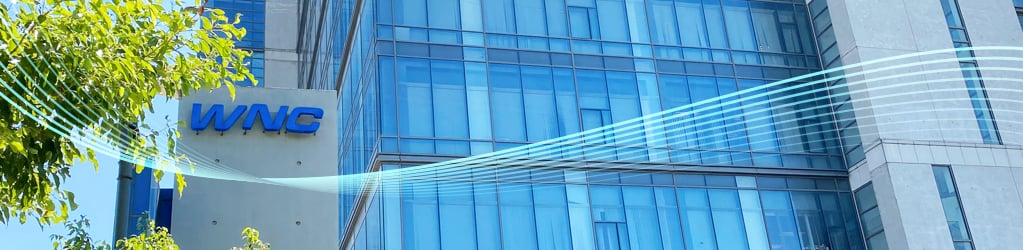
Wistron Neweb Corporation (WNC), is a multi-national communications products company headquartered in Taiwan. The company began designing and manufacturing products in the field of network communications, network infrastructure, smart home, and advanced driver-assistance systems in 1996.
Since then, the company has grown to a 30% market share in built-in antennas for laptops and has shipped hundreds of millions of communication and home automation products.
Wistron Neweb’s WiFi modules are quite common among several popular brands, including smart home devices and TV modules as well as gadgets by tech giants such as Lenovo and Sony.
Why is Wistron Neweb Corporation connected to your WiFi?
If you’re seeing Wistron Neweb corporation connected to your WiFi network, it could just be one of your own devices, which features a Wistron WiFi module and is displaying Wistron’s name instead of the device name due to a temporary software bug. Refreshing the connected device list or restarting the device displaying the Wistron name should get rid of the bug.
If you’re unsure if it’s your device or not, revoke access and see who comes running to you to restore access when their device can’t get internet access via your WiFi network.
Wistron Neweb Corporation Device On My Wi-Fi: Explained
I have a whole lot of devices connected to my mesh Wi-Fi network, a lot of the IoT-enabled smart accessories that make my home smart.
As I was going through the list of devices connected to my Wi-Fi, which I recommend you do now and then, I saw something that caught my eye.
A device named “Wistron Neweb Corporation” was connected to my network but had no device called as such that I knew was connected to the Wi-Fi.
Since I took network security pretty seriously, I started to look for what it was and find more information about the strange device to know if it was malicious.
I went to several user forums and the support pages of the smart devices I had connected around the home and managed to learn a lot.
I was able to compile the most important bits into this article so that you’ll know what a Wistron Neweb Corporation device really is.
A Wistron Neweb Corporation device on your Wi-Fi is nothing to worry about since its just a misidentification bug. Your Wi-Fi network has identified the device wrongly and gave you the name of the company that made your Wi-Fi module, and not the name of the device itself.
Read on to find out what Wistron does and why you can trust them. I have also talked about a few Wi-Fi security tips that can make your Wi-Fi more secure.
What Is a Wistron Neweb Corporation Device?

Every Wi-Fi-enabled device has a Wi-Fi module that lets it communicate with your router and join its network to access the internet and talk to other devices within your network.
All Wi-Fi modules have identifiers that let the router know what device is connecting to it and allow you to easily identify if you have the device connected or not.
Usually, these modules should identify themselves as the product and carry the name of the product the module is in.
But because not all software is error-free, or some may not have been configured properly, resulting in the device identifying itself as a “Wistron Neweb Corporation device.”
You’ll see this device because either its Wi-Fi module or software was bugged, or the module wasn’t programmed properly.
Coming to why they have this name, the answer is pretty simple.
Its called the “Wistron Neweb Corporation device” because it was made by the Taiwanese communications equipment giant Wistron NeWeb.
Who Are Wistron NeWeb?

Wistron NeWeb is a leading product design and manufacturing company based out of Taiwan that makes and designs RF antennae, related software and hardware, product testing, and more.
You might not have heard of this company mainly because they don’t sell their products to you, the average consumer.
Their customers are other companies, for which they design and make communication equipment.
They make Wi-Fi modules for brands like Lenovo and other smart home brands, so running into a Wi-Fi module that they had made is fairly common.
Naturally, when unidentified devices connect to a network, a question of trustworthiness can arise, even if it was a device from a multimillion-dollar company.
Is It Safe To Keep Them Connected?
Wistron NewWeb’s clients include Apple, Lenovo, Samsung, and other major brands.
Since these brands only let legitimate and trustworthy companies do business with them, Wistron falls into that category.
The only reason you see a Wistron branded device is that the real device has been misidentified.
It’s pretty safe to let them keep connected, but I would advise you to turn off each device that’s connected to the network and check back to see if the Wistron device is gone.
Doing this can help you find out which device is the one having issues.
Devices That Can Show Up With This Name

You can use the trial and error method I’ve discussed earlier, but some common devices can be misidentified as a “Wistron Neweb Corporation device.”
Smart devices like a smart fridge, smart bulb, or a smart plug are the most common devices you’ll see with this name.
But it can be possibly be anything because Wistron makes Wi-Fi modules for a lot of brands that sell devices to you.
If you don’t own the common devices that you’d see this error in, you can do the trial and error method I’ve mentioned in the previous section.
Turn off each device one by one, checking your Wi-Fi network every time you turn one device off.
If you see that the Wistron device has disappeared after turning off a certain device, then that device is the one that has been misidentified.
Securing Your Wi-Fi Network

Even though a Wistron NeWeb Corporation device is harmless, other, more malicious devices can connect to your Wi-Fi network.
They won’t be named anything obvious or out of the norm like a Wistron device but will disguise themselves as a device you already own.
To protect against real threats like these, there are a few things that you can do.
Never use WPS mode on your router, and if you do, stop using the mode, switch to connecting your devices, and enter the password manually.
WPS, although very convenient, has been known to have a large security flaw that lets an attacker gain control of your home Wi-Fi network.
Set your Wi-Fi security to WPA2 PSK, which is the latest generation of Wi-Fi security that encrypts your password with bank-grade security protocols.
To do this, check the manual for your router.
It should be turned on by default, but make sure its on anyway.
Final Thoughts
Another type of misidentified device that you can run into, especially if you own a PS4 or PS4 Pro, is the “HonHaiPr” device.
It means that a device with a Wi-Fi module from HonHai Precision Industry, more commonly known as Foxconn, has connected to your Wi-Fi.
The issue is the same as with Wistron and is just a case of a faulty or bugged Wi-Fi module.
Turn off your PS4 and turn it back on for the misidentification to fix itself.
If you don’t have a PS4, you can fall back to the trial and error method that I had detailed before.
You May Also Enjoy Reading
Frequently Asked Questions
What does Wistron Neweb make?
Wistron Neweb is a leading manufacturer of Wi-Fi antennas and other wireless communication equipment.
They make Wi-Fi modules and other wireless modules for popular brands like Apple, Samsung, and Lenovo.
How do you find out what a device is on your network?
If your router has app support, you can use the app to see what devices are connected to your Wi-Fi.
You can also use the admin tools of your router to check the list of connected devices.
What Is Wistron NeWeb Corporation On My WiFi Network?

Photo by Austin Distel on Unsplash
Yoodley is reader-supported. When you buy through links on our site, we may earn an affiliate commission.
To learn about the Wistron Neweb Corporation device on my network, check out this 2022 guide. When it comes to certain folks, they don’t even bother to look at the devices that are linked to their network.
The reason for this is that they don’t know how to identify an unwanted device on their network. When you come across a name on your network that you don’t recognize, things can be fine.
In the end, we’re left asking ourselves, “Is this someone using my bandwidth?” Or, even worse, we can assume the worst and ask ourselves, “Is this an advanced virus?” We decided to take a deeper look at this issue because we were receiving so many emails from you expressing worry about it.
What Is Wistron NeWeb Corporation On My WiFi Network?
Taiwanese electronics firm Wistron Corporation was founded in 1982. Before it was spun out in 2000, it was considered the unique manufacturing arm that helped Acer Inc grow. For other companies, the company acts like an authentic design manufacturer, designing and manufacturing products that they may market under their own brand.
Some of these included desktop computers and laptops; simultaneously, you can find servers, medical equipment, LCD televisions, storage, Wistron products, and much more.
More than 80,000 people are employed by Wistron around the world, with 12 manufacturing bases, 10 research and development centers, and 14 customer support centers.
It’s possible for your router to tell what kind of device is connecting to the network thanks to identifiers on its Wi-Fi modules. It is common for a router to identify a device by its IP address rather than its W-Fi identity. Even so, a configuration error may occur, and your router will mistakenly identify the Wi-Fi module by its actual name. It is a Wistron Neweb Corporation product in this scenario!
What Devices Does The Company Make That Could Potentially Be Connected To Your WiFi?
This company develops electronic components for several Wi-Fi enabled products, including laptops, tablets, smartphones, and more. Appliances like refrigerators, lamps, and plugs are included in this category of smart home devices.
Turning off linked devices one at a time will help you figure out which one is causing the problem (or just disable Wi-Fi on those devices). Check your Wi-Fi network every time you power off a device to see if the Wistron Neweb Corporation device is still there. Turning off a device identifies the offender, and the Wistron gadget disappears from the Wi-Fi network when it is done.
Is The Wistron Neweb Device A Malware Or Is It Safe?
A Wistron Neweb Corporation gadget is almost never a hazard to your home Wi-Fi network. There are, of course, certain exceptions to these kinds of regulations. To be on the safe side, make sure this device isn’t causing you to go over your data allowance.
You should prevent this at all costs because your internet can slow to a crawl when it happens. In addition, keep an eye out for any suspicious requests for rights from this device on your network.
Otherwise, there’s nothing to be concerned about, and to be honest, we’re not even sure this technology could be exploited maliciously.
It is possible for other, potentially harmful devices to join to your Wi-Fi network even if the device you are using is from Wistron NeWeb Corporation.
Unlike a Wistron device, they won’t be labeled as such but rather as something you already own.
There are a few things you can take to protect yourself from serious risks like these.
The WPS mode on your router should never be used, and if it is, you should immediately stop using it, switch to connecting your devices, and input the password manually.
It has been reported that WPS contains a significant security hole that allows an attacker to take over your home Wi-Fi network, despite its convenience.
Passwords are encrypted with bank-grade security methods when using WPA2 PSK, the most recent level of Wi-Fi security.
Consult your router’s manual for instructions.
It should be enabled by default, but you should double-check to make sure.
How To Secure Your WiFi Network?
WPS, or Wi-Fi Protected Setup, is a feature of some routers that makes it easier to connect devices to your Wi-Fi network. This wonderful function, however, may not be protected from intrusion owing to security weaknesses in your Wi-Fi network. That’s why you should avoid this option and instead manually connect your devices using your Wi-Fi password.
Secure your Wi-Fi network with WPA (Wi-Fi Protected Access) encryption. It’s best if you have WPA3, although WPA2 is still good if you don’t have the most recent version. Most newer routers already have this feature enabled by default.
Final Verdict
Security precautions, firewalls, WPA encryption, passwords, and even antivirus software are no match for today’s hackers, who are becoming increasingly cunning.
Wistron Neweb Corporation devices are safe to use on your network, though. To explain why it’s there, the best answer is that your Wi-Fi network is incorrectly identifying it. Wistron Neweb Corporation – a firm that makes Wi-Fi modules for electrical gadgets – is incorrectly identified as the device’s name.
Having a Wistron Neweb Corporation device linked to your network would be a cause for concern. It appears as if a virus or malware has infiltrated your home Wi-Fi network. Wistron Neweb Corporation, on the other hand, is merely a manufacturer of electronic components and communication equipment.
You may have mistakenly added the device to your network. Because of this, you don’t have to worry about anything and you should do the steps outlined above to keep your network safe.
What does Wistron Neweb make?
In addition to Wi-Fi antennas, Wistron Neweb is a major manufacturer of various wireless communication devices.
For well-known companies like Apple, Samsung, and Lenovo, they produce Wi-Fi modules and other wireless components.
How do you find out what a device is on your network?
To view what devices are connected to your Wi-Fi, you can use the app on your router if it has support for it.
You can also examine the list of connected devices using the router’s administrative capabilities.