Line In vs Mic In (Line Level Differences Explained)
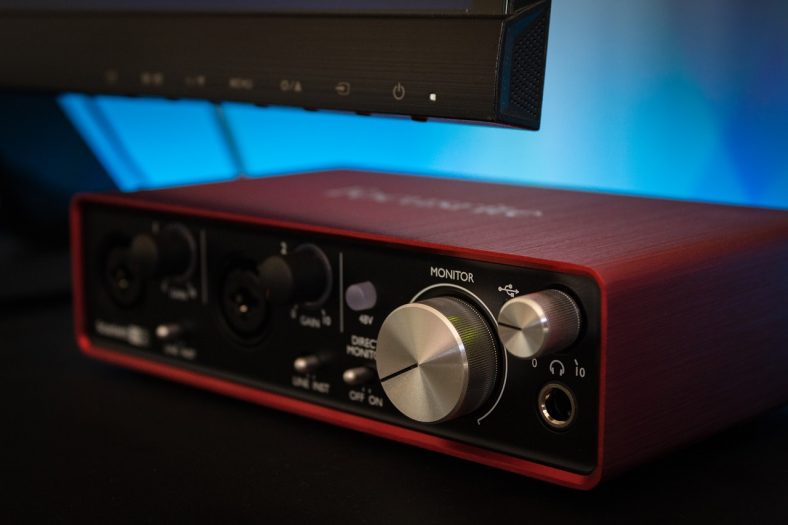
Line-in is an audio socket with low gain capacity used to connect high-volume signals, while mic-in is an audio socket with high gain capacity used to connect low-volume signals. Line-ins are best suited for full mixes and loud signals, while mic-ins are designed for amplifying microphones.
Line-ins are typically stereo and connect line-level signals at around -10dBV. Line-level signals don’t require additional amplification. Mic-ins are normally mono and can amplify mic-level signals anywhere between -60dBV and -40dBV. Without proper amplification, mic-level signals tend to be too quiet. Knowing which input to use depends on the level of the recording signal.
Line-ins are characterized as having two sockets and requiring either an RCA or phone jack connector. Mic-ins only have one socket and require either an XLR or quarter-inch jack cable. Most commercially-available mixers, audio preamps, and audio interfaces feature both line and mic inputs.
What is mic-level?
A mic-level signal is a sound source with -40dBV or less caused by the voltage level that comes out of a microphone when someone speaks or sings into it.
Microphones record sound by converting pressure changes in the air into electrical currents in a wire. The electrical currents generated by a microphone are very subtle, and that’s why it’s necessary to use a mic preamp for recording vocals. In terms of voltage, a mic-level signal is approximately 1,000 times inferior to a line-level signal.
What is line-level?
A line-level signal is a sound source with up to 0dBV that requires minimal or no amplification. A mastered DJ mix is a good example of a line-level signal: since the sound source is already as loud as possible, adding gain to it is either unnecessary or ill-advised.
Line-level signals can be processed to great effect, but they’re already loud enough to be connected to a pair of speakers and play at a noticeable volume without the need for additional amplification.
What’s the difference between mic and line-level?
The difference between mic and line-level is that mic-level signals require a high degree of amplification, while line-level signals don’t. Mic-level is based on weak electric signals, generally produced by a microphone. Line-level is based on stronger signals that can be played at speaker level, such as DVD players, TV sets, and mixing consoles.
For recording, mic-ins should be used for connecting microphones, while line-ins should be used for connecting instruments. Some audio engineers make the distinction between instrument-level signals and line-level signals, but most instrument pickups can be properly recorded with minimal to no gain. The same applies to the vast majority of analog synthesizers and digital pianos.
Is line-level balanced or unbalanced?
Line-level is mostly associated with unbalanced audio, but many line-ins support balanced connections as well. It’s possible to distinguish between balanced and unbalanced audio by looking at the cables used for recording/replaying.
Unbalanced cables have two points of contact (such as TSR and jack cables), while balanced cables have three (such as XLR cables). Unbalanced connections use a positive and a negative conductor that also carries ground, whereas balanced connections use three conductors: a positive, a negative, and a ground. In both cases, ground conductors act as a shield that prevents radio frequencies and electromagnetic noises from entering the cable.
Does mic input or line-in have a stronger audio signal?
Line-ins have a stronger audio signal than mic inputs because they’re designed to be connected to line-level signals. Line-level signals are approximately 1,000 times stronger than mic-level signals (in voltage) and don’t require nearly as much gain. Mic-ins are hence best-suited for amplifying quiet sounds, offering much higher gain capacity than line-ins.
Classic vintage preamps such as AMS Neve 1073 have a gain knob for both their mic and line-ins, but their range is very different. Mic-ins can add up to +80db of gain, while line-ins are limited to +20db. In many cases, line-ins do not include a controllable gain knob and are designed to be connected to already-amplified signals.
Can I use mic input as line-in?
Line-level signals can be connected to the mic input, but tend to be very loud and distorted. Line-level signals often peak at 0dB, which means they do not require additional amplification. Connecting a line-level signal to the mic input can produce unwanted sound artifacts such as clipping, ringing, and crackling.
Do in-line mic preamps work?
In-line mic preamps are designed to provide an extra gain of about +20db to any sound source that’s being recorded or reproduced via a cable. Most in-line mic preamps are designed for microphones and live recordings, but these tools can also be used with great effect to add gain to instrument-level signals that require a subtle amount of pre-recording gain.
In-line mic preamps are an affordable alternative to traditional mic preamps, but they offer a comparatively limited amount of gain control. Due to their small size and relative endurance, they tend to be used in live music, whereas traditional preamps—which are heavy and somewhat fragile—are best suited to the studio.
Can I record vocals without a preamp?
It’s not possible to record audible, high-quality vocals without a preamp. This applies not only to music production, but to all kinds of audio-based recordings (including podcasts and voice-overs). However, it is not necessary to buy an expensive mic preamp to capture good-sounding vocals. All that’s required to do so is a mic-in.
Every mic-in is a preamp in its own way. External preamps are known for their high-quality sound and wide gain range, but they’re not a must-have piece of equipment. All that singers need to create high-quality vocals in the studio or at home is an audio interface.
What about USB microphones?
USB microphones may look like they’re the exception to the rule, as they work properly without the need for an external mic preamp or audio interface. However, they’re only audible because they already have an analog-to-digital converter inside them. For this reason, the sound-recording quality of USB microphones is not comparable to the quality of a regular XLR mic running through a mic-in.
Line In vs Mic In, What are the Differences
Should you use a line in or a mic in to plug your audio device into a receiver? How do you know if you’re to use a line in vs mic in? You may have never thought of this before, but there is a huge difference between line-level input and a mic level input. Both are used to refer to signal voltage levels, but the voltage for each kind of signal differs.
-
What is a mic in and line in? Can you use MIC in as a line-in?
A mic in is a type of input that is used to connect wired and wireless microphones. A mic level signal is a type of signal that is created by a mic. Meanwhile, a line in is an input that is used by more powerful devices, including musical instruments and audio equipment. Because of the huge difference, you cannot use a MIC in as a line in.
What is a line in used for? What is a line in a microphone?
A line in is used by more complex and updated instruments. A line in is a type of jack in computer system cards that lets users connect an external device such as a microphone, CD player, musical instrument, and CD player.
What is the difference between mic in and line in?
There are many differences between a mic in and a line in.
The Differences in voltage
Mic level signals are created by a mic as it collects sound which is about 1,000th of a volt. A line signal is 1,000 times stronger than a mic in. This is why you cannot use a mic in as line in.
The voltage may vary depending on the changes in the source’s signal and sound levels. There are four kinds of audio signals and the weakest of all is mic level. This is why microphones need a pre-amp to convert the signals to line level.
The Differences in input and connectivity
A mic and a line do not operate on the same input. Line signal moves from the pre-amp to the amp which works the speakers. Two standard line levels exist: one for MP3 devices, DVD players, and other consumer equipment and have -10 dBV and one for professional equipment like mixing desks and signal processing devices with +4 dBu.
But when you want to connect record players and turntables, it’s another thing. These retro devices have different frequencies that will suit their needs. Their inputs are somewhat similar to mics at 5 mv. Again, a mic will not work with this type of input. If you do plug one, you will hear a weird sound that will be completely mixed up.
The Differences in converting signals
There are many kinds of devices that help convert mic levels to line signals. One of the most common pieces of equipment is a mixer which can combine a variety of signals to create one output. There are also pre-amps, mic to line amplifiers that convert mic-to-line, and other multi-channel equipment.
Line inputs cannot be used in a mic input. The resulting sound, or if there is any sound at all, will be so soft you can barely hear it. Mic inputs require about -5 mv as CD and MP3 music players create a sound of 100+ mv. For these devices, the best input would be a line input.
Mic in is used for microphone inputs while most audio equipment like consumer equipment and professional musical instruments uses line-level signals. Now you’re probably wondering what happens when you change the inputs? Will there be sound or will you damage your equipment?
When you connect a line-level input to the mic input, the sound produced will be very loud and distorted. This happens because line signals are stronger compared to what a mic input accepts. However, the input and output in other updated mixers are switchable from mic to line levels.
The Differences in connectors and accessories
Mic and line-level signals use different types of audio connectors. Mic level input requires a female XLR connector while a line-level input needs a ¼ -inch phone jack, RCA jack, or a 3.5mm phone jack. You can’t go wrong with mic and line inputs as these are indicated in most audio equipment.
If you find only one mic input in a piece of equipment like a computer or digital audio recorder, a line-level converter or device should be used. This is connected to the mic input to reduce the voltage. You may also make use of a signal attenuator box. Always use the right cables for a safe signal. There are types of cables that come with built-in resistors that can help reduce line-level voltage.
As for wireless receivers, you might find different types of outputs. If you are unsure, always refer to the device’s instruction guide to look for the output signal levels. You will notice that mic level signals are different in a variety of receivers. The variance can be as high as 20 dB.
Should I use line in or mic in?
The answer depends on what device you’re using. If you use another device than a microphone and plug it into a mic-in, you will surely end up overloading the signal and create a distorted sound. Always check the device and the equipment you want to connect to. Never mix the two inputs. If this happens, you must know how to quickly and safely change input signals in the device.
To reduce the output, you may do two things: reduce the output of the device or include another signal path. The first one is easy and effective but will affect the signal to the noise ratio. In case this happens, you need to work on your second option to include another signal path by using special pads or audio devices.
Bottom Line
So remember, when you’re stuck as to line in vs mic in, the two differ in signal levels. The mic has the weakest signal voltage, but this varies according to the distance of the source of the sound. You can enhance the intensity by taking the mic to line signals. A mic signal that moves through the preamp or a mixer will create a line-level signal. Wireless receivers are different and thus, you must check the device or equipment’s instruction manual.
HI, John Andrew here. I’ve been an audiophile since I was a little kid. I’m an original member of myaudiolover . It emerged as a way for me to share my passion and knowledge for audio technology. If you’re looking for tips, techniques, and insights about audio-tech, that can enable your productions that professional edge, then MyAudioLover is the place for you!
1 thought on “Line In vs Mic In, What are the Differences”
“A line in is a type of jack in computer system cards that lets users connect an external device such as a microphone…”
“…Again, a mic will not work with this type of input.”
Great clarity, John.
Leave a Comment Cancel reply
This site uses Akismet to reduce spam. Learn how your comment data is processed.

We’re all sound fanatics. Most of us have been hungry to listen to new music and learn about new equipment since we were kids……
Line In vs Mic In (Line Level Explained For Dummies)

Line-in and mic-in pop up frequently in setup related questions. People often struggle to tell the difference because it involves some basic knowledge of voltage levels. But you can end up damaging the sound if you mix up the two.
Line-in and mic-in are audio inputs but they are indicative of the voltage level of the audio signal. Line-in can handle strong (think loud) currents whereas a mic-in can handle very low level of currents.
With audio signals, sound is transferred as a voltage into our mixers, audio interfaces, amplifiers, and speakers. These levels can be low or high and the inputs are designed to ‘anticipate’ a certain level of currents. This is where we get the terms mic-level (for mic-in) and line-level (for line-in). Knowing the difference is important and in this article, we’ll flesh out the differences between signal levels and the corresponding inputs.
The Difference Between Mic-in and Line-in
A line-in (line input) is an audio socket that is found on audio interfaces, computer sound cards, and some mixers. It’s used to connect an external audio device such as an instrument, microphone, or CD player (remember those?).
Conversely, mic-in is for microphones – you connect a wired or wireless mic to a mic-in. A line level input is not designed for microphones.
It might be cumbersome, but reading a product manual is the best way to understand an audio device to figure out the right inputs. Several wireless receivers, for instance, have different output levels. Reading the manual ensures that you’ll connect it properly and avoid any damage to your equipment.
Key Differences:
The line-level signal is about one volt, or about 1,000 times as strong as a mic-level signal. The two signal types do not ordinarily use the same input. This signal travels from your pre-amp to the amplifier.
You have an RCA, quarter-inch jack, or 3.5 mm jack for a line level input. You typically use a female XLR connector for the mic-level input.
Line-in is the highest pre-amplification level in both consumer and professional audio products. It runs at 10kohm as opposed to a mic-ins paltry 600-1Kohm.
A mic-in is the input designed to handle the mic-level signal intensity (from a microphone) and line-in is designed to handle line level intensity. That’s why you have an inaudible signal when you plug your microphone into a line-level input. So you can think of signal level as “volume” if you want to simplify things.
The Four Type of Audio Signals
We will detail the difference between line and mic level in detail, but let’s brush up on the four types of signals that you will encounter in the audio world.
- Microphone (Mic) level signals
- Instrument level signals
- Line level signals
- Speaker level signals or post-amp signals
What Is A Mic Level Signal?
This is for directly plugging in microphones without preamps. This will almost always be via an XLR cable. Mic-level is the weakest audio signal of all the types. It’s mono with terribly low-level signals, usually around between -60 to -40dBU. You have to bring up mic level signals to line level somehow, most commonly by using a preamp or a mixer.
Most audio interfaces have a pre-amp to bring the mic level of a microphone up to line level. You can also buy standalone preamps that are better than the built-in preamps of your audio interface. Some standalone pres are famous for being transparent (clarity) while others are sought out for their ‘tone color’ or unique sonic character.
What Is A Line-Level Signal?
Line-level signals are one volt, which may sound small but it’s still a big leap from mic level signals. That is why the line level input and mic input cannot be used interchangeably. A line-in signal carries the signal from the pre-amp to the speaker amp. Typically, mixing desks and mic-pres work with line level operators.
Based on the types of audio gear, line levels exist in two forms:
- a) consumer electronic equipment such as DVD players, audio players, or home theater systems (-10dBV / consumer line levels)
- b) pro-grade music/recording gear such as signal processing units and mixing desks (+4 dbu / standard line levels)
Boosting Mic Level To Line Level
Mixers, preamplifiers, standalone preamps, and inline mic preamps are the most commonly used devices to boost microphone levels to line-level signals. This boost ranges from 45 to 70db based on the quality of the preamp. Standalone preamps can be single or multi-channel and mixers allow you to combine multiple signals to a single output.
Inline mic-preamps like Triton Audio FetHead of Cloudlifter CL-1 are also used for a +25 dB boost on dynamic microphones to bring them up to line level. They are popular with ribbon and dynamic microphone users, especially in the broadcasting and podcasting realm.

Place the Cloudlifter in your signal chain, hit it with phantom power and your dynamic mics will shine like never before!
- Noise-free amplification
- Totally transparent boost
In a recording scenario, you will connect a mic into a mixing console or audio interface to record vocals or an instrument. This microphone goes into a mic-level input that is connected to a preamp in the mixer or audio interface.
The built-in preamps on audio devices are designed to boost the signal to line level. They typically are accompanied by a knob to adjust the gain for the preamp.
Instruments such as electric guitar or bass aren’t mic-level. They are instrument level. However, an instrument level signal is also boosted to line-level by the built-in preamp of an audio interface or mixing console. DI boxes are able to boost mic and instrument level signals to line level.
Can You Use Mic In As Line In?
No, it will overload if you hit it with a line-level signal. What you hear will be loud and distorted and may even damage your equipment.
You can eliminate some of this distortion by reducing the output level of the source but it will compromise the signal-to-noise ratio. You can use a pad or a two-port device called attenuators to weaken the line-level signal by up to 50dB.

The Shure A15LA 50 dB attenuator reduces the level of an audio signal by 50dB. This allows a line level output such as an aux level output from a mixer or playback device, to be connected to a microphone input on another mixer or recorder.
- Built with Shure quality
Attenuators reduce the power sent to the connected load and thus allow you to connect a line-level source to a mic input. Some attenuators such as the Shure A15LA have a fixed attenuation (50dB) while others have a switchable/variable amount.
There will be times when you are dealing with equipment or devices that don’t have input options. If you wish to connect a line-level signal to a mic-level input you can use a DI box.
Can You Use Instrument Level Instead Of Mic Level?
Instrument level signals sit between mic level and line level signals. These signals still need preamplification to bring them up to line level. You encounter them while recording instruments such as an electric guitar or bass.
These instruments are unbalanced, which can result in noise if you are using long or poorly shielded cables.
The ones with pickups (guitar/bass) have high-impedance signals. If you run them through a low-impedance input, it will shave off a lot of the detail in the top-end. Both these issues can be remedied with a passive or active DI box such as the Countryman 85, Radial Pro DI, or Rupert Neve RNDI.
What Is A Speaker Level Signal?
A speaker level signal refers to the post-amplification signal. This is the signal when the line-level signal travels through the amplifier into the speakers. It’s the loudest of the four types of signals and has more voltage than line level. Always use good-quality speaker cables for safe signal transfer.
(In case you didn’t know, speaker cable length matters! To find out how read Does Audio Cable Length Matter? (Here’s Your Answer))
Is Aux-in The Same As Line-in?
Line signal level is 1 volt and aux level is 0.3 volt. Aux level is close, but not the same thing. Aux inputs can be found on consumer products like Bluetooth speakers and home theater systems. They are always unbalanced. You cannot use an aux-in for a microphone.
What About Phono Input??
This is for record players / turntables. The direct signal from a turntable requires a special kind of equalization before it is sent to your amp. This is partly because if a record has too much low-end, the needle can skip, and also because it allows for more recording time.
If your amp has a phono input, it will apply RIAA equalization to this input so that your records sound like high-fidelity audio. Some turntables have an optional line or aux output with this equalization already applied, or a switch that lets the user decide.
Wrapping Up
With that, we’ve covered the basics of these two audio signals. I hope my “inputs” have been helpful.
I’ll leave you with a summary of the salient points to remember:
- Mic and Line have different signal levels (voltage).
- Mic-in is used for directly plugging in microphones, and line-in is for consumer and pro-grade gear.
- Mic-level signals are weak and line-level signals are strong.
- Mic inputs use a female XLR connector.
- Line inputs require RCA, ¼” phone jack, or 3.5 mm phone jack.
- A mic-level signal must be raised to a line-level signal through a preamp or mixer.
- Connecting a line level source to a mic-in will lead to distortion.
- You can reduce the line level using an attenuator or pad.
- Modern mixers have switchable line/mic inputs.
Vinny, a bass player from India, is equally adept at yoga, fingerstyle guitar, and sipping tea. He is a seasoned session player who has toured with bands across India using all available means of transportation. From Thundercat to Palladino to MonoNeon, he is always game for a stank-face and a tight pocket. He now works as a music journalist/writer, plays fingerstyle acoustic, and is working on his debut album as a singer-songwriter.
10 Responses
I’d be curious to get a bit of clarification regarding some similar info we were taught at CRAS. My recollection is, that consumer/prosumer hifi equipment operated at .775 V and therefore, was not recommended to work with professional (1V as you mentioned) equipment. Could you elaborate on that?
We were taught not to mix equipment from Radio Shack with professional PA equipment.
Pro-audio equipment is studio-grade. Consumer audio is ‘home-grade’ or home-oriented. In a nutshell, they are designed for a totally different purpose. The obvious differentiating aspects are things like signal level, connectors, and phantom power.
Consumer audio uses unbalanced audio signals while pro-audio uses balanced signals. One reason to not mix the two is because of the huge difference in the range of signal levels they can handle. Pro-audio is designed specifically to handle large variations. Consumer audio may or may not (usually not). As far as the signal level goes, it’s not that you *can’t* mix them. It will just result in very quiet or very distorted signal levels.
There’s also the quality of components, connectors, build strength/quality, power specs, and many other reasons not to do it.
Consumer audio is built for consumers and it’s sometimes intentionally built to not last (planned obsolescence). Pro-audio equipment (from a reputed brand) is built to survive. It has to stand up to a high-stakes environment (driving speakers in parallel or professional recordings) or a physically hostile environment (weather, travel, etc.). I am sure there are exceptions (premium prosumer vs. crappy pro audio) but I guess the thumb rule ‘don’t mix the two’ is also a way to play it safe. Any misgiving on account of mixing the two can turn into an embarrassment (best case) or a legal liability (worst case).
Sounds like a great idea for a future post, hah!
I have a good prosumer Dual Wireless microphone setup called the PicoMic 2 system, and the Picostream receiver that comes in the package, is said by a few sources I’ve read, to have a built in pre-amp, and a few others say that it should be plugged into a line in port, for things like use with a computer, although I have a few questions on microphones in general, as well as my setup specifically.
First question is, I’ve heard someone on YouTube say that you should have a computer connected microphone set up as TRRS, yet my microphone setup is supposed to be able to use TRS, and you’re even instructed to use TRS with PC, so why would someone say you HAVE to use TRRS with PC.
The person did say that TRRS was for both mobile and PC, but when my instructions say “for PC use TRS” it’s hard to go by what some audio snob on YouTube says that’s different.(no offense to any of said snobs intended)
My second question is, should my Pico mic receiver that supposedly has preamps built-in, be hooked up to line-in or mic-in.
I asked that second question, because I currently have the microphone hooked up to my mic-in port on my front panel audio on my PC and it sounds really steady and clean, as far as comparing it to something like my pixel phone, for instance which is what the Pico mic is supposed to help me alleviate eventually, besides using it on the PC in post-production or what have you.
Any experience with a PicoMic system, or microphones in general, that could help answer these questions, would be appreciated.
Also, if anyone is wondering, I am an audio noob by most standards, although I do volunteer as an AV guy at my church, and I definitely understand how stressful the job can be. With that in mind, please keep answers somewhat simple for me, even though I understood most of the article you guys wrote
Nice sumary! What I’m missing, what about headphones out? How does this relate to line/mic level and what is needed to use this as input in an mixer (if no other connection is possible)?
+1 to answering this question. Someone at our church was sending the TRS headphone out jack to the 3.5mm laptop input jack and recording the services via Audacity. It didn’t sound good until we noticed this and used an AUX port in the back of the mixer.
you have the terms BACKWARDS in the section “What Is A Line-Level Signal?”
should be: +4 dBu for Pro, and -10 dBV for consumer
Nice catch, Gary! Thanks for pointing it out. We’ve gone ahead and corrected that.
Hi. Great article. Can you please elaborate on mic’s with phantom power. Thanks.
Thanks for the article.
I have 2 questions.
1) If I’d like to plug a single microphone (SM58) directly into a powered speaker (which does not have a microphone switch option), what sort of unit do I need to get?
2) What do I need to plug a SM57 microphone into my looping pedal? I have a stereo looping pedal and would like to add a drum beat into the mix.
This article was very helpful and I was wondering if you could give me some clarity on my present audio/visual situation. I am live streaming from a Canon AX40 camcorder using XLR cable on Input 1. This is going into a Yamaha mixer. My steaming set up is a Black Magic ATEM hooked up to a PC laptop. Is the best audio setup for this Line In or Mic in?
I am assuming the best options for this is 2 Channel not 4.Mic in разъем для чего
Line In vs Mic In (Line Level Differences Explained)
Line-in is an audio socket with low gain capacity used to connect high-volume signals, while mic-in is an audio socket with high gain capacity used to connect low-volume signals. Line-ins are best suited for full mixes and loud signals, while mic-ins are designed for amplifying microphones.
Line-ins are typically stereo and connect line-level signals at around -10dBV. Line-level signals don’t require additional amplification. Mic-ins are normally mono and can amplify mic-level signals anywhere between -60dBV and -40dBV. Without proper amplification, mic-level signals tend to be too quiet. Knowing which input to use depends on the level of the recording signal.
Line-ins are characterized as having two sockets and requiring either an RCA or phone jack connector. Mic-ins only have one socket and require either an XLR or quarter-inch jack cable. Most commercially-available mixers, audio preamps, and audio interfaces feature both line and mic inputs.
What is mic-level?
A mic-level signal is a sound source with -40dBV or less caused by the voltage level that comes out of a microphone when someone speaks or sings into it.
Microphones record sound by converting pressure changes in the air into electrical currents in a wire. The electrical currents generated by a microphone are very subtle, and that’s why it’s necessary to use a mic preamp for recording vocals. In terms of voltage, a mic-level signal is approximately 1,000 times inferior to a line-level signal.
What is line-level?
A line-level signal is a sound source with up to 0dBV that requires minimal or no amplification. A mastered DJ mix is a good example of a line-level signal: since the sound source is already as loud as possible, adding gain to it is either unnecessary or ill-advised.
Line-level signals can be processed to great effect, but they’re already loud enough to be connected to a pair of speakers and play at a noticeable volume without the need for additional amplification.
What’s the difference between mic and line-level?
The difference between mic and line-level is that mic-level signals require a high degree of amplification, while line-level signals don’t. Mic-level is based on weak electric signals, generally produced by a microphone. Line-level is based on stronger signals that can be played at speaker level, such as DVD players, TV sets, and mixing consoles.
For recording, mic-ins should be used for connecting microphones, while line-ins should be used for connecting instruments. Some audio engineers make the distinction between instrument-level signals and line-level signals, but most instrument pickups can be properly recorded with minimal to no gain. The same applies to the vast majority of analog synthesizers and digital pianos.
Is line-level balanced or unbalanced?
Line-level is mostly associated with unbalanced audio, but many line-ins support balanced connections as well. It’s possible to distinguish between balanced and unbalanced audio by looking at the cables used for recording/replaying.
Unbalanced cables have two points of contact (such as TSR and jack cables), while balanced cables have three (such as XLR cables). Unbalanced connections use a positive and a negative conductor that also carries ground, whereas balanced connections use three conductors: a positive, a negative, and a ground. In both cases, ground conductors act as a shield that prevents radio frequencies and electromagnetic noises from entering the cable.
Does mic input or line-in have a stronger audio signal?
Line-ins have a stronger audio signal than mic inputs because they’re designed to be connected to line-level signals. Line-level signals are approximately 1,000 times stronger than mic-level signals (in voltage) and don’t require nearly as much gain. Mic-ins are hence best-suited for amplifying quiet sounds, offering much higher gain capacity than line-ins.
Classic vintage preamps such as AMS Neve 1073 have a gain knob for both their mic and line-ins, but their range is very different. Mic-ins can add up to +80db of gain, while line-ins are limited to +20db. In many cases, line-ins do not include a controllable gain knob and are designed to be connected to already-amplified signals.
Can I use mic input as line-in?
Line-level signals can be connected to the mic input, but tend to be very loud and distorted. Line-level signals often peak at 0dB, which means they do not require additional amplification. Connecting a line-level signal to the mic input can produce unwanted sound artifacts such as clipping, ringing, and crackling.
Do in-line mic preamps work?
In-line mic preamps are designed to provide an extra gain of about +20db to any sound source that’s being recorded or reproduced via a cable. Most in-line mic preamps are designed for microphones and live recordings, but these tools can also be used with great effect to add gain to instrument-level signals that require a subtle amount of pre-recording gain.
In-line mic preamps are an affordable alternative to traditional mic preamps, but they offer a comparatively limited amount of gain control. Due to their small size and relative endurance, they tend to be used in live music, whereas traditional preamps—which are heavy and somewhat fragile—are best suited to the studio.
Can I record vocals without a preamp?
It’s not possible to record audible, high-quality vocals without a preamp. This applies not only to music production, but to all kinds of audio-based recordings (including podcasts and voice-overs). However, it is not necessary to buy an expensive mic preamp to capture good-sounding vocals. All that’s required to do so is a mic-in.
Every mic-in is a preamp in its own way. External preamps are known for their high-quality sound and wide gain range, but they’re not a must-have piece of equipment. All that singers need to create high-quality vocals in the studio or at home is an audio interface.
What about USB microphones?
USB microphones may look like they’re the exception to the rule, as they work properly without the need for an external mic preamp or audio interface. However, they’re only audible because they already have an analog-to-digital converter inside them. For this reason, the sound-recording quality of USB microphones is not comparable to the quality of a regular XLR mic running through a mic-in.
Line In vs Mic In (Line Level Explained For Dummies)
Line-in and mic-in pop up frequently in setup related questions. People often struggle to tell the difference because it involves some basic knowledge of voltage levels. But you can end up damaging the sound if you mix up the two.
Line-in and mic-in are audio inputs but they are indicative of the voltage level of the audio signal. Line-in can handle strong (think loud) currents whereas a mic-in can handle very low level of currents.
With audio signals, sound is transferred as a voltage into our mixers, audio interfaces, amplifiers, and speakers. These levels can be low or high and the inputs are designed to ‘anticipate’ a certain level of currents. This is where we get the terms mic-level (for mic-in) and line-level (for line-in). Knowing the difference is important and in this article, we’ll flesh out the differences between signal levels and the corresponding inputs.
The Difference Between Mic-in and Line-in
A line-in (line input) is an audio socket that is found on audio interfaces, computer sound cards, and some mixers. It’s used to connect an external audio device such as an instrument, microphone, or CD player (remember those?).
Conversely, mic-in is for microphones – you connect a wired or wireless mic to a mic-in. A line level input is not designed for microphones.
It might be cumbersome, but reading a product manual is the best way to understand an audio device to figure out the right inputs. Several wireless receivers, for instance, have different output levels. Reading the manual ensures that you’ll connect it properly and avoid any damage to your equipment.
Key Differences:
The line-level signal is about one volt, or about 1,000 times as strong as a mic-level signal. The two signal types do not ordinarily use the same input. This signal travels from your pre-amp to the amplifier.
You have an RCA, quarter-inch jack, or 3.5 mm jack for a line level input. You typically use a female XLR connector for the mic-level input.
Line-in is the highest pre-amplification level in both consumer and professional audio products. It runs at 10kohm as opposed to a mic-ins paltry 600-1Kohm.
A mic-in is the input designed to handle the mic-level signal intensity (from a microphone) and line-in is designed to handle line level intensity. That’s why you have an inaudible signal when you plug your microphone into a line-level input. So you can think of signal level as “volume” if you want to simplify things.
The Four Type of Audio Signals
We will detail the difference between line and mic level in detail, but let’s brush up on the four types of signals that you will encounter in the audio world.
- Microphone (Mic) level signals
- Instrument level signals
- Line level signals
- Speaker level signals or post-amp signals
What Is A Mic Level Signal?
This is for directly plugging in microphones without preamps. This will almost always be via an XLR cable. Mic-level is the weakest audio signal of all the types. It’s mono with terribly low-level signals, usually around between -60 to -40dBU. You have to bring up mic level signals to line level somehow, most commonly by using a preamp or a mixer.
Most audio interfaces have a pre-amp to bring the mic level of a microphone up to line level. You can also buy standalone preamps that are better than the built-in preamps of your audio interface. Some standalone pres are famous for being transparent (clarity) while others are sought out for their ‘tone color’ or unique sonic character.
What Is A Line-Level Signal?
Line-level signals are one volt, which may sound small but it’s still a big leap from mic level signals. That is why the line level input and mic input cannot be used interchangeably. A line-in signal carries the signal from the pre-amp to the speaker amp. Typically, mixing desks and mic-pres work with line level operators.
Based on the types of audio gear, line levels exist in two forms:
- a) consumer electronic equipment such as DVD players, audio players, or home theater systems (-10dBV / consumer line levels)
- b) pro-grade music/recording gear such as signal processing units and mixing desks (+4 dbu / standard line levels)
Boosting Mic Level To Line Level
Mixers, preamplifiers, standalone preamps, and inline mic preamps are the most commonly used devices to boost microphone levels to line-level signals. This boost ranges from 45 to 70db based on the quality of the preamp. Standalone preamps can be single or multi-channel and mixers allow you to combine multiple signals to a single output.
Inline mic-preamps like Triton Audio FetHead of Cloudlifter CL-1 are also used for a +25 dB boost on dynamic microphones to bring them up to line level. They are popular with ribbon and dynamic microphone users, especially in the broadcasting and podcasting realm.
Place the Cloudlifter in your signal chain, hit it with phantom power and your dynamic mics will shine like never before!
- Noise-free amplification
- Totally transparent boost
In a recording scenario, you will connect a mic into a mixing console or audio interface to record vocals or an instrument. This microphone goes into a mic-level input that is connected to a preamp in the mixer or audio interface.
The built-in preamps on audio devices are designed to boost the signal to line level. They typically are accompanied by a knob to adjust the gain for the preamp.
Instruments such as electric guitar or bass aren’t mic-level. They are instrument level. However, an instrument level signal is also boosted to line-level by the built-in preamp of an audio interface or mixing console. DI boxes are able to boost mic and instrument level signals to line level.
Can You Use Mic In As Line In?
No, it will overload if you hit it with a line-level signal. What you hear will be loud and distorted and may even damage your equipment.
You can eliminate some of this distortion by reducing the output level of the source but it will compromise the signal-to-noise ratio. You can use a pad or a two-port device called attenuators to weaken the line-level signal by up to 50dB.
The Shure A15LA 50 dB attenuator reduces the level of an audio signal by 50dB. This allows a line level output such as an aux level output from a mixer or playback device, to be connected to a microphone input on another mixer or recorder.
- Built with Shure quality
Attenuators reduce the power sent to the connected load and thus allow you to connect a line-level source to a mic input. Some attenuators such as the Shure A15LA have a fixed attenuation (50dB) while others have a switchable/variable amount.
There will be times when you are dealing with equipment or devices that don’t have input options. If you wish to connect a line-level signal to a mic-level input you can use a DI box.
Can You Use Instrument Level Instead Of Mic Level?
Instrument level signals sit between mic level and line level signals. These signals still need preamplification to bring them up to line level. You encounter them while recording instruments such as an electric guitar or bass.
These instruments are unbalanced, which can result in noise if you are using long or poorly shielded cables.
The ones with pickups (guitar/bass) have high-impedance signals. If you run them through a low-impedance input, it will shave off a lot of the detail in the top-end. Both these issues can be remedied with a passive or active DI box such as the Countryman 85, Radial Pro DI, or Rupert Neve RNDI.
What Is A Speaker Level Signal?
A speaker level signal refers to the post-amplification signal. This is the signal when the line-level signal travels through the amplifier into the speakers. It’s the loudest of the four types of signals and has more voltage than line level. Always use good-quality speaker cables for safe signal transfer.
(In case you didn’t know, speaker cable length matters! To find out how read Does Audio Cable Length Matter? (Here’s Your Answer))
Is Aux-in The Same As Line-in?
Line signal level is 1 volt and aux level is 0.3 volt. Aux level is close, but not the same thing. Aux inputs can be found on consumer products like Bluetooth speakers and home theater systems. They are always unbalanced. You cannot use an aux-in for a microphone.
What About Phono Input??
This is for record players / turntables. The direct signal from a turntable requires a special kind of equalization before it is sent to your amp. This is partly because if a record has too much low-end, the needle can skip, and also because it allows for more recording time.
If your amp has a phono input, it will apply RIAA equalization to this input so that your records sound like high-fidelity audio. Some turntables have an optional line or aux output with this equalization already applied, or a switch that lets the user decide.
Wrapping Up
With that, we’ve covered the basics of these two audio signals. I hope my “inputs” have been helpful.
I’ll leave you with a summary of the salient points to remember:
- Mic and Line have different signal levels (voltage).
- Mic-in is used for directly plugging in microphones, and line-in is for consumer and pro-grade gear.
- Mic-level signals are weak and line-level signals are strong.
- Mic inputs use a female XLR connector.
- Line inputs require RCA, ¼” phone jack, or 3.5 mm phone jack.
- A mic-level signal must be raised to a line-level signal through a preamp or mixer.
- Connecting a line level source to a mic-in will lead to distortion.
- You can reduce the line level using an attenuator or pad.
- Modern mixers have switchable line/mic inputs.
Vinny, a bass player from India, is equally adept at yoga, fingerstyle guitar, and sipping tea. He is a seasoned session player who has toured with bands across India using all available means of transportation. From Thundercat to Palladino to MonoNeon, he is always game for a stank-face and a tight pocket. He now works as a music journalist/writer, plays fingerstyle acoustic, and is working on his debut album as a singer-songwriter.
10 Responses
I’d be curious to get a bit of clarification regarding some similar info we were taught at CRAS. My recollection is, that consumer/prosumer hifi equipment operated at .775 V and therefore, was not recommended to work with professional (1V as you mentioned) equipment. Could you elaborate on that?
We were taught not to mix equipment from Radio Shack with professional PA equipment.
alt=»Avatar photo» width=»75″ height=»75″ />Vinny Kaul says:
Pro-audio equipment is studio-grade. Consumer audio is ‘home-grade’ or home-oriented. In a nutshell, they are designed for a totally different purpose. The obvious differentiating aspects are things like signal level, connectors, and phantom power.
Consumer audio uses unbalanced audio signals while pro-audio uses balanced signals. One reason to not mix the two is because of the huge difference in the range of signal levels they can handle. Pro-audio is designed specifically to handle large variations. Consumer audio may or may not (usually not). As far as the signal level goes, it’s not that you *can’t* mix them. It will just result in very quiet or very distorted signal levels.
There’s also the quality of components, connectors, build strength/quality, power specs, and many other reasons not to do it.
Consumer audio is built for consumers and it’s sometimes intentionally built to not last (planned obsolescence). Pro-audio equipment (from a reputed brand) is built to survive. It has to stand up to a high-stakes environment (driving speakers in parallel or professional recordings) or a physically hostile environment (weather, travel, etc.). I am sure there are exceptions (premium prosumer vs. crappy pro audio) but I guess the thumb rule ‘don’t mix the two’ is also a way to play it safe. Any misgiving on account of mixing the two can turn into an embarrassment (best case) or a legal liability (worst case).
Sounds like a great idea for a future post, hah!
I have a good prosumer Dual Wireless microphone setup called the PicoMic 2 system, and the Picostream receiver that comes in the package, is said by a few sources I’ve read, to have a built in pre-amp, and a few others say that it should be plugged into a line in port, for things like use with a computer, although I have a few questions on microphones in general, as well as my setup specifically.
First question is, I’ve heard someone on YouTube say that you should have a computer connected microphone set up as TRRS, yet my microphone setup is supposed to be able to use TRS, and you’re even instructed to use TRS with PC, so why would someone say you HAVE to use TRRS with PC.
The person did say that TRRS was for both mobile and PC, but when my instructions say “for PC use TRS” it’s hard to go by what some audio snob on YouTube says that’s different.(no offense to any of said snobs intended)
My second question is, should my Pico mic receiver that supposedly has preamps built-in, be hooked up to line-in or mic-in.
I asked that second question, because I currently have the microphone hooked up to my mic-in port on my front panel audio on my PC and it sounds really steady and clean, as far as comparing it to something like my pixel phone, for instance which is what the Pico mic is supposed to help me alleviate eventually, besides using it on the PC in post-production or what have you.
Any experience with a PicoMic system, or microphones in general, that could help answer these questions, would be appreciated.
Also, if anyone is wondering, I am an audio noob by most standards, although I do volunteer as an AV guy at my church, and I definitely understand how stressful the job can be. With that in mind, please keep answers somewhat simple for me, even though I understood most of the article you guys wrote
Nice sumary! What I’m missing, what about headphones out? How does this relate to line/mic level and what is needed to use this as input in an mixer (if no other connection is possible)?
+1 to answering this question. Someone at our church was sending the TRS headphone out jack to the 3.5mm laptop input jack and recording the services via Audacity. It didn’t sound good until we noticed this and used an AUX port in the back of the mixer.
you have the terms BACKWARDS in the section “What Is A Line-Level Signal?”
should be: +4 dBu for Pro, and -10 dBV for consumer
alt=»Avatar photo» width=»75″ height=»75″ />Sean Fitzjohn says:
Nice catch, Gary! Thanks for pointing it out. We’ve gone ahead and corrected that.
Hi. Great article. Can you please elaborate on mic’s with phantom power. Thanks.
Thanks for the article.
I have 2 questions.
1) If I’d like to plug a single microphone (SM58) directly into a powered speaker (which does not have a microphone switch option), what sort of unit do I need to get?
2) What do I need to plug a SM57 microphone into my looping pedal? I have a stereo looping pedal and would like to add a drum beat into the mix.
This article was very helpful and I was wondering if you could give me some clarity on my present audio/visual situation. I am live streaming from a Canon AX40 camcorder using XLR cable on Input 1. This is going into a Yamaha mixer. My steaming set up is a Black Magic ATEM hooked up to a PC laptop. Is the best audio setup for this Line In or Mic in?
I am assuming the best options for this is 2 Channel not 4.