Cache module / status information – HP Insight Management Agents User Manual

RAID Stack Version—lists the RAID stack version operating the B-series array controller.
This value may change when upgrading or downgrading the operating system device
driver.
Option ROM Version—lists the option ROM revision of the chipset or HBA being used by
the B-Series controller.
HBA Firmware Version—lists the firmware revision of the chipset or HBA being used by
the B-Series controller.
HBA Mode Option ROM Version—lists the revision of option ROM that would run on this
chipset or HBA (being used by the B-Series controller), if it were to run in HBA mode.
Cache Module / Status Information
Select the cache module item from the Mass Storage submenu to display the following information:
For some controller models, a cache module board that physically attaches to the controller
or chipset may not be an available option. For these configurations, the Storage Agent will continue
to populate fields that are related to read caching operations.
Status—Displays the status of the cache module and/or cache operations. The following values
are valid:
Enabled—Cache operations are currently configured and enabled for at least one logical
drive.
Temporarily Disabled—Cache operations have been temporarily disabled. Check the
Cache Module Error Code for the monitored item to determine why the cache operations
have been temporarily disabled.
Permanently Disabled—Cache operations have been permanently disabled. Check the
Cache Module Error Code for the monitored item to determine why the cache operations
have been disabled.
Cache Module Flash Memory Not Attached—The flash memory component of the flash
backed cache module is not attached. This status will be set when the flash memory is
not attached and the Supercap is attached. This value is only used on flash backed cache
modules that support removable flash memory.
Cache Module Degraded—Failsafe Speed—The cache module board is currently degraded
and operating at a failsafe speed. View the cache memory fields Data Width and
Transfer Rate
to obtain the cache module board’s current memory data width and
memory transfer rate.
Cache Module Critical Failure—The cache module board has encountered a critical failure.
The controller is currently operating in Zero Memory Raid mode.
Read Cache Could Not Be Mapped—The read cache memory in a split cache configuration
could not be mapped by the operating system and as a result is not available. This status
may be caused by virtual space limitations in certain operating systems and is only
applicable to B-Series controllers.
HP Smart Array — cache module status degraded

Статья-исследование. Докопаемся до источника проблемы и исправим её.
Как обычно ночью сработал мониторинг. Хорошо, что он сработал, даже отлично. Плохо что ночью.
На сервере HP Proliant DL360 Gen9 произошёл сбой. iLO выплюнуло ошибку, zabbix сервер поймал событие, сработал триггер аппаратной проблемы. По триггеру отправилось письмо, SMS и сработал скрипт, который отправил на Asterisk call-файл. И наша телефония дозвонилась до меня, ночью, зараза. Я не разобрал что там промямлил в трубку робот, но главная задача по поднятию админа была выполнена, как говорится, смотрите подробности в SMS.
Отказал кэш RAID контроллера Smart Array P440ar:
Cache Module Status — Degraded
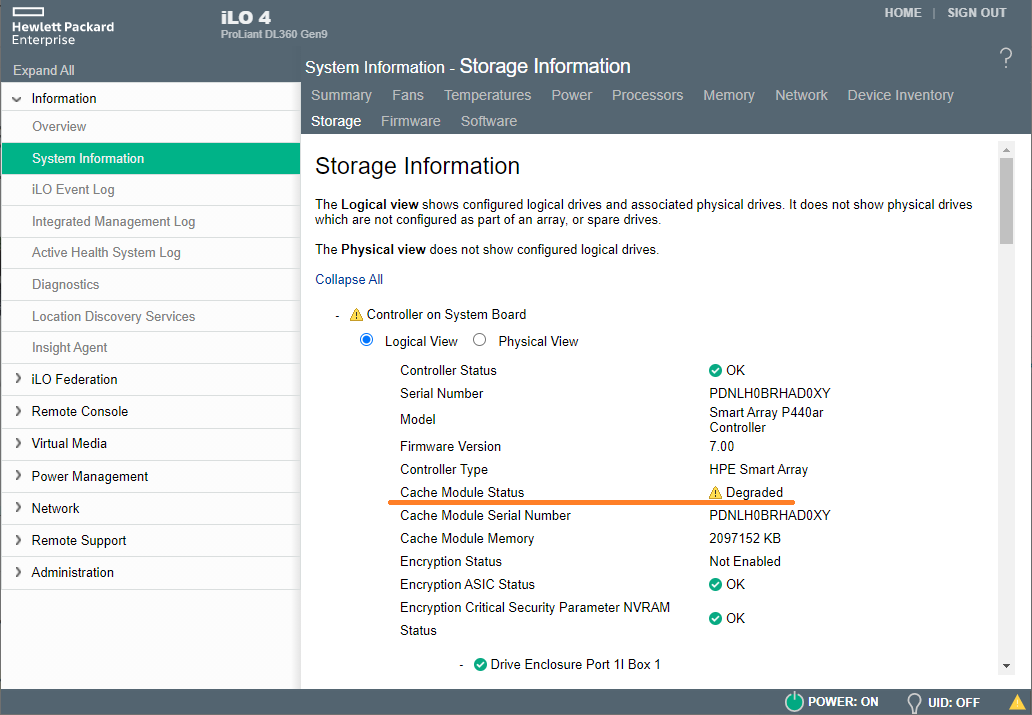
На первый взгляд проблема не критичная, может ждать до утра. А утром начались проблемы, — сильная деградация по дискам. Больше суток ушло на то, чтобы переместить виртуальные машины с данного гипервизора на другой сервер. Я не замерял, но скорость переноса данных увеличилась раз в пять. Некоторые сервисы пришлось остановить.
Оказалось, что кэш RAID контроллера заметно оптимизирует работу массивов.
Поиск проблемы
Сервер уже не на гарантии, справляться с проблемой придётся самому.
Есть несколько возможных точек отказа:
- Проблема программная, возможно, из-за недавней прошивки RAID контроллера. Может помочь перезагрузка, сброс настроек RAID контроллера, выключение-включение кэша.
- Проблема с RAID контроллером. Может помочь прошивка или замена.
- Проблема с модулем кэша. Поможет разборка-сборка, замена модуля кэша.
- Проблема с проводами или контактами. Поможет разборка-сборка, переподключение батарейки, замена батарейки.
- Проблема с батарейкой. Поможет замена батарейки.
Первым делом перезагрузил сервер и iLO. Не помогло.
Проверил статус батарейки. Статус OK.
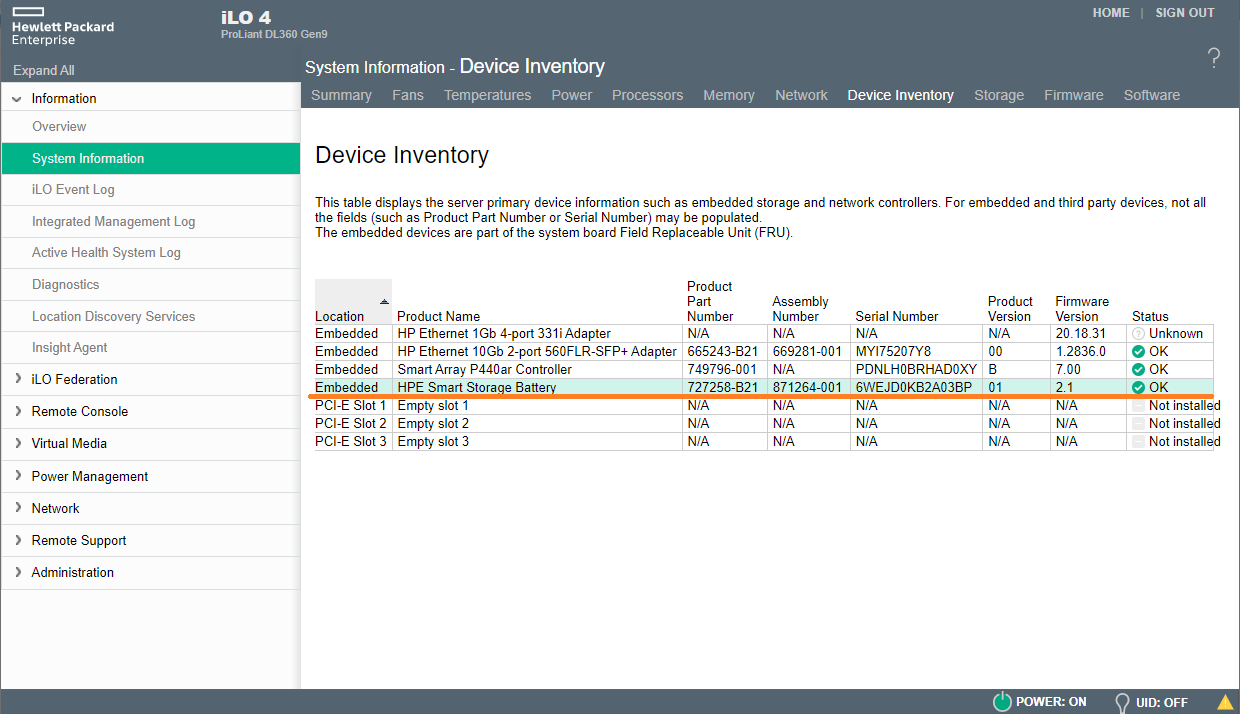
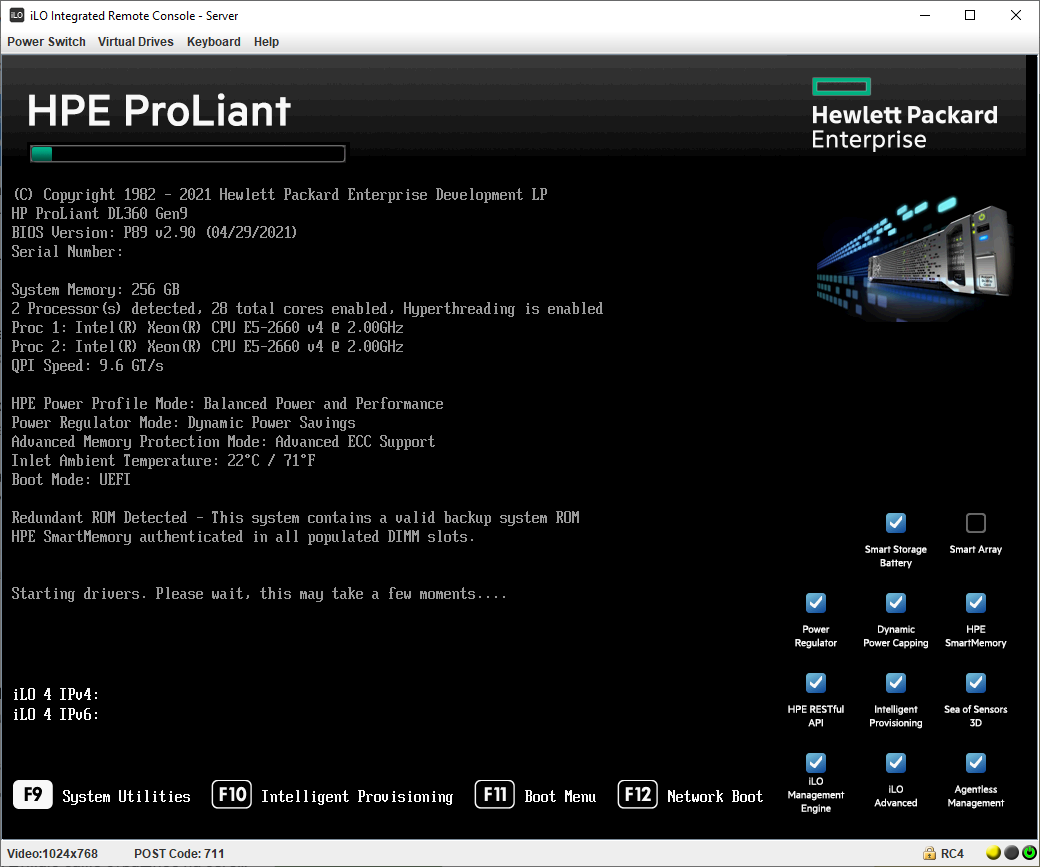
Непонятно, загрузимся в HPSSA (HP Smart Storage Administrator). Перезагружаем сервер, при загрузке нажимаем F9 для входа в System Utilities.
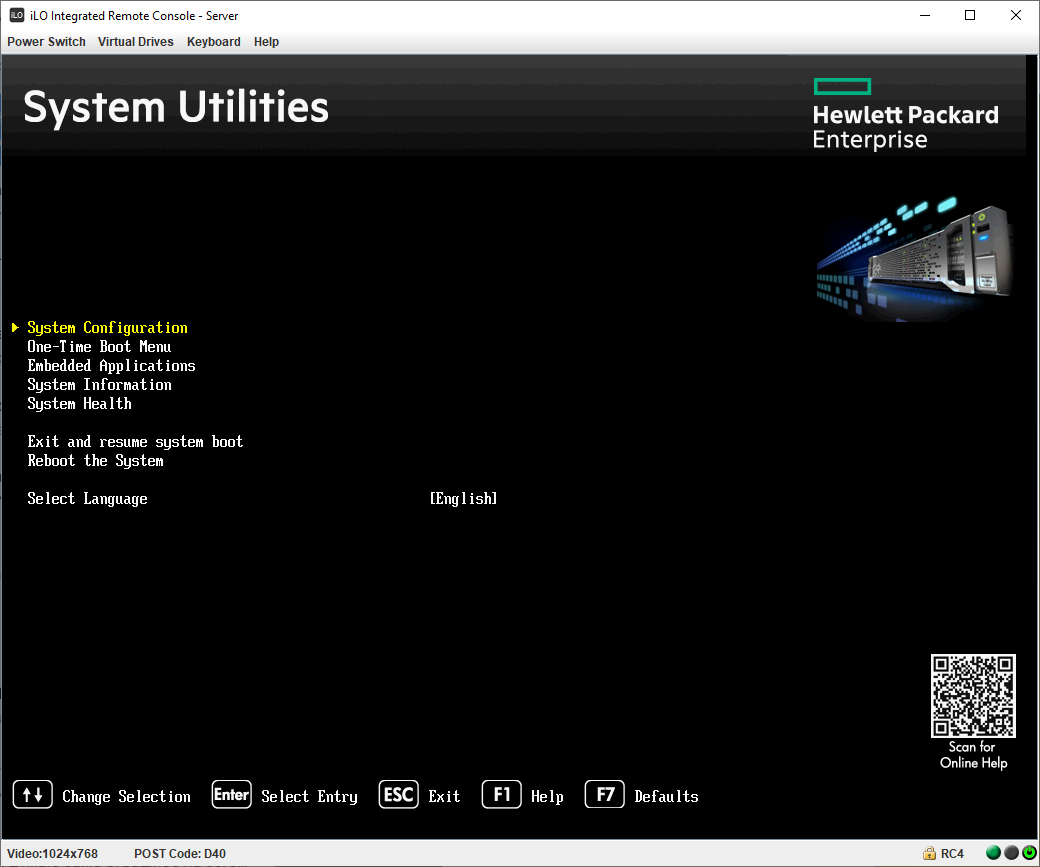
Выбираем System Configuration.
Выбираем проблемный контроллер: Embedded RAID 1: Smart Array P440ar Controller.
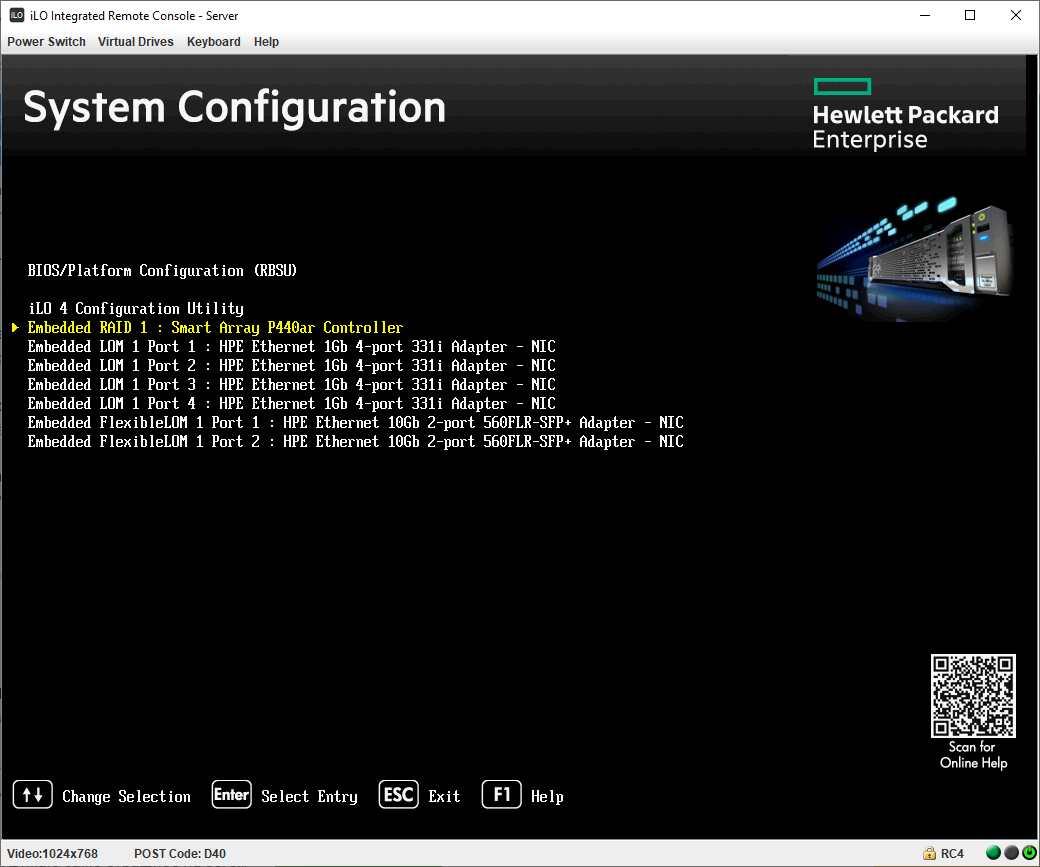
Выбираем Exit and launch HP Smart Storage Administrator (HPSSA).
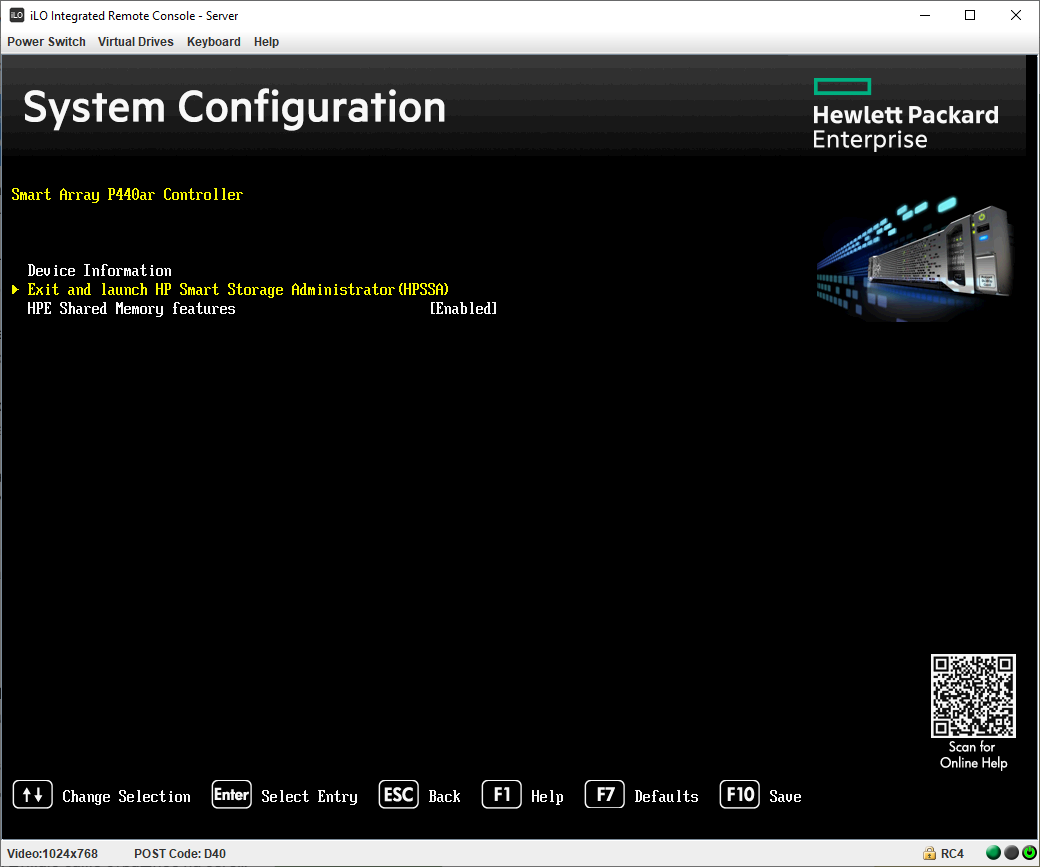
Выбираем (уже выбрано) Smart Storage Administrator. Сюда же можно попасть выбрав F10 (Intelligent Provisioning) при загрузке, но нужно будет успеть переключить пункт в этом окне.
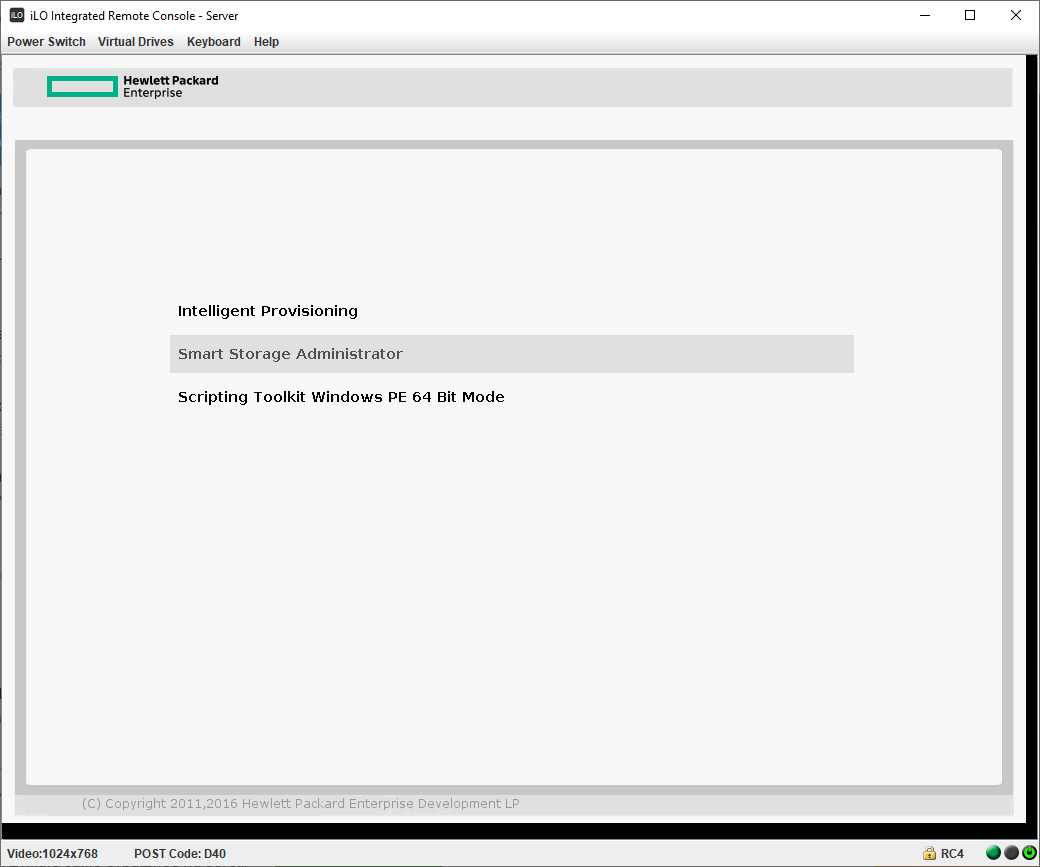
Дожидаемся загрузки Smart Storage Administrator.
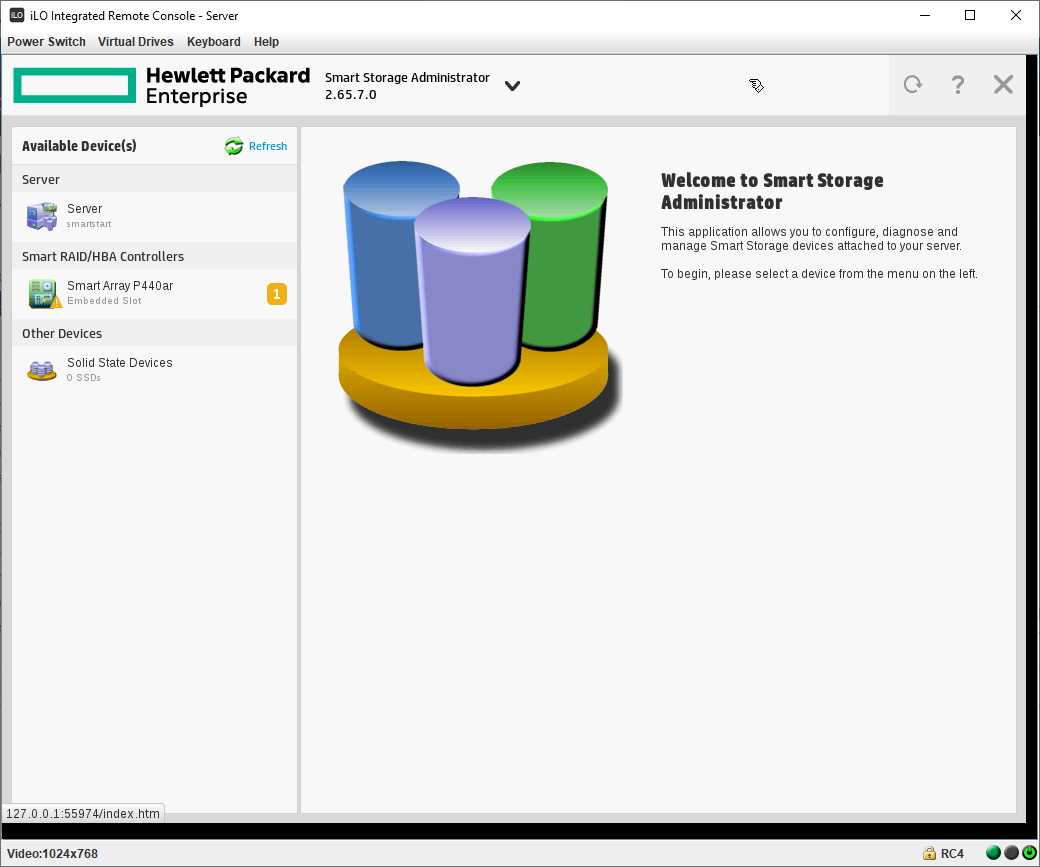
Видно, что на RAID контроллере Smart Array P440ar светится предупреждение.
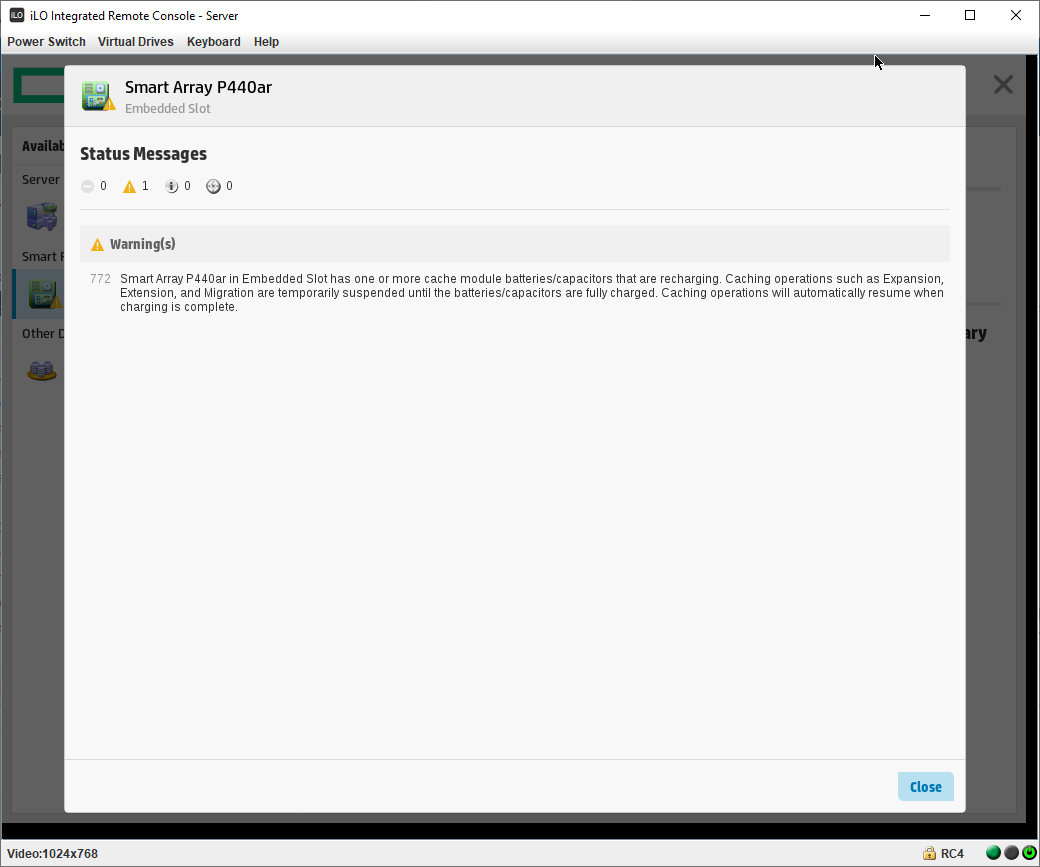
Текст ошибки здесь более информативный:
Smart Array P440ar in Embedded Slot has one or more cache module batteries/capacitors that are recharging. Caching operations such Expansion, Extension, and Migration are temporarily suspended until the batteries/capacitors are fully charged. Caching operations will automatically resume when charging is complete.
Получается, батарейка находится в процессе зарядки. Такое случается, если воткнуть разряженную батарейку. Ошибка пропадёт после полной зарядки. Но в моём случае батарейка уже давно установлена, ошибка сама не пропадает.
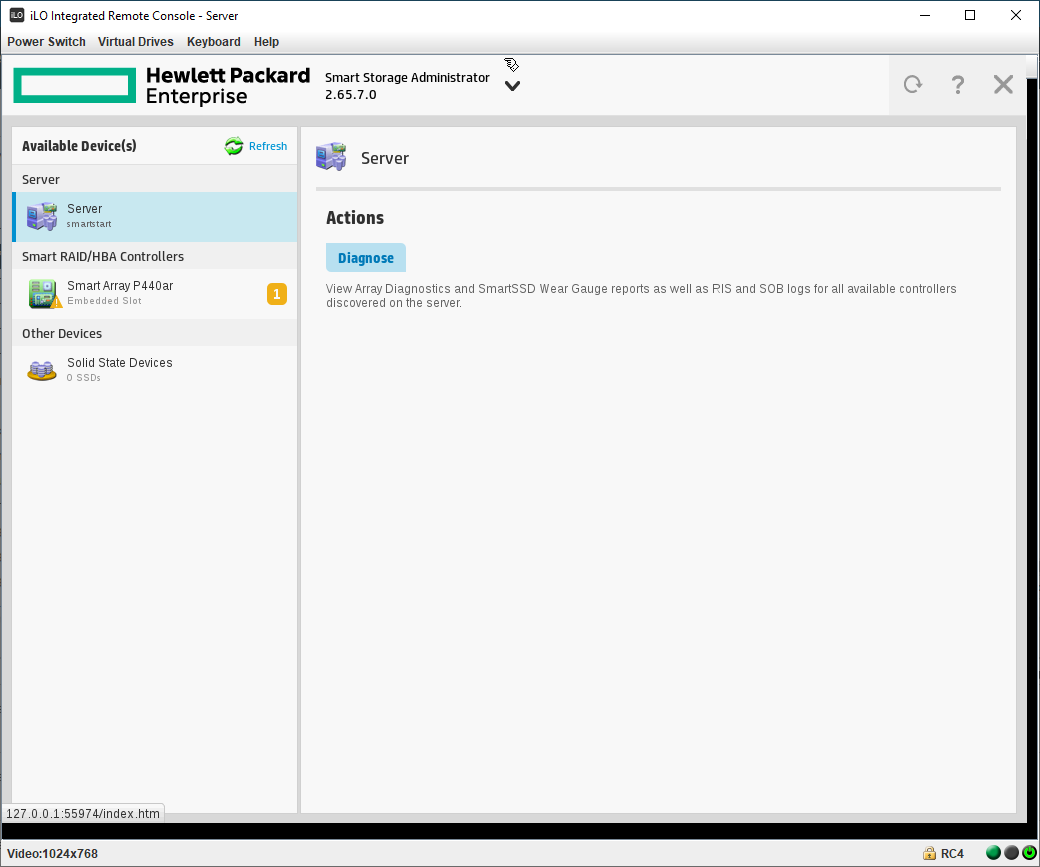
Server → Actions → Diagnose.
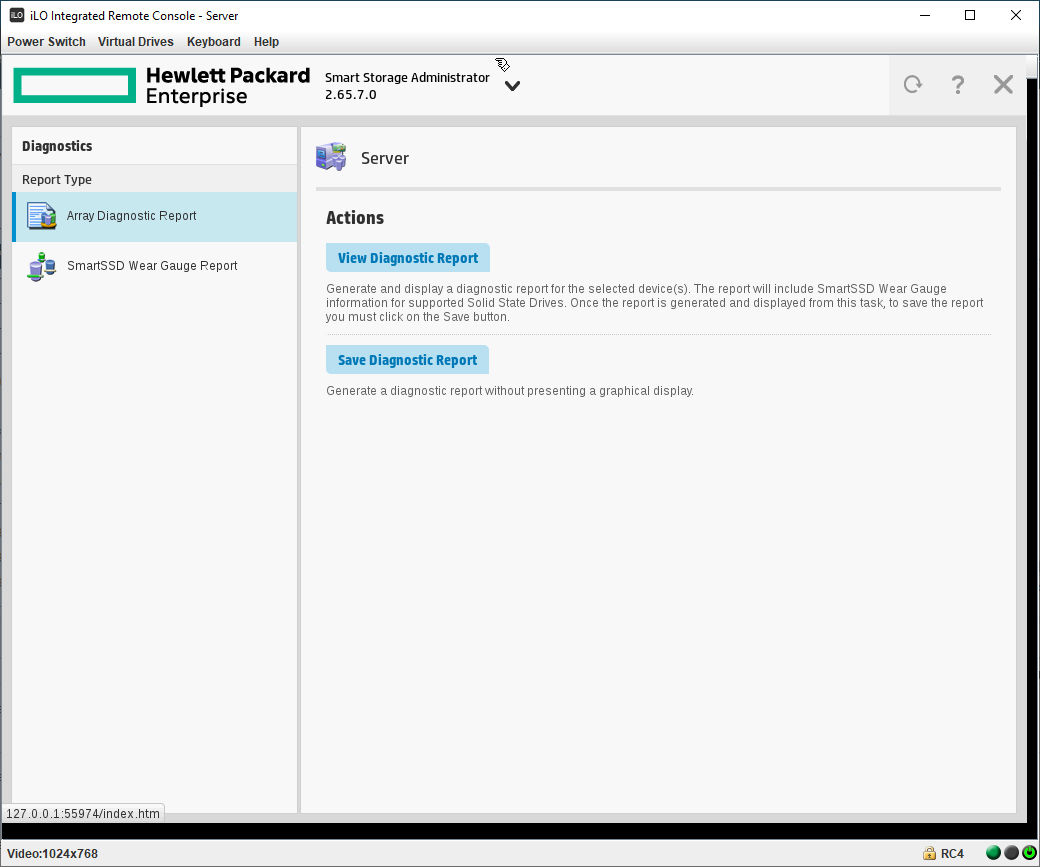
View Diagnostic Report.
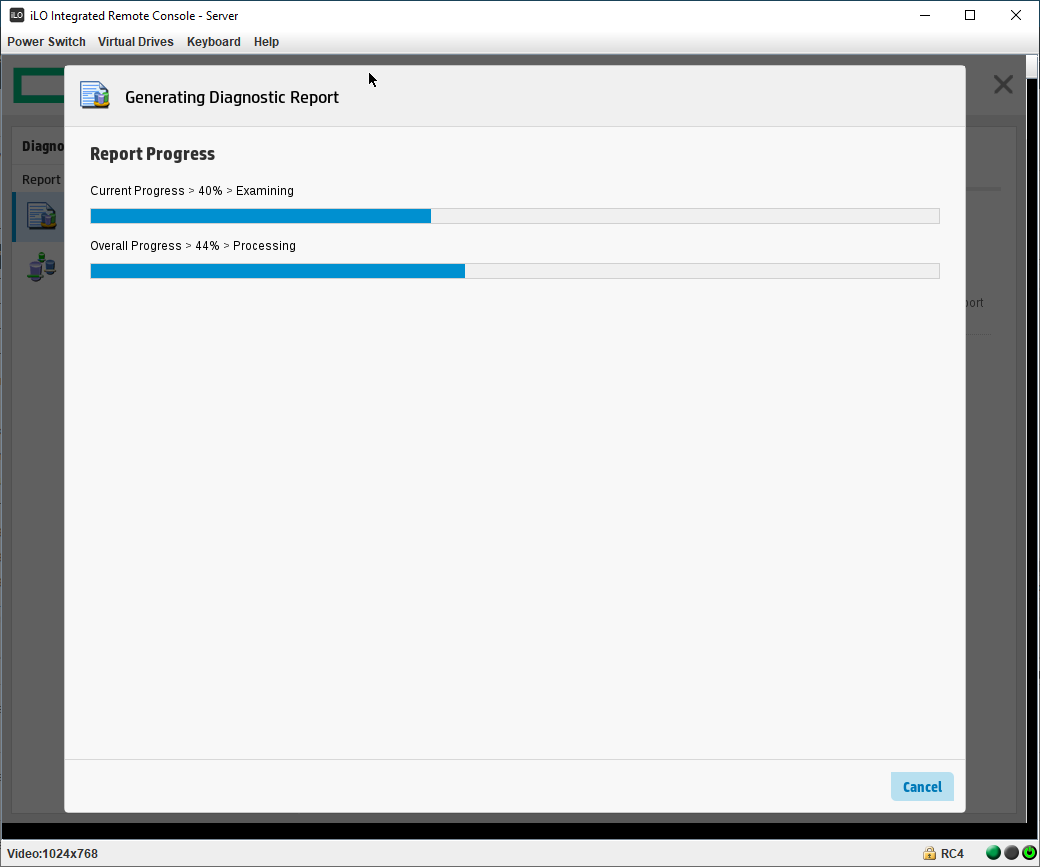
Начинается сбор диагностических данных.
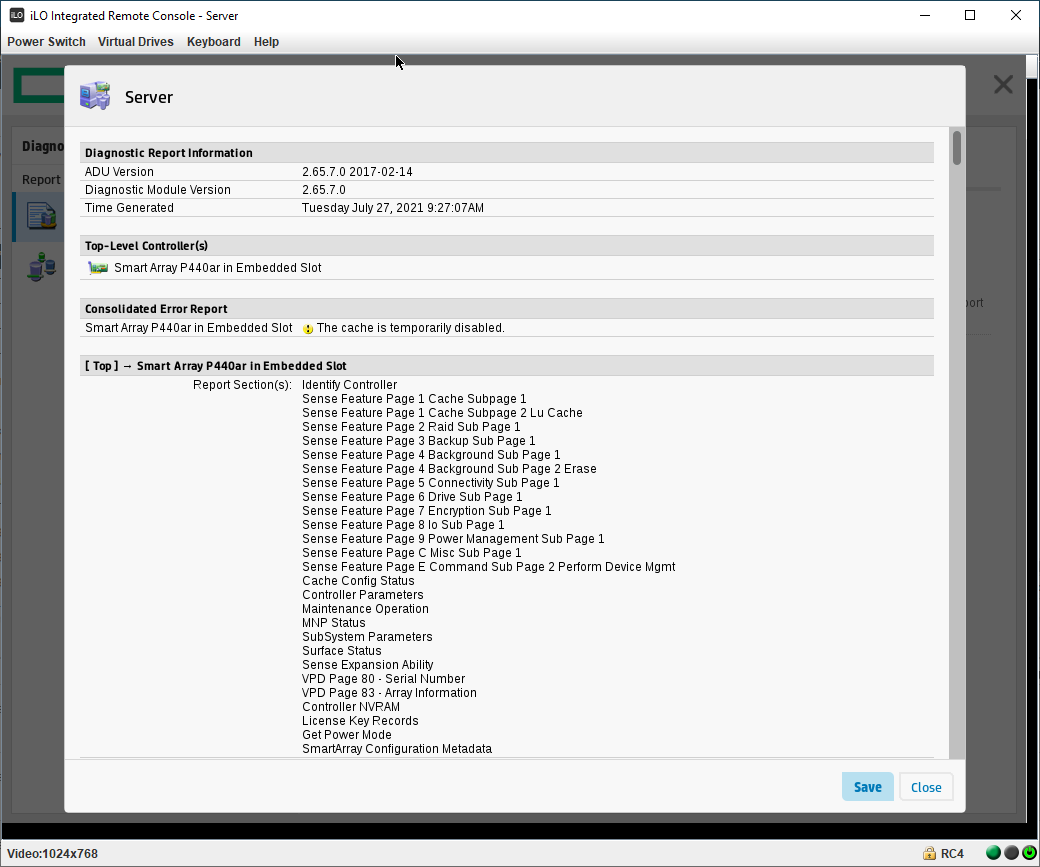
Кэш RAID контроллера отключён, других ошибок нет. Полистал отчёт, ничего особенного не обнаружил.
Посмотрим на кэш. Tools → Cache Manager → Controller Cache → Controller Cache Details.
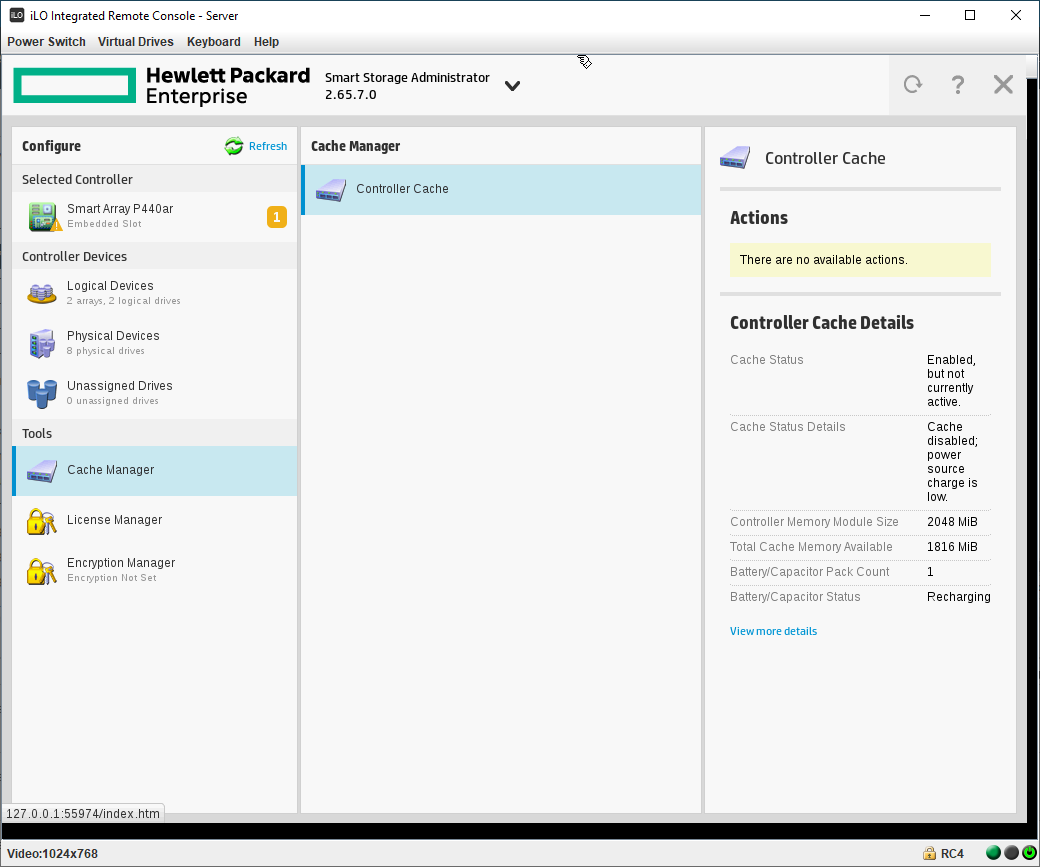
- Cache Status: Enabled, but not currently active.
- Cache Status Details: Cache disabled; power source charging is low.
- Battery/Capacitor Status: Recharging
Кэш отключён, т.к. батарейка заряжается, а уровень её заряда низок. Можно посмотреть больше деталей: View more details.
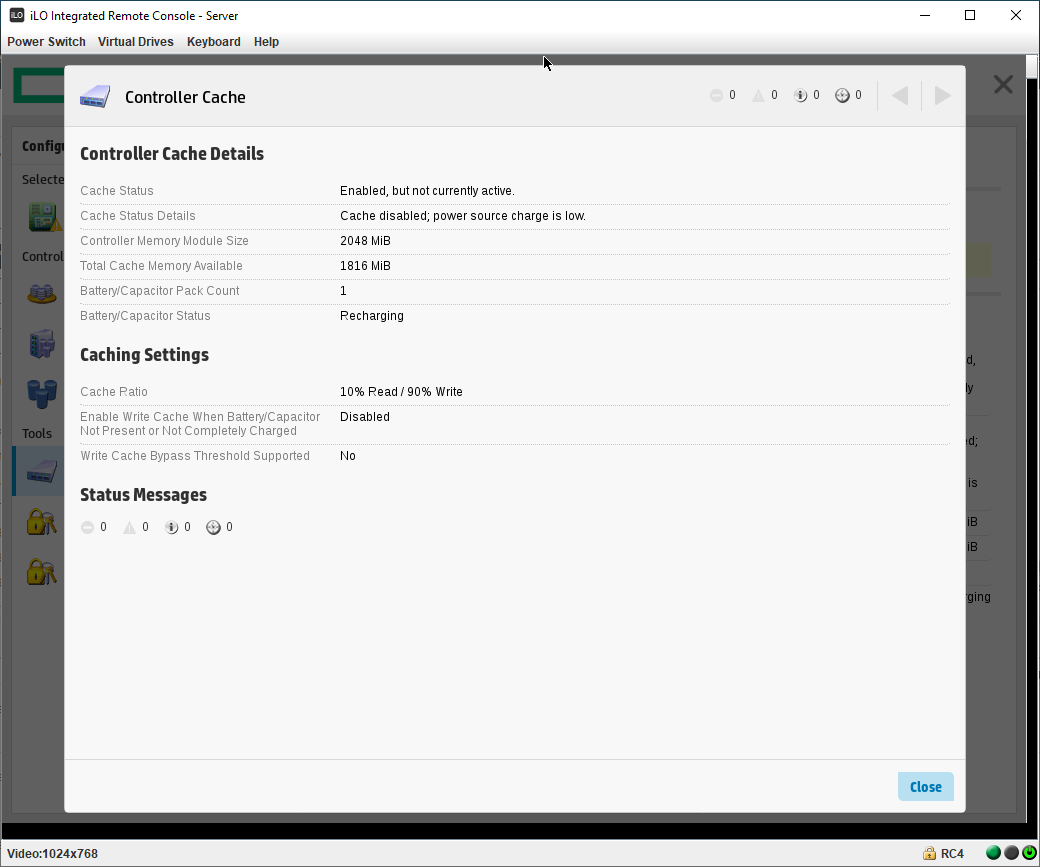
Более подробная информация нам особо не помогает, единственное, что интересно в нашем случае, это запись:
- Enable Write Cache When Battery/Capacitor Not Present or Not Completely Charged: Disabled
В кэше контроллера есть опция, позволяющая включить кэш при отсутствии батарейки или при низком её заряде. Если бы сервер был боевым, если бы нам срочно нужно было наладить работу сервера, то включение этой опции нам бы очень помогло. Вот только включить эту опцию мы не можем, так, как кэш в настоящий момент отключён: There are no available actions. Печаль, но есть обходной манёвр.
Временное решение проблемы
Помимо кэша контроллера у каждого физического диска есть собственный кэш, который по умолчанию в RAID массивах отключён. Включим.
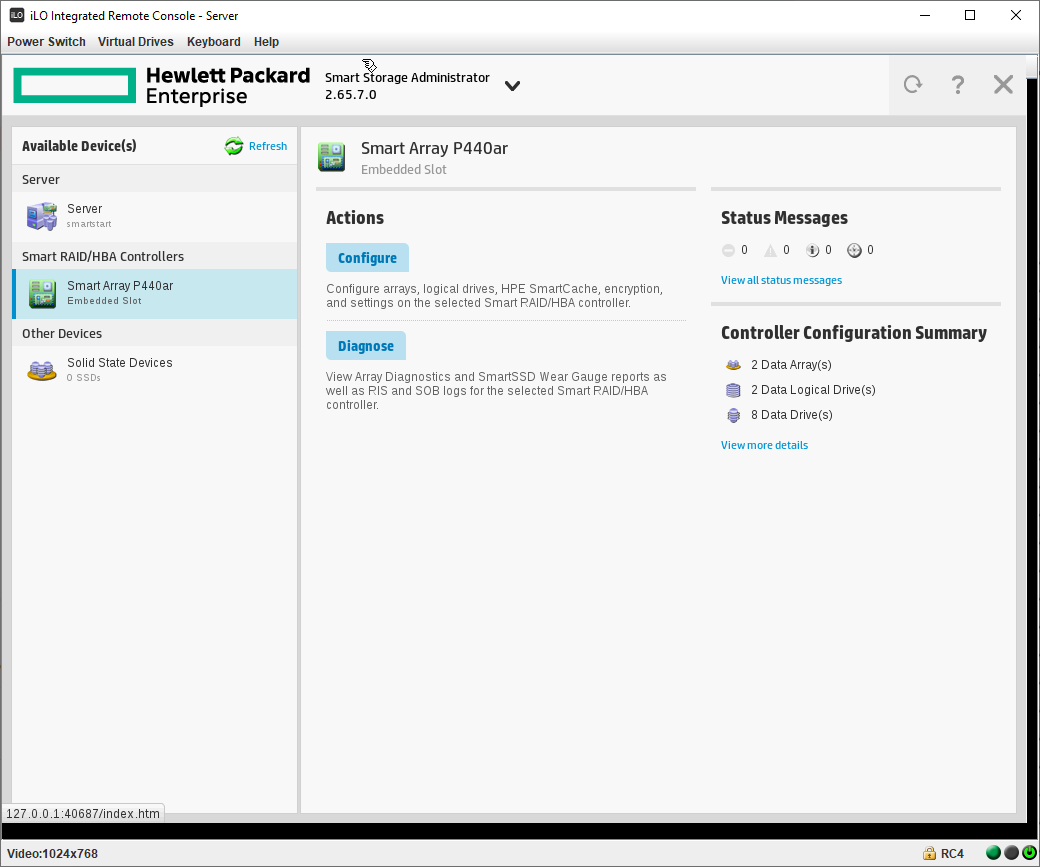
Smart Array P440ar → Actions → Configure → Modify Controller Settings.
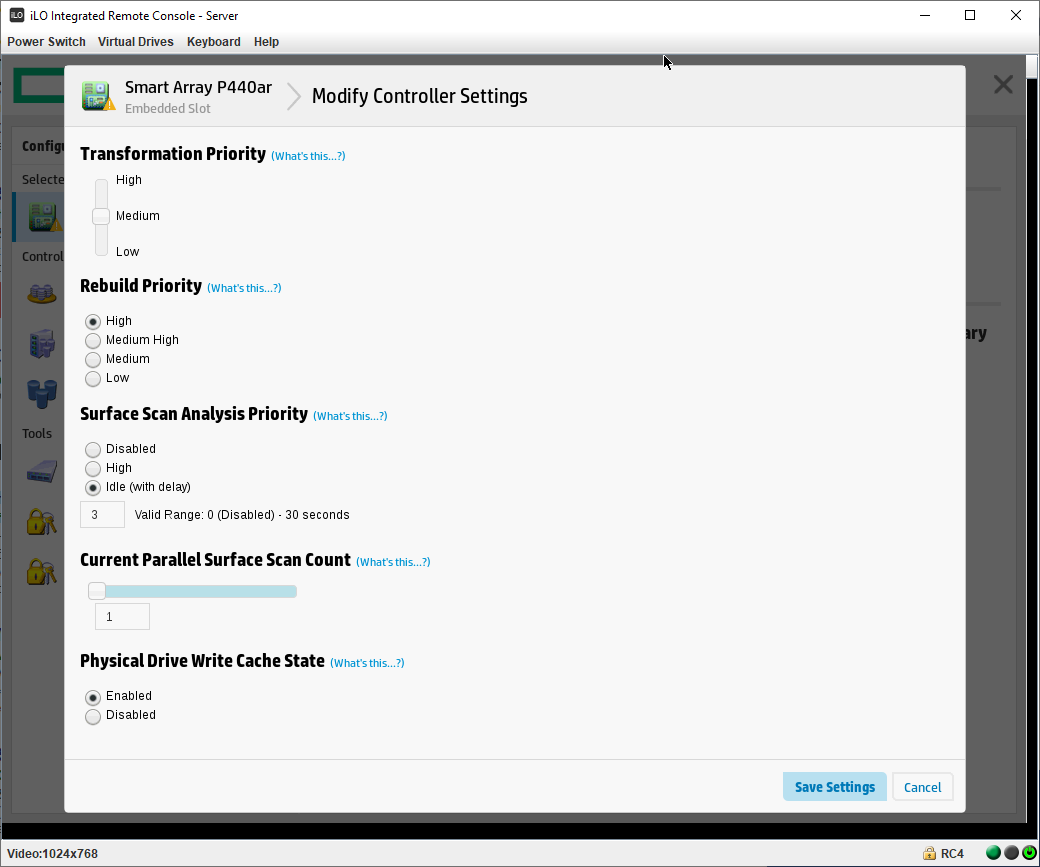
Меняем галку Physical Drive Write Cache State на Enabled. Save Settings.
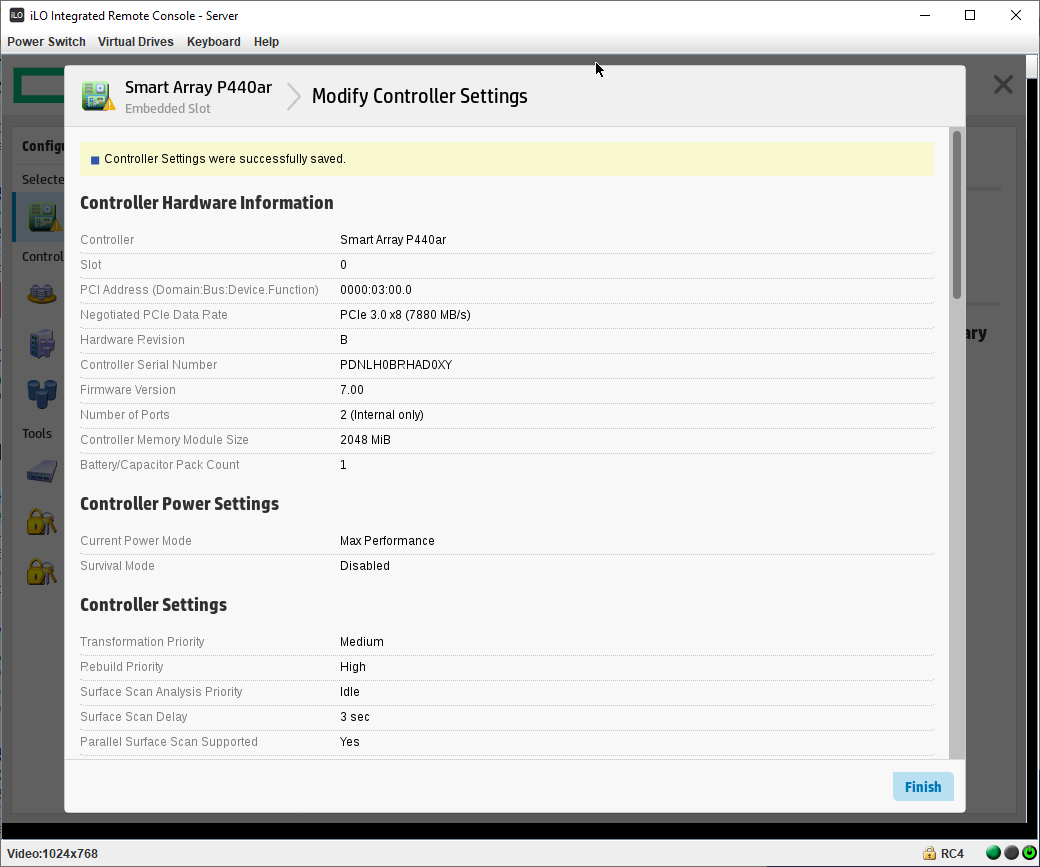
Controller Settings were successfully saved. Настройки сохранены. Как вы думаете, что сейчас произойдёт? Правильно, кэш RAID контроллера отключится. и все его предупреждения сбросятся.
Посмотрим на кэш. Tools → Cache Manager → Controller Cache → Controller Cache Details.
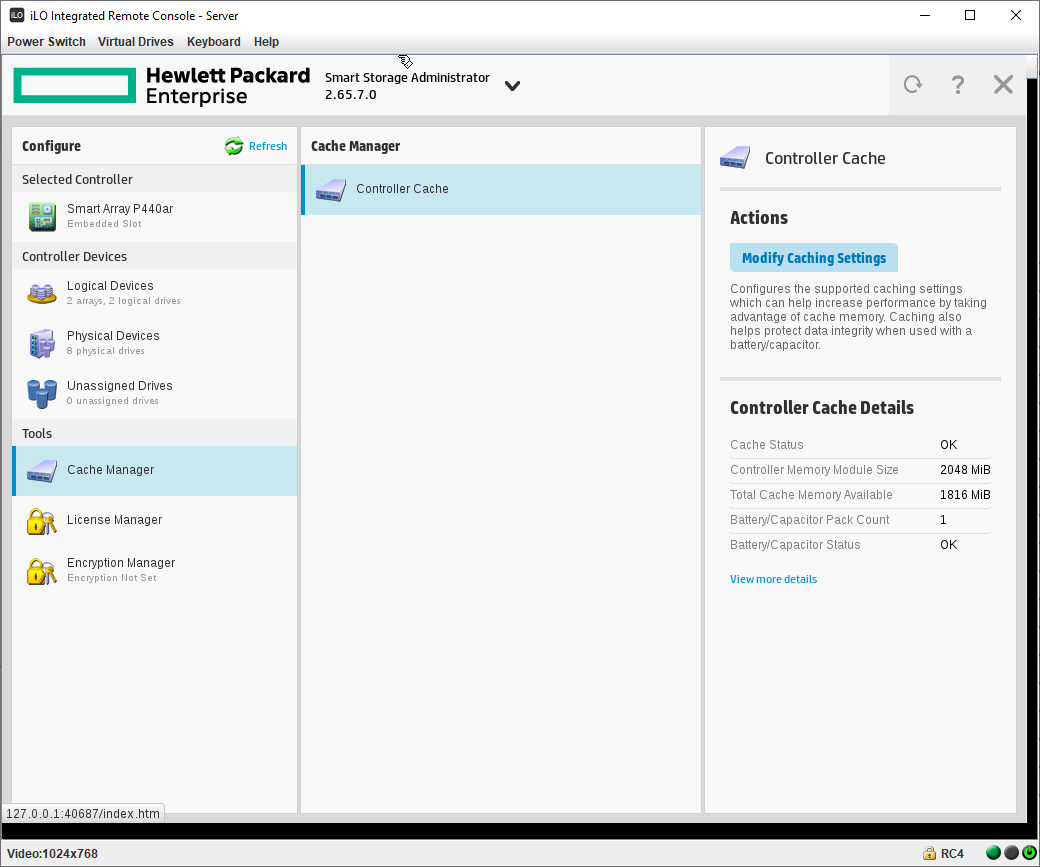
- Cache Status: OK
- Battery/Capacitor Status: OK
Даже батарейка перестала заряжаться. Но главное не это, появилась кнопка Modify Caching Settings, нажимаем.
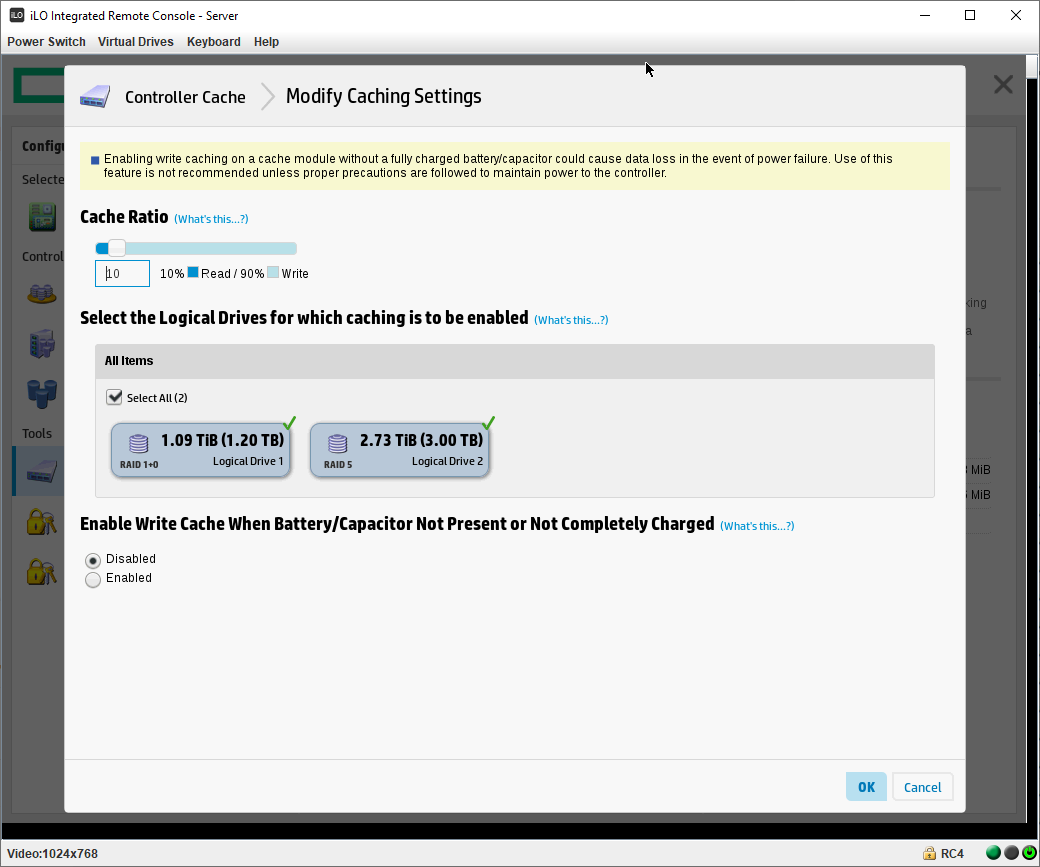
Нас предупреждают, что включение кэша с плохой батарейкой приведёт к потере данных при внезапном отключении питания. Но всё же мы теперь можем, если очень захотим, включить опцию «Enable Write Cache When Battery/Capacitor Not Present or Not Completely Charged». Я не буду включать, срочного у меня ничего нет. Если сейчас снова отключить кэш физических дисков, то ошибка не вернётся до следующего цикла проверки батареи.
Становится понятно, что проблема в самой батарейке или в её проводах. Убедимся в этом. Перезагружаем сервер, жмём F9, во встроенных приложениях загружаем диагностический режим. Выполняем экспресс-проверку системы.
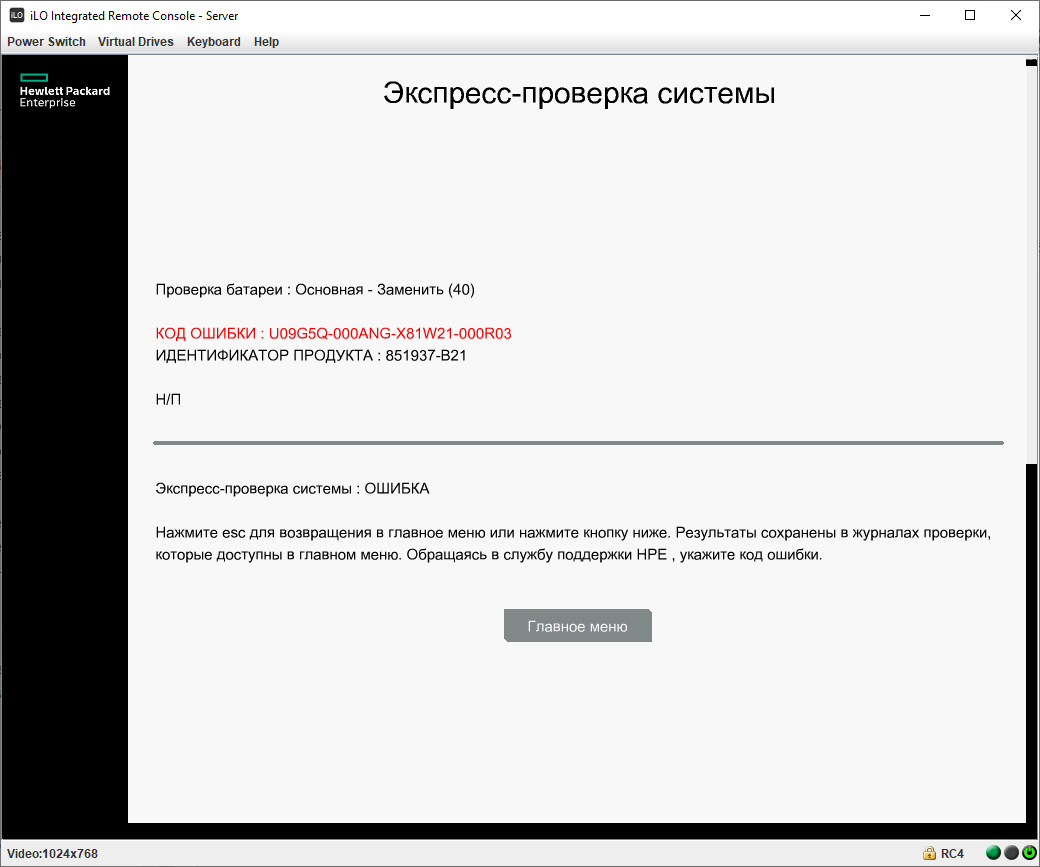
При проверке батарей: Основная — Заменить.
Решение проблемы
Меняем батарейку в сервере:
После замены батарейки снова загружаем диагностический режим и выполняем экспресс-проверку системы.
Cache module status degraded hp proliant что это
HP StoreOnce 4500 Backup — Cache module status — Failed
Добрый день. Имеется HP StoreOnce 4500 Backup на которые еженедельно бэкапятся данные.
HP StoreOnce 4500 Backup
Тип
HP StoreOnce 4500 Backup
Имя
HPCZ2511083J
Серийный номер
CZ2511083J
Версия программного обеспечения
3.12.1-1513.3
Сегодня обнаружили следующие ошибки:
В виду этого на сервер не могу скопировать бэкапы т.к. Nas постояно отключает сетевые папки.
component:superCapacitor, status:FAILED, location:IOCacheModule in storageController S/N:PCUUVC18S7X05I in PCI Slot 1 in server HPCZ2511083J, Message: The supercap has failed., Diagnostic message: Replace the supercap., uuid:50014380266AB5F0_IOC_1,50014380266AB5F0_BAT_1, eventName:SUPER_CAPACITOR_FAILED, eventId:001C0002, level:ALERT, category:SERVER, overallStatus:DEGRADED , name: ch_34303936-3538-5A43-3235-31313038334A , engine name: hpcz2511083j
component:IOCacheModule, status:FAILED, location:IOCacheModule in storageController S/N:PCUUVC18S7X05I in PCI Slot 1 in server HPCZ2511083J, Message: Write caching using the IO cache module has been temporarily disabled. This will cause degraded performance., Diagnostic message: Check the supercap status and if applicable the partner controller’s supercap status. If the supercap statuses are good, contact HP technical support for further assistance., uuid:50014380266AB5F0_IOC_1, eventName:IO_CACHE_MODULE_CACHE_DISABLED, eventId:00080003, level:ALERT, category:SERVER, overallStatus:DEGRADED , name: ch_34303936-3538-5A43-3235-31313038334A , engine name: hpcz2511083j
Сообщение ошибки в ILO:
POST Error: 1705-Slot X Drive Array — Please replace Cache Module Super-Cap. Caching will be enabled once Super-Cap has been replaced and charged.
Cache module / status information – HP Insight Management Agents User Manual
RAID Stack Version—lists the RAID stack version operating the B-series array controller.
This value may change when upgrading or downgrading the operating system device
driver.
Option ROM Version—lists the option ROM revision of the chipset or HBA being used by
the B-Series controller.
HBA Firmware Version—lists the firmware revision of the chipset or HBA being used by
the B-Series controller.
HBA Mode Option ROM Version—lists the revision of option ROM that would run on this
chipset or HBA (being used by the B-Series controller), if it were to run in HBA mode.
Cache Module / Status Information
Select the cache module item from the Mass Storage submenu to display the following information:
For some controller models, a cache module board that physically attaches to the controller
or chipset may not be an available option. For these configurations, the Storage Agent will continue
to populate fields that are related to read caching operations.
Status—Displays the status of the cache module and/or cache operations. The following values
are valid:
Enabled—Cache operations are currently configured and enabled for at least one logical
drive.
Temporarily Disabled—Cache operations have been temporarily disabled. Check the
Cache Module Error Code for the monitored item to determine why the cache operations
have been temporarily disabled.
Permanently Disabled—Cache operations have been permanently disabled. Check the
Cache Module Error Code for the monitored item to determine why the cache operations
have been disabled.
Cache Module Flash Memory Not Attached—The flash memory component of the flash
backed cache module is not attached. This status will be set when the flash memory is
not attached and the Supercap is attached. This value is only used on flash backed cache
modules that support removable flash memory.
Cache Module Degraded—Failsafe Speed—The cache module board is currently degraded
and operating at a failsafe speed. View the cache memory fields Data Width and
Transfer Rate
to obtain the cache module board’s current memory data width and
memory transfer rate.
Cache Module Critical Failure—The cache module board has encountered a critical failure.
The controller is currently operating in Zero Memory Raid mode.
Read Cache Could Not Be Mapped—The read cache memory in a split cache configuration
could not be mapped by the operating system and as a result is not available. This status
may be caused by virtual space limitations in certain operating systems and is only
applicable to B-Series controllers.
HP proliant cache module failure
In our windows server environment, we often get the alert for HP servers that storage cache module has failed. What exactly is the function of cache module?
1 Answer 1
Unfortunately, you are neither mentioning a specific server model nor a specific controller, thus I’m assuming Smart Arrays here. HP/HPE Smart Array RAID controllers provide a battery-backed cache to e.g. temporarily store data before transferring them to disks. The cache is DRAM, thus it’s a lot faster than typical disk drives, and this speeds up e.g. write operations.
Let’s go one step back: Once a data write to the cache is completed, the cache must be able to protect the data in case of a power loss before the data has been transferred to the drives. This happens using a battery, and the battery is normally what fails after some time which leads to alerts or failure reports, because you might be on risk when using a non-battery-backed cache. If this does not apply for you, you should provide a specific failure message here.
The HP document Smart Array technology: advantages of battery-backed cache describes the details of the cache in detail.
-
The Overflow Blog
Related
Hot Network Questions
Subscribe to RSS
To subscribe to this RSS feed, copy and paste this URL into your RSS reader.
Site design / logo © 2023 Stack Exchange Inc; user contributions licensed under CC BY-SA . rev 2023.5.25.43461
By clicking “Accept all cookies”, you agree Stack Exchange can store cookies on your device and disclose information in accordance with our Cookie Policy.
Linux: Работа с RAID контроллером от HP

Небольшая инструкцию по мониторингу и настройке Raid массива на Raid контроллерах HP под CentOS 6.7.
При наличии необходимых навыков эта инструкция подойдет под любой другой дистрибутив Linux.
1) Для начала убедимся, что у нас есть HP контроллер:
Смотрим в разрезе устройств на шине:
Устройств при загрузке:
Или проверяем наличие символьного устройства hpilo.
Стоит уточнить, что на нескольких серверах, несмотря на наличие контроллера, символьного устройства не было.
1а) Более длинными способами, можно получить похожую картину:
Через smartctl:
Через lshw:
2) Устанавливаем утилиту hpacucli.
Подключаем репозитарий HP:
Версию и разрядность системы необходимо подставить самостоятельно или написать общий шаблон.
Как вариант ставим RPM пакет HP, который соответствует вашей системе:
3) Начало работа с hpacucli.
Проверяем статус контроллера:
Команда для проверки hpacucli controller all show status
Нормальное состояние контроллера должно отображаться так:
С чем я сталкивался:
Отсутствие «Cache Status» говорит об отсутствии батареи у кеша.
В этом состоянии:
— по неподтвержденным данным замедленной работой контроллера, по сравнению с присутствием батареи;
— невозможностью расширения массива на лету, путем добавления дисков и т.п.
Батарея есть, но подлежит замене
Примерно тоже самое, что выше, но также есть риск потери данных кеша при внезапном отключении питания.
Ошибка выглядит так:


Пора заменить микрокод контроллера!
Ошибка намекает на несовместимость утилиты hpacucli с установленным микрокодом в контроллере. Вариант или подобрать утилиту или обновиться.
Процедура обновления достаточно простая, но как обычно существуют стандартные риски при обновлении любых рейд контроллеров и это тема для отдельной статьи.
Заинтересованным смотреть с Firmware CD Supplemental Update Smart Array P212, P410, P410i, P411, P712m, and P812. Обновление прошло на лету, изменения применяются после перезагрузки.
Это же обновление лечит появление ошибок вида:
Перед обновлением собираем диагностическую информацию:
Данные будут доступны в «/tmp/diag_log.txt»
А также текущую конфигурацию контроллера:
Проверяем ранее собранную информацию. В моей диагностике видно, что запущено расширение массива (хотя оно было уже после накатки микрокода), что определенно вводит ограничение на обновление.
4) Настройка RAID с hpacucli.
Просмотр статусов логических дисков
Если логический диск в «работе» статус это покажет.
Результат добавления дисков в массив:
Просмотр статусов физических дисков
Один из дисков в режиме «скоро умрет».
Можем получить более детальную информацию:
Создание RAID массива
Добавление дополнительного физического диска к логическому
Добавить запасной диск:
Увеличение размера логического диска до указанного в size, после добавление нового физического
В моем случае ругнется и даст подсказку — нельзя делать диск меньше чес он сейчас.
Свободное место можно взять из детального вывода «hpacucli ctrl all show config detail».
У меня после добавления свободно 0,9Tb
Работа с внутренним кешем
 Категория: Администрирование
HP proliant cache module failure
In our windows server environment, we often get the alert for HP servers that storage cache module has failed. What exactly is the function of cache module?
1 Answer 1
Unfortunately, you are neither mentioning a specific server model nor a specific controller, thus I’m assuming Smart Arrays here. HP/HPE Smart Array RAID controllers provide a battery-backed cache to e.g. temporarily store data before transferring them to disks. The cache is DRAM, thus it’s a lot faster than typical disk drives, and this speeds up e.g. write operations.
Let’s go one step back: Once a data write to the cache is completed, the cache must be able to protect the data in case of a power loss before the data has been transferred to the drives. This happens using a battery, and the battery is normally what fails after some time which leads to alerts or failure reports, because you might be on risk when using a non-battery-backed cache. If this does not apply for you, you should provide a specific failure message here.
The HP document Smart Array technology: advantages of battery-backed cache describes the details of the cache in detail.
You must log in to answer this question.
-
Featured on Meta
Related
Hot Network Questions
Subscribe to RSS
To subscribe to this RSS feed, copy and paste this URL into your RSS reader.
Site design / logo © 2023 Stack Exchange Inc; user contributions licensed under CC BY-SA . rev 2023.9.6.43612
By clicking “Accept all cookies”, you agree Stack Exchange can store cookies on your device and disclose information in accordance with our Cookie Policy.