What is AswbIDSAgent?
AswbIDSAgent is also known as Avast Behavior Shield, a service that Avast integrated into its system to scan programs and protect your system from ransomware, zero-second threats, malware, viruses, and other threats. It’s also known as the Avast Identity Protection Service, and you can find it in Task Manager’s Processes tab as aswbIDSAgent.
When it comes to free antivirus software, Avast is one of the most popular options. Aside from providing adequate protection against various malware and viruses, Avast is also very simple to use and will not take up much of your computer’s resources.
However, even excellent antivirus software like Avast can be prone to bugs and issues many users may find annoying. One standard error is when Avast, specifically the Avast Behavior Shield (aswbIDSAgent), simply shuts down without warning.
While it dramatically impacts your computer’s resources, it can occasionally experience errors. Errors associated with the aswbIDSAgent include resource hogging, behavior shield turning off automatically, and Avast not running correctly. Fortunately, we have solutions for all of them.
How To Fix Errors With AswbIDSAgent?
If you are experiencing such errors, the following fixes you should consider:
Disabling the Service
The first and most basic method is to disable the service simply. This method usually works if you’ve noticed that the service is hogging many system resources, slowing down your computer. This method, as proposed by Techdows, consists of the following steps:
- Launch Avast’s user interface.
- Go to Settings > Components from there.
- Then, select Behavior Shield, click the green switch, and select “Stop permanently.”
- A warning will appear. Simply select Yes and then OK. This will also terminate aswbIDSAgent.
- When you’re finished, go to Services by pressing the Windows key and R simultaneously. This brings up the Run search bar.
- Enter services.msc into the Run search bar and press Enter.
- Scroll down until you find aswbIDSAgent in the Services window.
- Double-click it, then navigate to the Startup type section of the General tab and click the arrow next to it.
- This will activate a dropdown menu. Change the Startup type to Disabled from Manual.
- After completing these steps, you should no longer notice the service running in the background.
However, Avast GUI will display a warning message saying, “Behavior shield is off.” Simply select Ignore.
Updating the Software
If disabling the service does not resolve the issue, your Avast version has most likely been updated. You can simply update the software to resolve the issue, hopefully. Avast developers were aware of the error and attempted to address it in their most recent release.
This fix is for the problem where Avast’s behavior shield turns off automatically. Here are the steps you should take to fix it and begin updating, as outlined by Appuals:
- Launch Avast’s user interface. It can be found in the system tray or by pressing the Start button and then typing Avast.
- Navigate to the Update tab once Avast has been launched. There are two buttons there with the text Update on them. One button is for updating the virus definitions database in the software. Meanwhile, the other button allows you to edit the program to the most recent version.
- You can choose to update any of them. The majority of users were able to resolve the problem by updating the program. It is best to update the database and program version to resolve any remaining issues.
- Simply follow the on-screen instructions to continue with the installation process while updating.
- After you’ve finished updating, see if the shields turn off.
Repairing the Software
If nothing else has worked and the aswbIDSAgent error persists, the last option you should consider is to repair your Avast software from the Control Panel. As a result, many users could solve their problems this way.
Fortunately, this is also a simple method! You can simply follow these steps, which Appuals also suggests:
- Click the Start menu in the bottom left corner of your computer.
- Then, when the Control Panel option appears, type it in and press Enter.
- Click the “View by” option in your Control Panel, then select Category.
- Select “Uninstall a program” below the Programs section. This step will display a list of the programs currently installed on your computer.
- Look for Avast, click on it, and then select the Change option from the top bar. After that, follow the on-screen instructions to begin the repair process.
- Check to see if the problem persists after completing the repair process.
FAQs
Find and double-click ‘aswbIDSAgent,’ then change its Startup type from ‘Manual’ to ‘Disabled.’ Note: If Avast GUI warns you that the “Behavior shield is off” and advises you to turn it on, click ignore.
Yes, in general. Avast is a good antivirus that offers adequate security protection. Although the free version has many features, it does not protect against ransomware. You must upgrade to one of the paid-for options if you want premium protection.
Conclusion:
The fixes listed above should assist you in resolving the common issues associated with Avast’s aswbIDSAgent or Behavior Shield service. Fixing the errors, like most other problems in your system, isn’t all that difficult if you follow the step-by-step instructions we’ve provided. Once the issues have been resolved, you can resume using your Avast software without interference or resource hogging. If the same problems persist, you can either perform a clean installation of the Avast software or switch to another antivirus program.
aswbIDSAgent что это за служба? (aswidsagenta.exe)
 Всем привет ребята. Тут такое дело, служба aswbIDSAgent нарисовалась, что это такое то? И откуда взялось? Об этом всем сегодня пойдет речь. Все узнаем и расставим точки!
Значит ребята, скажу вам сразу, эта служба ничем не опасная и даже левой ее назвать нельзя, а все потому что она от антивируса Аваст! Работает служба под процессом aswidsagenta.exe
Вот ребята я нашел еще картинку, это вот свойства службы, смотрите кароч:

Видите там что-то непонятно написанное в поле Описание? Но меня не проведешь! Я взял этот текст, скопировал его и пошел в гости к гугловскому переводчику и он мне перевел текст, вот гляньте:

Ну блин, даже не знаю что тут сказать, все так серьезно! Так что эта служба типа защищает личные данные от киберпреступности? Йокарный бабай то…
Копаюсь в интернете, вот узнаю что служба aswbIDSAgent это некий экран поведения. И это типа новая функция антивируса Аваста, хм, ну неплохо, молодец Аваст, развивается, улучшается парень.
О, такое узнал, вообще ништяк… Короче это Аваст знаете что сделал? Он включил в свой состав анализатор поведения AVG! Вот блин что на самом деле произошло то! Этот экран поведения типа защищает запущенные программы от нулевых угроз каких-то.. Короче понятного мало!
И вот еще узнал, что вы можете заметить такое как Avast Identity Protection Service на вкладке Процессы в диспетчере задач (это если в Windows 10), и если раскрыть меню, то увидите что штука эта как раз и является службой aswbIDSAgent:

У некоторых ребят эта служба грузит комп не по-детски! И что в таком случае можно сделать? Ну вроде как службу можно отключить! И вот как:
- откройте Аваст;
- далее перейдите в настройки, потом компоненты, далее экран поведения и там выберите остановить навсегда;
- нагрузка на процессор должна прилично снизиться;
Картинка в тему ребята, вот где нужно отключать этот экран поведения:

Вот узнал, что служба это как бы модуль Behavior Shield, который контролирует все что работает у вас в виндовсе.
Avast Behavior Shield — что это за процесс и можно ли отключить? (aswidsagent.exe)
 Приветствую. После установки Аваста в диспетчере задач появился процесс Avast Behavior Shield, у некоторых юзеров процесс грузит ПК, использует много оперативки.
В интернете пишут — это процесс экрана поведения, в принципе похоже на правду, Behavior Shield переводится как щит поведения.
Коротко о главном. Отключить можно. Проверено было на версии Avast Premier. Алгоритм действий:
- Открываем Аваст, нажимаем в правом верхнем углу Меню, выбираем Настройки.
- Выбираем Защита.
- Нажимаем на Основные компоненты > переключаем ползунок в состояние выкл.
- Нажимаем на Экран от программ-вымогателей > переключаем ползунок в состояние выкл.
У меня после этих действий процесс исчез.
Начинаем разбираться
Действительно, Avast Behavior Shield — экран поведения, работающий в фоновом режиме, проверяет поведение запущенных программ. Модуль работает под процессом aswidsagent.exe, который запускается из папки:
C:\Program Files\AVAST Software\Avast

В принципе не должен грузить ПК без причины.
По поводу aswidsagent.exe
aswidsagent.exe — процесс Avast Behavior Shield, на самом деле относится к службе aswbIDSAgent. В описании сказано — Provides Identity Protection Against Cyber Crime, переводится как Обеспечивает защиту личности от киберпреступлений.
Если службу попробовать отключить:

Покажется окошко Отказано в доступе:

Такое же окошко будет если попробовать завершить процесс в диспетчере:

На заметку. Чтобы открыть окно со списком служб — зажмите Win + R, введите команду services.msc, нажмите ОК.
Как отключить Avast Behavior Shield или снизить его нагрузку
Отключить можно так — идем в настройки Аваста, находим раздел компонентов:

Отключаем Behavior Shield:

Однако в последней версии Аваста (январь 2019) я не нашел такого компонента. Возможно на русском он имеет другое название. Зато нашел другой — просто анализ поведения. Нажимаем правой кнопкой по иконке в трее, выбираем Открыть интерфейс пользователя Avast:

В правом верхнем углу открываем меню, выбираем Настройки:

Далее переходим Защита > Основные компоненты защиты. Теперь в этих настройках вы можете поэкспериментировать, возможно найдете то, что вызывает нагрузку на ПК. Но процесс Behavior Shield скорее всего не исчезнет — пробовал разное отключать, не исчезает. В частности вот опция Анализ поведения:

Также можно попробовать отключить опции на Защита файлов:

Даже если полностью отключать Основные компоненты защиты:

Процесс в диспетчере задач все равно висит дальше:

Оказалось отключить Avast Behavior Shield все таки можно!
Скажу сразу — способ рабочий, после перезагрузки процесс не появляется. Повторюсь — способ работает на версии Avast Premier 19.1.2360 (теоритически на других также может сработать):

Самое главное. В разделе Защита необходимо отключить Основные компоненты:

И экран от программ-вымогателей:

После отключения двух функций процесс из диспетчера пропал:

При отключении одного из компонентов — процесс все равно будет висеть в диспетчере.
Вывод
Выяснили, что отключить Avast Behavior Shield все таки можно, но придется снизить уровень безопасности. Если второй компонент, экран от вымогателей — еще можно отключить, то основные компоненты отключать вряд ли хорошая затея.
Могу посоветовать только поиграться с настройками, возможно есть опция которая и вызывает нагрузку, но при этом без которой можно обойтись.
Что такое Aswidsagent.exe?

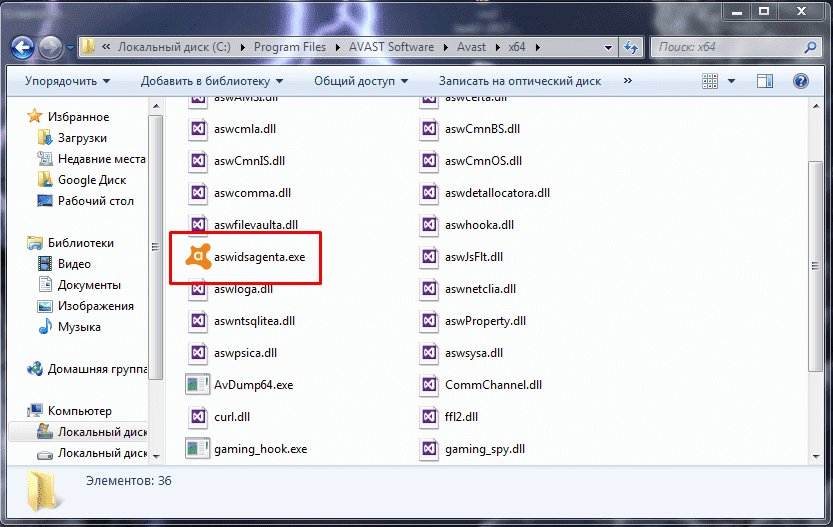
Aswidsagent.exe, также известный как aswidsagenta.exe – это исполняющий файл одного из модулей защиты антивируса Avast! – Identity Protection Service. В зависимости от версии защитного ПО, имя процесса может отличаться на одну букву.
Теперь рассмотрим пошагово процесс удаления процесса.
Как удалить?
Если исполняющий файл грузит процессор, выдает ошибки и влияет на общую производительность компьютера, его нужно удалить. Для этого: