Sorry, you have been blocked
This website is using a security service to protect itself from online attacks. The action you just performed triggered the security solution. There are several actions that could trigger this block including submitting a certain word or phrase, a SQL command or malformed data.
What can I do to resolve this?
You can email the site owner to let them know you were blocked. Please include what you were doing when this page came up and the Cloudflare Ray ID found at the bottom of this page.
Cloudflare Ray ID: 801dedb62dd00289 • Your IP: Click to reveal 86.107.21.84 • Performance & security by Cloudflare
What is Update.exe from GitHub and What does it do?
What is Update.exe in Start-up Tab? Is it safe to disable it?
Many users reported noticing an Update.exe file on their system and the file was found to be from GitHub but the users were not using anything related to it. In some cases, users saw the bombardment of multiple Command Prompt windows on the system startup for a few seconds.
 Update.exe from GitHub Fix
The Update.exe file is reported to be from Discord and the issue is due to a programming error of Discord or Squirrel (the Windows Installer for Electron Apps used by Discord) as the installer failed to tie the Update file with the main app. This bad programming caused an Update.exe entry along with the Discord entry in the Windows 10 Startup. Moreover, a more descriptive name would have been a lot easier for users.
But a natural question comes to the mind of many users why a file from Discord will have GitHub as the publisher’s name. The Update.exe file is published by GitHub (acquired by Microsoft in 2018) and signed by Discord.
A fun fact: Some users even reported that when they typed Update in the Windows Search, they saw Discord as a result.
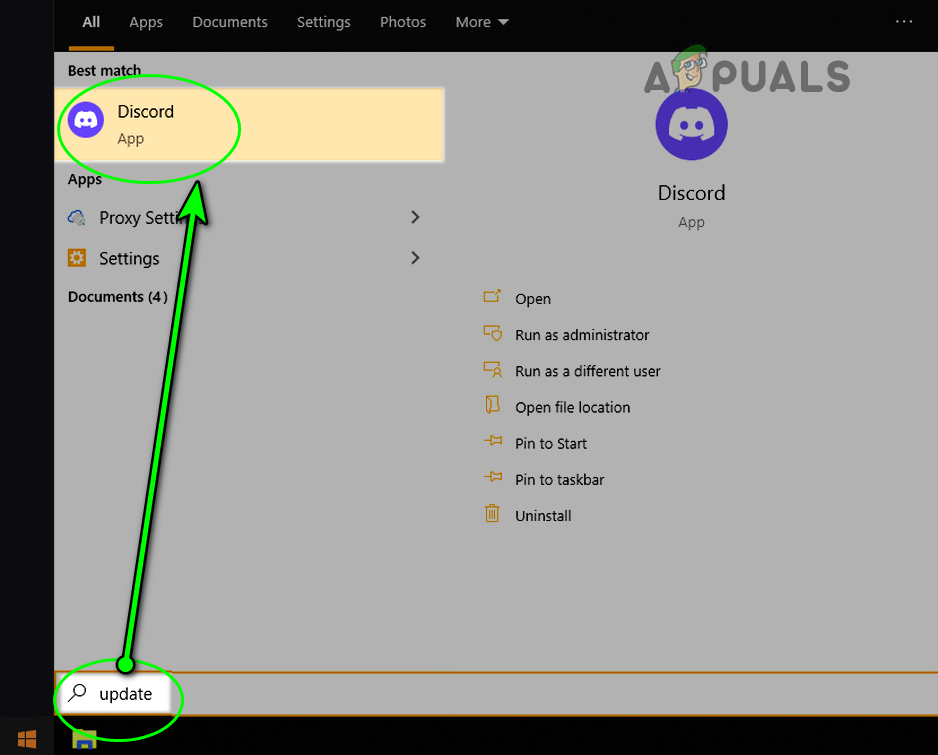 Windows Search Shows Discord When Update is Searched
So, let us find the location of the Update.exe file and how to disable it.
Location of the Update.exe on a System
You can access the location of the executable on your system by following these steps:
- Right-click on Windows and select Task Manager.
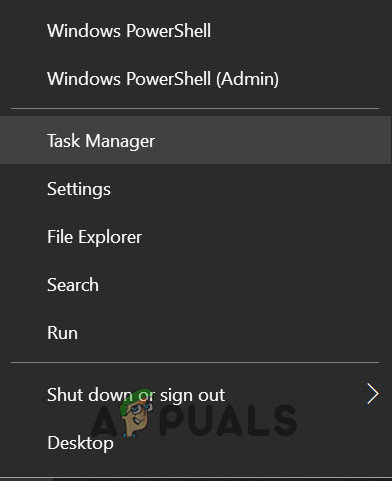 Open the Task Manager from the Quick Access Menu
 - Now, right-click on the Update.exe and select Properties. Some users may have to look in the Startup tab.
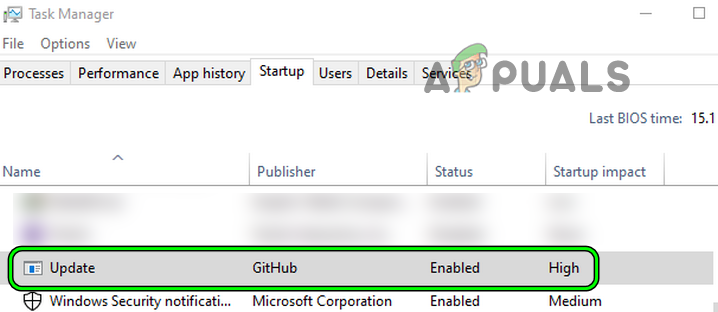 Open Properties of the Update.exe in the Startup tab of the Task Manager
 - Then, check the location of the file, and most probably, it will be from Discord. You can further verify the details of the file in the Details and Digital Signature tabs.
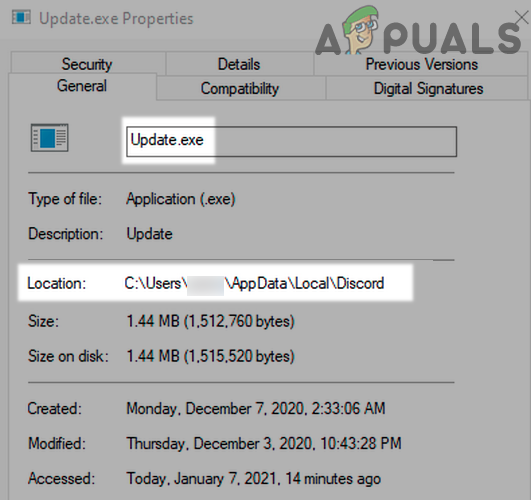 Find Location of the Update.exe in the Properties Window
 - Once the location of the file is found, copy the file’s address and paste it in the Address bar of the File Explorer. Do not delete the file, otherwise, the Discord app might fail to update and even fail to launch. Usually, the file is located at the following address:
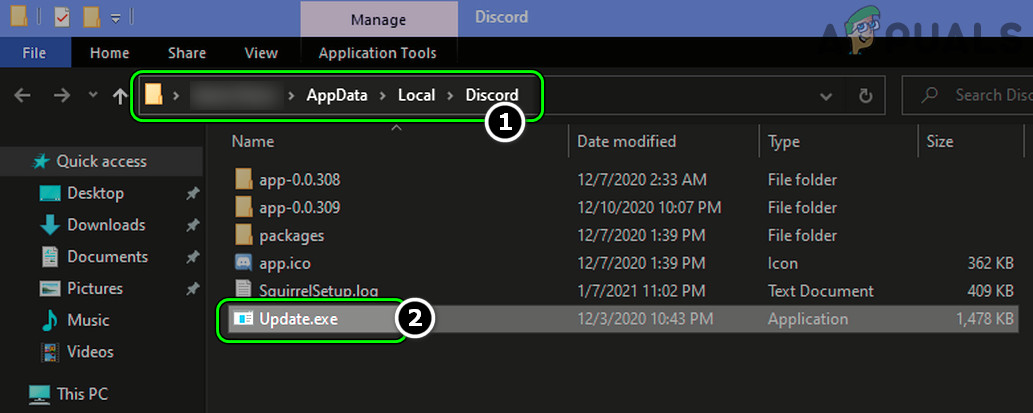 Update.exe Present in the Discord Folder of the AppData Directory
How to Disable Update.exe at the System Startup?
You can disable Update.exe at the system’s startup by the following three methods:
Through System Startup from Task Manager
- Open the Task Manager of your system (as discussed above) and head to the Startup tab.
- Now, right-click on the Update.exe and select Disable.
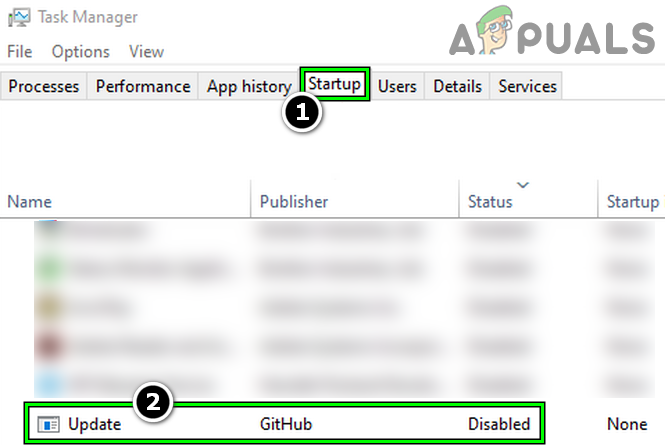 Disable Update.exe GitHub in the Startup tab of the Task Manager
 - Then restart your system after applying your changes and hopefully, you will not see this file again on the system startup but this may cause a hindrance in updating the Discord app.
- If the file still starts with the system startup, then check if disabling the Update.exe and Discord in the Startup tab of the Task Manager solves the problem.
Through System Startup from Windows Settings
- Right-click on Windows and select Settings.
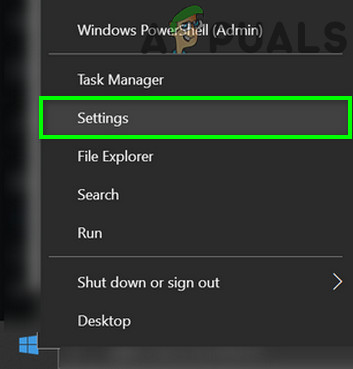 Open Windows Settings
 - Now, open Apps, and in the left pane, head to the Startup tab.
- Then, in the right pane, disable Update (from GitHub) by toggling its switch to the off position, and afterward, restart your system to check if the Update file is not launching at the system’s startup. Otherwise, you may disable Discord at thesystem’s startupfrom the above menu.
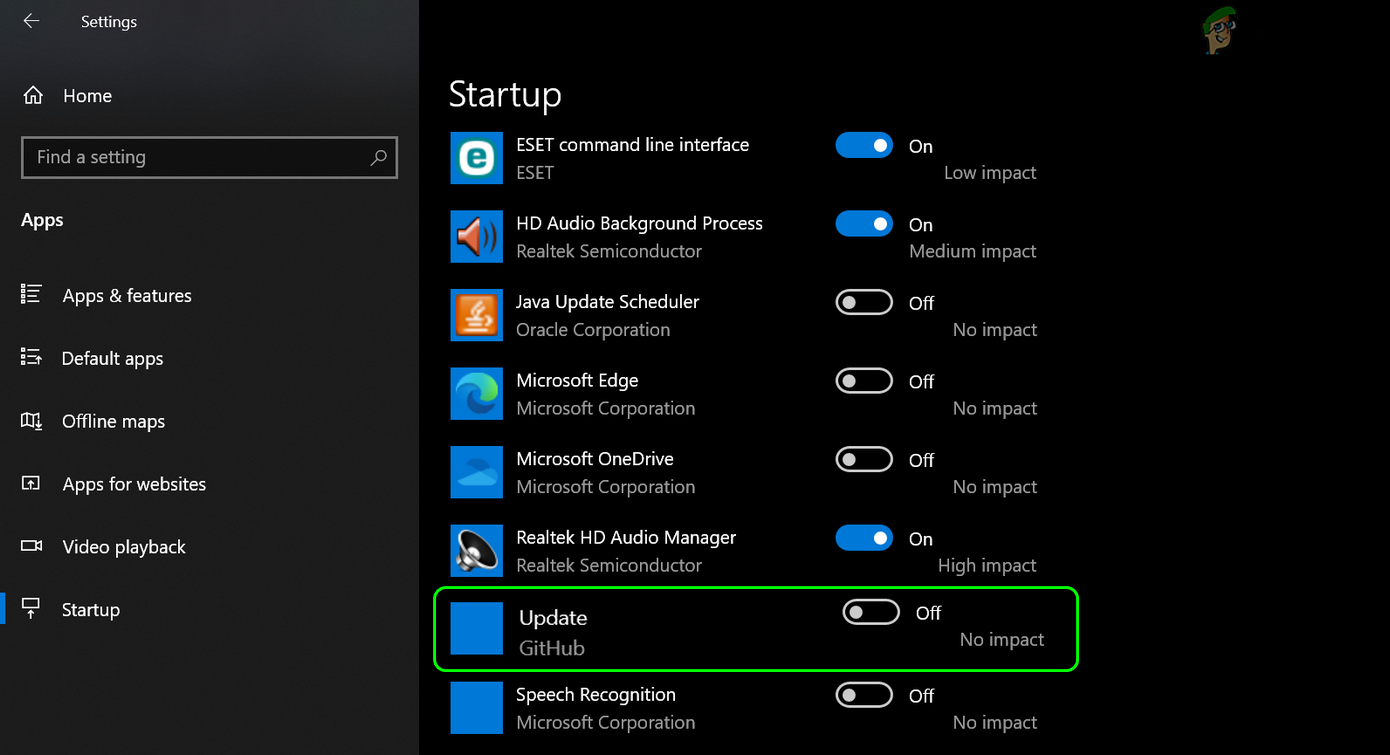 Disable Update from GitHub in the Startup Tab of Apps
Through System Startup Behaviour from Discord App
- Launch the Discord app and navigate to its Settings.
- Now, in the left pane, select Windows Settings, and then, in the right pane, disable Open Discord by toggling its switch to the off position.
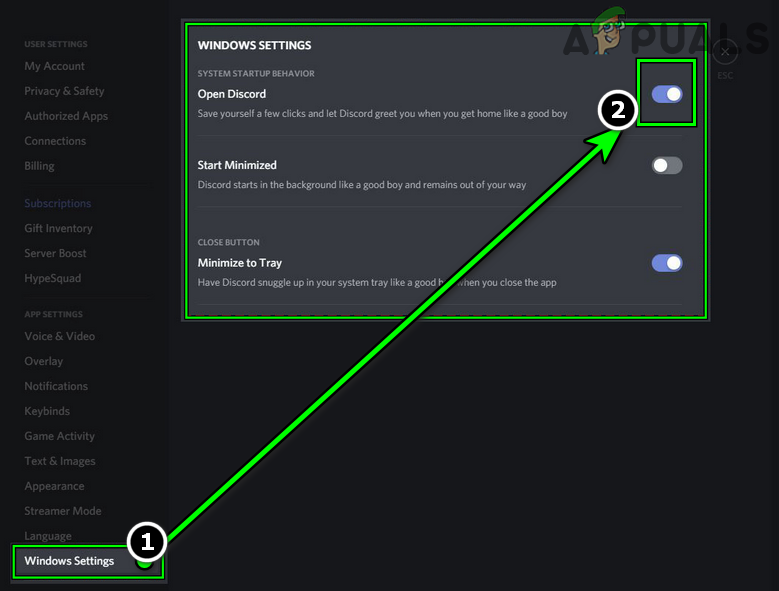 Disable Open Discord in the Windows Settings of the Discord App
 - Then apply your changes, restart your system and hopefully, there will no Update.exe at the system’s startup.
If that did not do the trick, then check if reinstalling the Discord app may solve the problem.
Что обновляет Update от GitHub? процесс в автозагрузке

Иногда, открывая Диспетчер задач, мы можем наблюдать для многих непонятный процесс: с именем Update в разделе «издатель» GitHub. Что значит и что обновляет Update GitHub в автозагрузке?
Для многих не секрет, что Update — это Обновление. С этим ясно. Однако, что значит обновление GitHub для многих рядовых пользователей непонятно (подробности ниже)!
По тексту ниже постараемся во всех подробностях разобраться с возникшем вопросом:
- Обновление с GitHub при запуске
- Update GitHub в автозагрузке — что обновляет Update от GitHub?
- можно ли отключить, если Update GitHub в автозагрузке?
- что такое Github?
Обновление с GitHub при запуске
Discord — мессенджер: для онлайн общения; возможно проводить видеоконференции — используется по интересам. Данная программа популярна в среде геймеров.
…вот таким образом выглядит картина процесса обновления GitHub:

вернуться к оглавлению ↑
Update GitHub в автозагрузке — что обновляет Update от GitHub?
Давайте поступать и действовать логически: ответим на вопрос посредством штатной утилиты Диспетчер задач.
Нажимаем правой кнопкой мыши на строку записи в автозагрузке (откроется контекстное меню) в котором выбираем опцию-подсказку Открыть расположение файла . — нас тут же отправит в ядро ОС, а конкретно в месторасположение, где можно увидеть примерно то, что показано на картинке ниже:

конкретнее о месте и расположении : это папка программы Discord. Этой программой пользуются многие пользователи общения с друзьями. Возможно, и вы…
И если это так, и у вас установлена утилита Discord, то как правило в автозагрузке присутствует соответственная запись Update GitHub , Соответственно — данный процесс выполняет проверку и установку последних версий обновлений для Discord. И что важно — проверка производится во время каждого запуска операционной системы.
Utweb в автозагрузке что это за программа и можно ли ее удалить?
Что такое CancelAutoPlay в автозагрузке, можно ли удалить?
вернуться к оглавлению ↑
можно ли отключить, если Update GitHub в автозагрузке?
Можно. После отключения некоторые функции обновления ПО Discord могут переставить функционировать. Как и говорилось выше, будет остановлен процесс автоматических обновлений программы.
Этот компонент не является необходимым для работы ОС Windows, а посему отключается по требованию пользователя.
что такое Github?
Это такое местечко (одно широко известно для разработчиков сайтов, приложений, программ и пр. IT-полезного и интересного). На страницах сервиса разработчики размещают для свободного или ограниченного доступа пользователей к исходному коду созданных ими программ (все новые и прежние версии утилит).
Запись Update Github запускает файл Update.exe из папки AppData/Local/Discord — картинка выше.
Убирать эту запись (т.е. отключить), а, соответственно, завершить и процесс, из автозагрузки очень даже возможно, тем самым сократив время загрузки самой ОС. Однако, нужно помнить то обстоятельство, что в этом случае обновления для Discord вам предстоит проверять вручную!
Ведь все мы знаем, что обновления для программ важны, как для нас воздух. или примерно так)
Update Github – что это в автозагрузке?

Запись Update GitHub предположительно появляется в автозагрузке в случаях, когда на компьютере установлен мессенджер Discord, популярный среди геймеров.
Для чего запускается этот процесс?
Данный процесс запускается для проверки новых версий приложений программы.
Причина появления Update Github
Причина, почему в автозагрузке указан GitHub заключается в том, что именно здесь хранится исходный код Discrod. Поэтому поиск обновлений ведется по базе данных данного ресурса.
При необходимости процесс Update GitHub можно принудительно отключить.
Если вы хотите отключить Update Github
Вам нужно знать, что при принудительном отключении перестанут функционировать некоторые функции, как например: поиск наличия новых версий и тогда – не будет происходить процесс их обновления.
Если есть желание отключить – отключите, но удалять не нужно!