7 альтернативных браузеров для iPad
Строго говоря, для iOS существует только один полноценный браузер — Safari. Все альтернативы — это фактически графические надстройки и наборы Java-скриптов для движка с открытым исходным кодом WebKit, который и положен в основу Safari.
И тем более любопытно, как различные разработчики, пользуясь одной и той же платформой и сходным инструментарием, могут достигать результатов, весьма далёких друг от друга как по внешнему виду, так и функционально. Все семь упомянутых нами браузеров для iOS (а точнее, именно для планшета iPad с экраном большой диагонали) различаются прежде всего набором функций и элементами управления. И даже технологии ускорения загрузки, используемые, к примеру, в Opera Mini, здесь не так впечатляют, как в «настольных» версиях. А вот по возможностям и юзабилити все они разнятся весьма отчётливо.
1. Chrome
Одна из популярнейших альтернатив Safari на iPad — это, конечно, браузер Chrome, главное достоинство которого заключается в том, что он позволяет воспользоваться возможностями вашего аккаунта в Google. Да-да, как ни странно, среди пользователей сервисов Google немало тех, кто предпочитает не Android, а iOS.
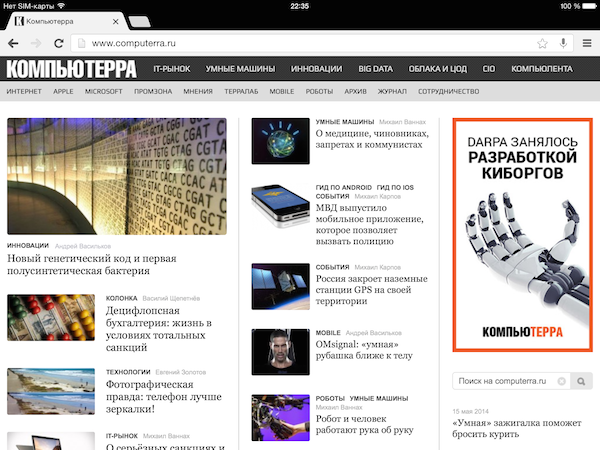
Через мобильный Chrome вы сможете синхронизировать закладки, пароли и прочие данные с десктопной версией этого браузера, так что если вы принципиально предпочитаете Chrome, то это то, что вам нужно.
В остальном же это всё ещё надстройка над движком Safari, поэтому не ждите ни скоростного рендеринга страницы, ни каких-либо расширений, поддерживаемых в «настольном» Chrome.
2. Opera Mini
«Мини-версия» браузера Opera известна прежде всего своим «турбо-режимом», при котором пользовательские запросы проходят через облачные сервера компании, где они сжимаются, в результате чего загрузка многих страниц производится быстрее оригинальных. «Побочный эффект» этой функции заключается в том, что она позволяет получать доступ к ресурсам, заблокированным местными провайдерами, и уже за одно только это можно полюбить Opera Mini раз и навсегда. Впрочем, сжатие работает корректно далеко не с любым контентом: на некоторых сайтах нарушается вёрстка, искажаются заголовки и шрифты и не функционируют некоторые скрипты. Но если вы заходите в интернет по медленным мобильным соединениям или по тарифам с ограничениями по трафику, то эти недостатки можно простить, поскольку экономия с Opera Mini может получиться существенная.
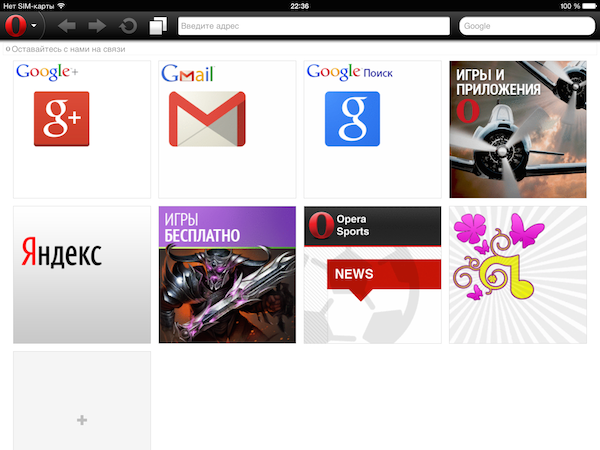
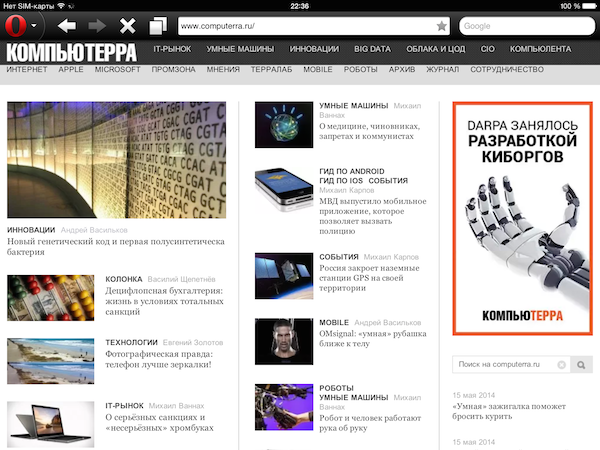
Во всём остальном Opera Mini не отличается ничем выдающимся, в наличии лишь стандартный набор функций: сохранение страниц для просмотра офлайн и синхронизация с десктопной версией. К тому же в этом браузере два отдельных поля для ввода веб-адресов и поисковых запросов, что уже выглядит довольно старомодно.
3. Coast
Бесплатный браузер Coast был разработан программистами Opera специально для iPad. Это не просто очередная модификация Opera Mini, и в нём единое поле ввода для адресной строки и поисковых запросов.
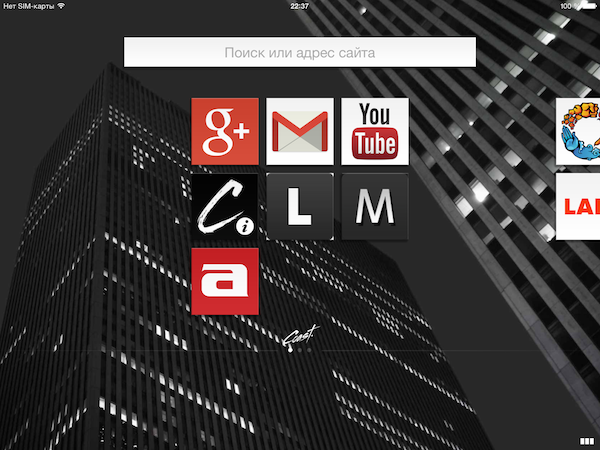
Coast — полноэкранный браузер, при запуске выводящий на экран «плитки» для популярных сайтов. Предусмотрены простые жесты для перехода на предыдущую и последующую страницы, сохранение страницы в память планшета и быстрый вызов панели «Избранное» нажатием на иконку в нижней части экрана.
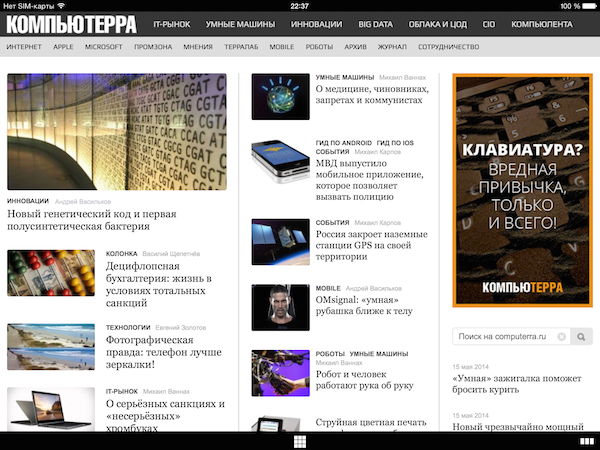
Все функции браузера работают очень быстро, чего не скажешь про скорость загрузки страниц: она самая обычная. Coast также не блещет какими-то оригинальными возможностями: это простой браузер для тех, кто регулярно заходит на небольшое число сайтов. Что касается дизайна, то кому-то он определённо понравится, а кому-то точно нет.
4. Puffin
Puffin — единственный браузер для iOS, поддерживающий Flash. Правда, оно нам нужно? Наверное, уже не очень. Тем более что даже самые примитивные флеш-игрушки в Puffin безбожно тормозят, и пора уже позабыть об этой технологии как о позавчерашнем дне.
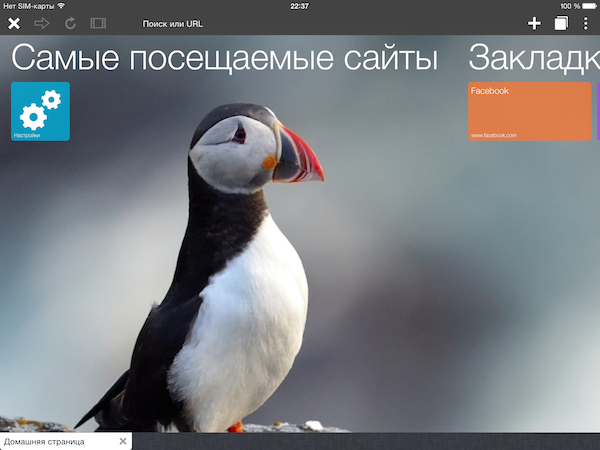
В бесплатной версии Puffin вы получите рекламные баннеры, причём Flash будет функционировать только с девяти утра до четырёх дня. (Интересно, почему? Специально обученные гномы уходят спать?) Платная версия не имеет этих странных ограничений, но сам образ мысли разработчиков с «часами работы» и ужасная производительность как-то не вдохновляют отдавать за неё кровные 129 рублей.
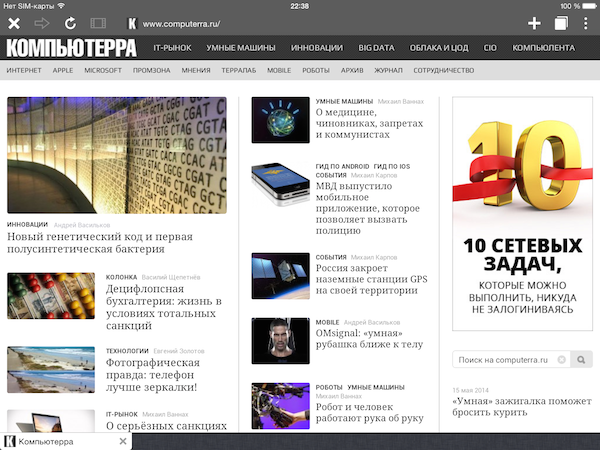
Из мелких бонусов стоит отметить возможность загрузки файлов из Puffin непосредственно в ваше облако на Dropbox, так что они сразу будут доступны на всех подключённых устройствах.
5. iCab
Браузер iCab адресован активным пользователям интернета: он обильно напичкан всевозможными дополнительными функциями. По дизайну iCab напоминает Safari и прекрасно вписывается в графический стиль iOS 7. Впрочем, у iCab вообще много общего с Safari: например, из него можно напрямую добавлять страницы в список чтения Safari. Предусмотрен полноэкранный режим с полупрозрачными кнопками навигации.
По умолчанию в iCab задействован внушительный набор дополнительных модулей и плагинов, в том числе и весьма специфических, — например, «Добавить в Pinterest» или «Добавить видео в очередь Plex». Имеются функция автозаполнения форм, блокиратор рекламы Adblock, менеджер загрузок для любых типов файлов с возможностью передачи файлов на компьютер под управлением Windows или OS X. Есть даже специальная версия Firebug для веб-разработчиков. Естественно, все ненужные модули можно отключить.
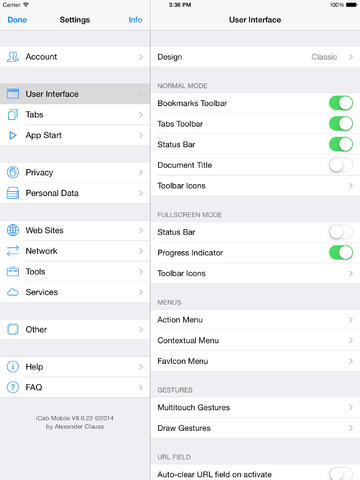
В iCab предусмотрена поддержка нескольких пользовательских учётных записей с собственными настройками, паролями и даже цветовым оформлением. Полный список всех возможностей iCab занял бы несколько страниц, поэтому не удивительно, что за этот браузер придётся заплатить — правда, всего лишь 66 рублей. Так что если вам нужен универсальный «швейцарский нож», то iCab определённо можно считать лучшим выбором.
6. Dolphin
Бесплатный браузер Dolphin ничем не напоминает iCab, за исключением того, что в нём тоже есть встроенный блокиратор рекламы Adblock и полноэкранный режим. К сожалению, в версии для iOS отсутствует возможность установки расширений, которая имеется в варианте для Android.
Dolphin, как и положено современному мобильному браузеру, поддерживает закладки (табы) и управление жестами, причём вы даже можете придумать какие-то уникальные жесты (символы) для перехода на конкретные сайты. Предусмотрена синхронизация между десктопной и портативной версиями Dolphin и даже синхронизация с «настольными» Safari, Firefox и Chrome после установки соответствующих расширений.
7. Sleipnir
Браузер под странным, особенно для продукта японского происхождения, названием Sleipnir (Слейпнир — это восьминогий конь скандинавского бога Одина) тоже бесплатный, тоже имеет встроенный блокиратор рекламы и тоже поддерживает жесты и табы, причём здесь можно даже создавать группы закладок, что позволяет оперировать большим объёмом контента.
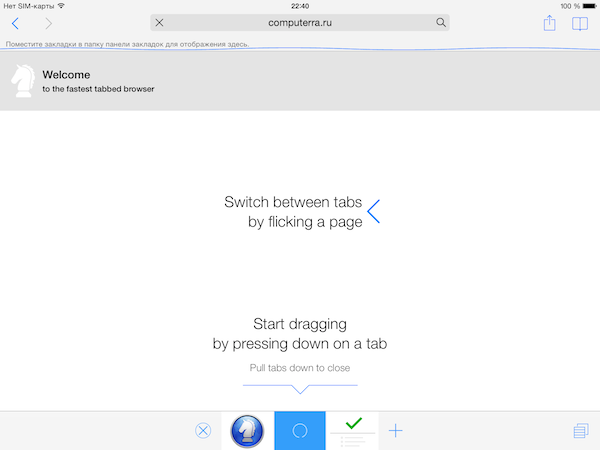
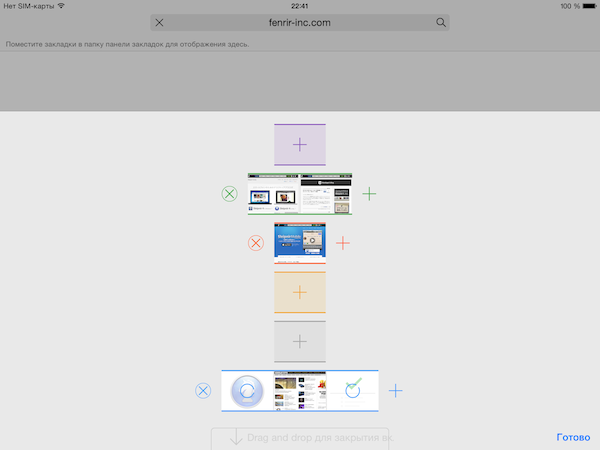
Есть и функция синхронизации с десктопной версией: для этого нужно завести бесплатную учётную запись Fenrir Pass. Предусмотрен полноэкранный режим. В браузере есть встроенная поддержка популярных сетевых сервисов, включая Dropbox, Evernote, Facebook и Twitter.
The best web browsers and other Internet apps for iPhone and iPad
On this list of iPhone applications, you’ll find all the utilities you need to manage your access to the Internet and your wireless networks: the best browsers to visit web pages and the best tools to audit your WiFi network

Version of Google’s browser for iPhone and iPad

The version of Microsoft’s Edge browser for iPhone and iPad

Browser for iPhone with low data consumption

Get hold of passwords to browse for free

Browse the Internet without fear

Audit the security of your WiFi network

Access files on the cloud from your iPhone

Browser based on Tor

A speedy browser for iOS devices

Convert your device into a remote control for iTunes or Apple TV
Categories
 Surfshark
 WiFi2Me
 Microsoft Edge
 4shared
 Onion Browser
We use our own and third-party cookies for advertising, session, analytic, and social network purposes. Any action other than blocking them or the express request of the service associated to the cookie in question, involves providing your consent to their use. Check our Privacy Policy.
Быстрее добирайтесь до любимых мест на iPhone и iPad
Просматривайте все свои открытые вкладки, недавние поиски и любимые сайты в одном месте с браузером Firefox для iOS.
Получите Firefox для iOS
Отправить ссылку для загрузки на мой телефон.
Вам была отправлена ссылка на загрузку.
Сделайте Firefox своим браузером по умолчанию
Теперь пользователи iPhone и iPad могут выбирать свой собственный браузер по умолчанию. Это значит, что вы больше не привязаны к Safari, а ваш мобильный браузер может синхронизироваться с любимым браузером на компьютере. Кроме того, делая Firefox браузером по умолчанию, вы поддерживаете независимую технологическую компанию. Кстати, Firefox — единственный крупный браузер, поддерживаемый некоммерческой организацией.
Быстрый. Приватный. Безопасный
Сохраняйте приватность, не жертвуя сверхвысокой скоростью. Кроме того, функции интеллектуального просмотра позволяют вам оставаться приватными, взяв пароли и закладки с собой, куда бы вы ни отправились, что делает вашу жизнь в Интернете ещё легче.
Оставайтесь приватными в Интернете
Firefox предоставляет вам лучшую защиту приватности онлайн. Наша Улучшенная защита от отслеживания по умолчанию блокирует трекеры и скрипты, такие как трекеры социальных сетей, межсайтовые трекеры, криптомайнеры и сборщики цифровых отпечатков.
Ваша история просмотра остаётся историей
Если хотите, вы легко можете работать и искать в Интернете в режиме приватного просмотра. При выходе история просмотра и все куки автоматически сотрутся с вашего устройства.
Сделайте Firefox частью своей жизни
Добавьте Firefox на все свои устройства для безопасного непрерывного просмотра. Синхронизируйте их, чтобы любимые закладки, сохранённые логины, пароли и история просмотра всегда были с вами, куда бы вы ни отправились. Более того — пересылайте открытые вкладки между телефоном и компьютером, чтобы продолжать оттуда, где остановились.
Находите всё быстрее
Получайте поисковые предложения в панели поиска и быстро открывайте сайты, которые посещаете чаще всего. Введите поисковый запрос и получите предложения и предварительные результаты от ваших любимых поисковых систем.
Настраивайте свой домашний экран
Находите то, что вас интересует в Интернете, быстрее. Выбирайте просмотр всех своих открытых вкладок, недавних поисков, закладок и любимых сайтов в одном месте.
Открывайте больше интересного
Откройте новую вкладку в Firefox, чтобы увидеть самые посещаемые сайты, недавние закладки и популярные статьи в Pocket. Firefox предоставляет вам быстрый доступ к недавно посещённым сайтам, чтобы ускорить поиск нужных.
О Mozilla
Mozilla существует для того, чтобы сделать Интернет доступным для каждого, потому что мы считаем, что открытая и свободная сеть лучше закрытой и регулируемой. Мы создаем такие продукты, как Firefox и Pocket, чтобы способствовать возможности выбора, прозрачности и контролю.
15 Best Browsers For iPad 2023
What browser should you use on your iPad? This is a question that many people ask themselves when they are deciding which app to download.
There are many browsers available to use on an iPad, but not all of them will provide the best experience for you. Some of the better ones include Chrome , Firefox , and Edge . However, the best browser for iPad is Safari. Since it’s the native application for iOS, you get the best performace everytime you use it for browsing the internet.
Let’s find out more about these browsers.
- Best Browsers For iPad
- 1. Safari
- 2. Chrome
- 3. Firefox
- 4. Edge
- 5. DuckDuckGo
- 6. Opera Touch
- 7. Dolphin
- 8. Brave
- 9. Aloha
- 10. Ghostery
- 11. CM Browser
- 12. Snowbunny Private Web Browser
- 13. Maxthon Cloud Web Browser
- 14. Puffin Browser Pro
- 15. Onion Browser
Best Browsers For iPad
1. Safari

Safari is a default browser that comes with iPads.
The good thing about Safari is that it offers the best compatibility with web pages and this makes browsing very fast.
It also has excellent bookmarking features, which make storing favorite sites easy for later access.
Safari supports flash player to enable users to view videos on various websites such as YouTube and Hulu.
Since Safari comes preloaded on any iOS device, it can be used to access the internet without incurring charges from mobile carriers or ISPs.
This browser uses Intelligent Tracking Prevention to prevent tracking by third-party advertisers.
Safari has some unique features that make it stand out from other browsers such as the Reader Mode, which allows users to view articles without ads or extra elements around them.
If you are using an iOS device for your browsing needs then Safari is a perfect choice because of its compatibility with web pages and apps.
It has the ability to sync with your other devices and can be used in incognito mode if you are trying to keep some browsing activity secret from your friends.
2. Chrome

After Safari, Chrome is another browser that works great on iPad.
With almost all features same as desktop, it easily syncs your bookmarks and pages across devices to provide you with a seamless browsing experience.
It also offers extensions like AdBlocker along with a password manager option for better security of your accounts.
Google lets you sign in to Chrome with your existing Google account that could be used for other services like Gmail and Drive.
You can easily download files from the browser too so you don’t have to go through the hassle of using iTunes or emailing them to yourself.
Also, it is available worldwide so wherever you are traveling, being a multinational company itself, it opens up a world of possibilities for you.
It is a browser that offers some highly useful features like private browsing and incognito mode to keep your data safe from prying eyes.
It also has smart search suggestions which let you find things quickly within one tab itself instead of having to open new links in different tabs.
By using Chrome on your iPad, you can keep track of the pages that you have visited and also save them for later viewing.
Chrome works across all devices so if you are using an Android phone or a Windows computer too, then opening up tabs on one device will sync it to the other device as well which is very convenient indeed.
It offers a very user-friendly interface and it is also lightweight so you can use the browser even with a low-powered iPad.
It works as an offline app which means that all your bookmarks, saved pages, etc. will be accessible to you regardless of whether you have an internet connection or not.
Moreover, this web browser has been designed keeping in mind the size of an iPad screen so everything looks neat and organized.
Also, it has a very fast sync speed with other devices if you are signed in to Google which makes it easy to share bookmarks, passwords, etc.
3. Firefox

If your concern is privacy, then Firefox is the way to go.
It’s from Mozilla, a non-profit group that has been around for quite some time now and boasts an excellent track record in terms of security.
As far as features are concerned, there isn’t a whole lot here you won’t find on other browsers mentioned in this list but it still manages to be a great browser.
It offers the same syncing capabilities as Chrome and Safari, which is excellent if you want to pick up where you left off on another device.
The interface of Firefox has improved quite a bit recently but it still doesn’t match what Google or Apple are doing in terms of polish and design language, but this isn’t necessarily bad, though.
This may well be the best browser for iPad if you are willing to sacrifice some conveniences of other browsers in favor of security or privacy.
It’s certainly not a coincidence that it is used by whistleblowers and journalists alike who want to protect their identity.
Among all iOS browsers I’ve tested, Firefox seems like the fastest one when it comes to rendering pages.
You can use Firefox for iOS with the browser open in one tab while looking at other websites in another tab, just like Safari on macOS.
4. Edge

Edge is a browser made by Microsoft.
It is their attempt to make a serious competitor in the web browser market.
Edge is available on both Windows and iOS.
If you want to sync your edge browser across different devices, you can sign in with your Microsoft account.
Edge is generally fast and has a great UI. It also shows the complete URL in the address bar which may be helpful for some users.
However, Edge just doesn’t have enough features like most of the other browsers on this list.
If you are going to use edge I recommend trying it out first before putting your time towards setting up syncing.
With Edge, Microsoft also offers to personalize your browsing experience based on your interests, activities, and search history.
They use this information to show suggestions in the shape of reading lists based on previously browsed websites, articles based on specific topics, or news about things that are trending at the moment.
It is also designed to help you save time and money by providing the ability to browse faster without ads, download videos from streaming websites such as Netflix or Hulu, and also protect your privacy.
It replaces Internet Explorer on Windows devices. Despite not being the default browser it does come preinstalled on all windows devices giving users another alternative to the default browser.
It is designed for Windows users who are coming from Internet Explorer and want a faster, more secure web browsing experience with better battery life.
While it may not be as popular or sleek as chrome, the edge does come packed with some very nice features that make it an attractive alternative.
These include Cortana integration, annotation tools (including digital ink), and easy access to favorites.
In addition, an edge browser will work well for both PCs and tablets.
In fact, Microsoft has released it on all platforms including iOS, Android, Windows Phone/RT, Xbox One & 360, and Surface Hub & Pro editions.
Furthermore, the performance of this browser in terms of speed does not disappoint with its ability to handle javascript at a rate of nearly 70% faster than Chrome.
Those looking for more customization and privacy will appreciate the new “browser ballot” feature in the latest version.
This allows users to choose which browser they want as their default within Windows so that they do not have to rely on Microsoft to do the choosing for them.
Finally, there is a Reader mode that strips unnecessary content like ads and other elements, in order to make it easier on your eyes when you are reading long articles.
Also Read : Brave vs Edge
5. DuckDuckGo

Although best known for their search engine, DuckDuckGo also has a dark mode version of their browser for iPads.
It is fast with great privacy features; however, it does not integrate into the Apple ecosystem very well.
You can view all the trackers that have been blocked by this browser on the ‘Tracking’ page of their website.
The DuckDuckGo mobile app is free to download, however, it contains ads (to pay for development costs).
They are easy to remove with a one-time purchase in the settings menu; alternatively, you can also donate directly through the application using Apple Pay.
This app is an alternative to Safari, however, it has a few shortcomings such as lack of tabbed browsing.
It also does not have any privacy features built-in but you can still use extensions for this purpose.
You can opt to make your websites fireproof which means that they won’t be blocked again.
You can also use this browser to open or download torrents, play online games, and even stream music.
There are no major unique features of this browser but it is still a pretty good option for people seeking privacy as well as those who want extremely simple controls.
Interesting Comparison : Brave vs DuckDuckGo
6. Opera Touch

Opera Touch is a new browser, which is built with Opera’s famous Turbo technology.
It will compress web pages of the websites you visit before downloading them to your iPad or iPhone.
This way it saves storage space on your device and makes loading times faster by up to 90%.
Opera Touch also comes with a full-screen reading mode that removes all distractions from articles, videos, or images.
This feature will improve your reading experience by giving you the best possible browsing environment for whatever it is that you are trying to read.
Apart from its seamless interface and advanced features, Opera Touch is also known for its high-security standards.
Its built-in VPN will protect your data and privacy by encrypting all of the traffic that goes through your browser.
One of the best things about this browser is its Fast Action Button.
This is a one-tap way of accessing useful features such as your bookmarks, downloads, and more.
It also has its own QR code scanner and a night mode for reducing eye strain when you are reading at night or in dimly lit rooms.
In Opera Touch, your privacy is also protected with Incognito Mode that will ensure nobody can track your browsing history.
With its unique features and user-friendly interface, this browser could be the perfect choice if you want to enjoy your browsing experience on your iPad.
7. Dolphin

Although it has been around for a few years now, Dolphin is still one of the top browsers out there and its popularity continues to grow as more people discover how useful it can be.
Dolphin’s speed dial feature allows you to pin your favorite websites directly from the start page for easy access to your favorite sites.
Dolphin also has a user-friendly search bar to help you find the information that you need quickly and easily, without having to go through pages of results or sift through advertisements.
One feature I love about Dolphin is mouse gestures. These are similar to Chrome’s own custom gestures but they can do even more, and they’re surprisingly easy to set up.
If you want a fast browser with tons of features and customization options then Dolphin is the best choice for you.
It also has an ad blocker built-in so that ads don’t slow down your browsing experience or invade your privacy.
8. Brave

Brave is a Chromium-based browser, which means it uses the same rendering engine as Chrome.
It is also a newer alternative to Safari and Edge that also comes with built-in ad blocking and tracking protection.
This makes it an excellent choice for those who want privacy while browsing on iPad or other mobile devices.
The browser no longer loads Javascript, making it faster and more secure.
It also has the ability to sync bookmarks across devices automatically using iCloud Keychain.
At the end of the month, Brave will pay website owners who use Brave for their browsing.
This is a great way to support your favorite websites while ensuring you get the best speeds and privacy possible on iPad or other mobile devices.
Brave is available on iOS, Android, Windows OS X, Linux Ubuntu/OpenSUSE/Fedora, and macOS High Sierra.
9. Aloha

Aloha is an iPad browser that you can use to surf the web.
The most unique feature of this application is its speed, so if you are looking for a fast-loading app then it is one of the best options out there.
It does not have too many features or extensions but that makes it easy to learn and use. The design has been optimized to the core so it is smooth, flexible, and very fast.
If you are looking for an iPad browser that will allow you to surf the web without any hiccups then Aloha is one of your best bets out there.
However, if you need more features like bookmarking or feel comfortable using extensions (like ad blockers) then this browser may not the best option.
It also comes with a unique night mode to reduce strain on the eyes if you are using this app in dark areas.
It offers both free and paid versions, the free version has limited features but you can upgrade to Pro once you are comfortable with this browser.
The web browser is made for Windows users, however, if you own an iPad then there’s no reason why you should not give the app a try as well.
10. Ghostery

Ghostery Privacy Browser is a browser that allows you to block tracking.
Ghostery also provides information about companies and developers who track your data on the sites you visit, as well as blocking those third parties from loading any more content until they promise not to track you again.
The browser is reliable and gives you a clean and private browser experience when surfing online.
It automatically deletes all your browsing history and cookies to ensure that your browser is always private.
It also has a search engine feature allowing you to reduce the number of trackers out there by using its own ad-blocking technology, as well as blocking all scripts from companies like Facebook, Google Analytics, and Twitter.
This means none of these organizations will ever be able to track you again.
It is easy to use and compatible with both desktop operating systems like Windows, macOS, or Linux as well as mobile devices on iOS, Android, or even the iPhone.
A major thing that makes this browser stand out of the crowd for me is its new Tab Navigation feature where it opens up new tabs in a separate space rather than pinning it to the active one.
This allows you to switch between tabs much quicker than before and gives your browser a really clean look.
11. CM Browser

CM Browser is a free alternative for Chrome. It’s a very popular browser with over 100 million users worldwide.
This Browser doesn’t only provide basic browsing needs but also brings abundant special features to you.
The most notable feature of this app is that it can speed up your surfing experience by blocking ads and protecting your online privacy via incognito mode.
It also allows you to download videos and music for offline playback, as well as share web content via WiFi with other devices such as iPads, smartphones, or tablets.
CM Browser is the best choice for those who want a lightweight browser that can offer fast speed and protect users’ privacy at the same time.
12. Snowbunny Private Web Browser

Snowbunny is a private web browser with tracking code blocking and cookie management features.
It is entirely free to use, but the premium version includes an ad blocker.
The app supports multiple windows so you can have two different sessions running at once or open up new pages in one window while reading others.
You can also create your own bookmarks folders for easy access and customize the look and feel of your window.
The Snowbunny app also has a built-in password manager to help you remember all those logins for social media sites, online stores, forums, etc.
To keep things extra safe there is even an option when adding new accounts with an automatic lock on closing the browser so no one else can access your info.
The free version of the app also includes a few other features like incognito mode, form filler, and gesture support for iPhone users.
The premium upgrade removes all ads across your browsing experience as well as adds more options to customize your window.
You can create multiple tabs with unlimited windows/tabs open at once depending on preference.
13. Maxthon Cloud Web Browser

Maxthon Cloud Web Browser is a fast and secure browser that works on multiple platforms.
It is compatible with the Maxthon Passport service, which can keep your bookmarks synchronized across all devices.
The integration of the top sites from different countries makes it a great choice for expatriates or people traveling abroad as well as students studying in another country.
This cross-platform browser has a built-in ad blocker to increase browsing speed and reduce data usage.
It also has an integrated pop-up blocker, which blocks annoying ads from interrupting your web surfing experience as well as child safety protection that makes sure no adult content will be viewed by children.
Moreover, it supports multiple languages such as English, Spanish, or French.
This app is available in the App Store, which you can download absolutely free of charge.
14. Puffin Browser Pro
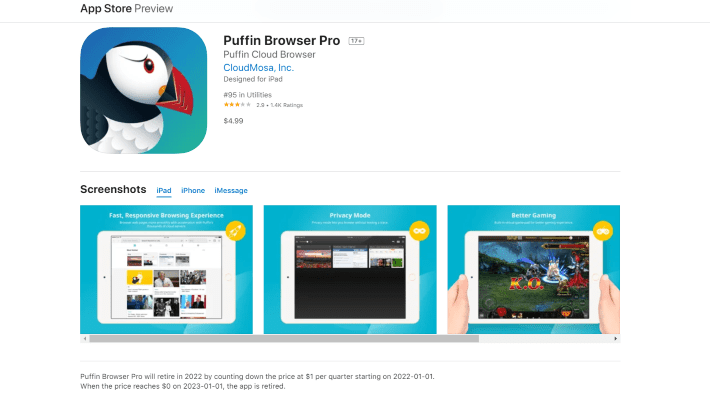
Puffin Browser Pro is one of the best browsers for the iPad interface, which has a number of features.
This browser has very good speed and an excellent security system. This also gives you a nice experience while surfing with this app on your device.
You can enjoy it a lot if you have it on your iPad or iPhone as well as Android devices too where there are no limits to using it.
It has a high performance with the speed of rendering pages, especially on iOS devices where Safari often struggles to keep up.
The app comes with an ad blocker and the ability to save webpages for offline use along with Flash support which all work pretty well in most situations.
15. Onion Browser

Onion Browser is a free browser for iOS, which can be used to access the Tor network.
It encrypts all the data sent and received through the Tor network so that everything you do online is anonymous, even if your WiFi connection is insecure or someone else on your local network tries to monitor what you are doing.
The only downside of this browser might be slow speeds due to its secure nature.
Bottom line
With this list, you can find the browser that best suits your every need.
With my recommendations, I hope it becomes easier to narrow down your choices and make a decision on what you think is the right fit for you and your iPad.
I like using Safari because it’s easy to use but others might prefer Chrome or Firefox due to their more unique features.
It all comes down to what you are looking for in a browser and which one will suit your needs the best.

Scott L. Macarthur is a marketing consultant and an online author. He is mostly engaged in providing his expertise to startups and SMBs. He is also an author on TheNextWeb.